

TL;DR
- Package a Java or Linux application as a container, run it as an ephemeral pod on Oracle OKE, and stream it to any HTML5 browser through Thinfinity. No fat client, no per-user VM.
- OKE supplies pod orchestration and elasticity, Thinfinity Workspace brokers each session behind Universal ZTNA, and Thinfinity Cloud Manager automates provisioning, scaling schedules, and cost control for the surrounding environment.
- You pay for concurrent sessions rather than standing desktops, and capacity can scale toward zero outside business hours.
- Security rests on zero inbound ports, MFA and SSO/SAML, RBAC, session recording, per-session pod isolation, and least-privilege access to OCI resources through Workload Identity.
- Full desktops, durably stateful apps, and latency-sensitive graphics can still justify a VM or native install, so segment the portfolio workload by workload.
Containerized application delivery on Kubernetes lets you run a Java or Linux application inside an ephemeral pod on Oracle Container Engine for Kubernetes (OKE) and stream it to any HTML5 browser through Thinfinity, with no fat client and no per-user virtual machine. Thinfinity brokers each session behind Universal ZTNA, OKE handles native pod orchestration and elasticity, and Thinfinity Cloud Manager automates the cloud environment, scaling schedules, and cost controls around it. The result is a modern, right-sized way to put Linux desktops and Java line-of-business apps in front of remote, BYOD, and cross-platform users.
This article extends our earlier work on browser-isolation pods on OKE for internal web apps to a broader class of workloads: full Linux GUI applications, engineering and scientific tools, developer environments, and Java server and desktop applications packaged as container images. It also sets out, plainly, where a full VM still makes more sense than a pod.
The problem with per-VM and fat-client delivery of Java and Linux apps
For years, delivering a Linux tool or an internal Java application to a distributed workforce meant one of two things: ship a fat client to every endpoint, or stand up a per-user virtual machine or full VDI desktop. Both approaches carry structural cost and friction.
Fat clients demand packaging, patching, Java runtime version management, and OS compatibility testing across Windows, macOS, and Linux endpoints. Every update becomes a distribution project. Contractors and BYOD users are hard to support because you cannot control their machines.
Per-user VMs solve the endpoint problem but replace it with an infrastructure problem. You provision capacity for peak concurrency and pay for it around the clock, even when most desktops sit idle overnight or on weekends. A single-purpose Java app does not need an entire persistent desktop OS underneath it, yet that is what a VDI model bills you for.
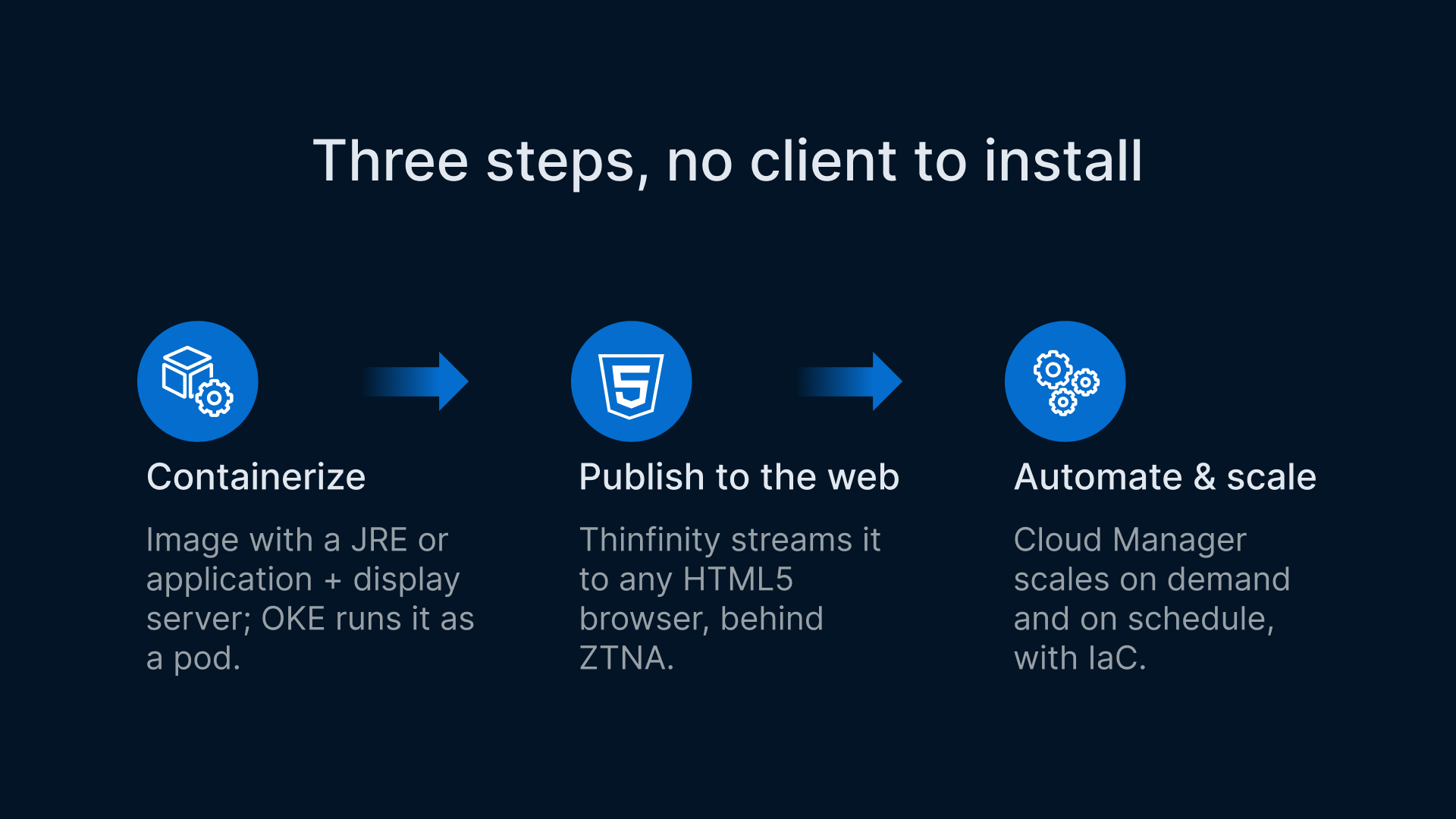
The mismatch is one of granularity. A container sized to one application is a far smaller, more disposable unit than a full VM, and Kubernetes was built to schedule exactly that kind of unit at scale. The pattern below has three steps: containerize the app, publish it to the browser, and automate the environment around it.
Step one: containerize the app for OKE
The first move is to package the application as a container image. For a Java application, that typically means a base image with the appropriate JRE or JDK plus the application artifact and its configuration. For a Linux GUI tool or a lightweight Linux desktop, the image bundles the app, a display server or session component, and any libraries it needs.
Once the image exists, OKE runs it as a pod. Oracle Container Engine for Kubernetes gives you several capabilities that matter for this delivery pattern:
- Virtual nodes provide a serverless Kubernetes experience with pod-level elasticity and pay-per-pod pricing, so you scale sessions without pre-planning worker-node capacity.
- Horizontal Pod Autoscaler (HPA) and the Cluster Autoscaler add and remove capacity in response to concurrency and resource pressure.
- Mixed node clusters (virtual, managed, and self-managed) let you place heavy Java heaps or GPU-accelerated engineering tools on managed or self-managed nodes while lighter sessions burst onto virtual nodes.
- Workload Identity grants each pod least-privilege access to OCI resources such as Vault secrets and Object Storage through OCI IAM, so a session only reaches what its application actually needs.

Because the app is now an image under version control, you roll it out through CI/CD. A new release is a new image tag, promoted through your pipeline and deployed with a standard Kubernetes rollout. There is no client to redistribute.
Step two: publish the container to the browser with Thinfinity
Packaging the app is half the story. Users still need to reach it, and they should reach it without a VPN, without installing anything, and without inbound firewall exposure.
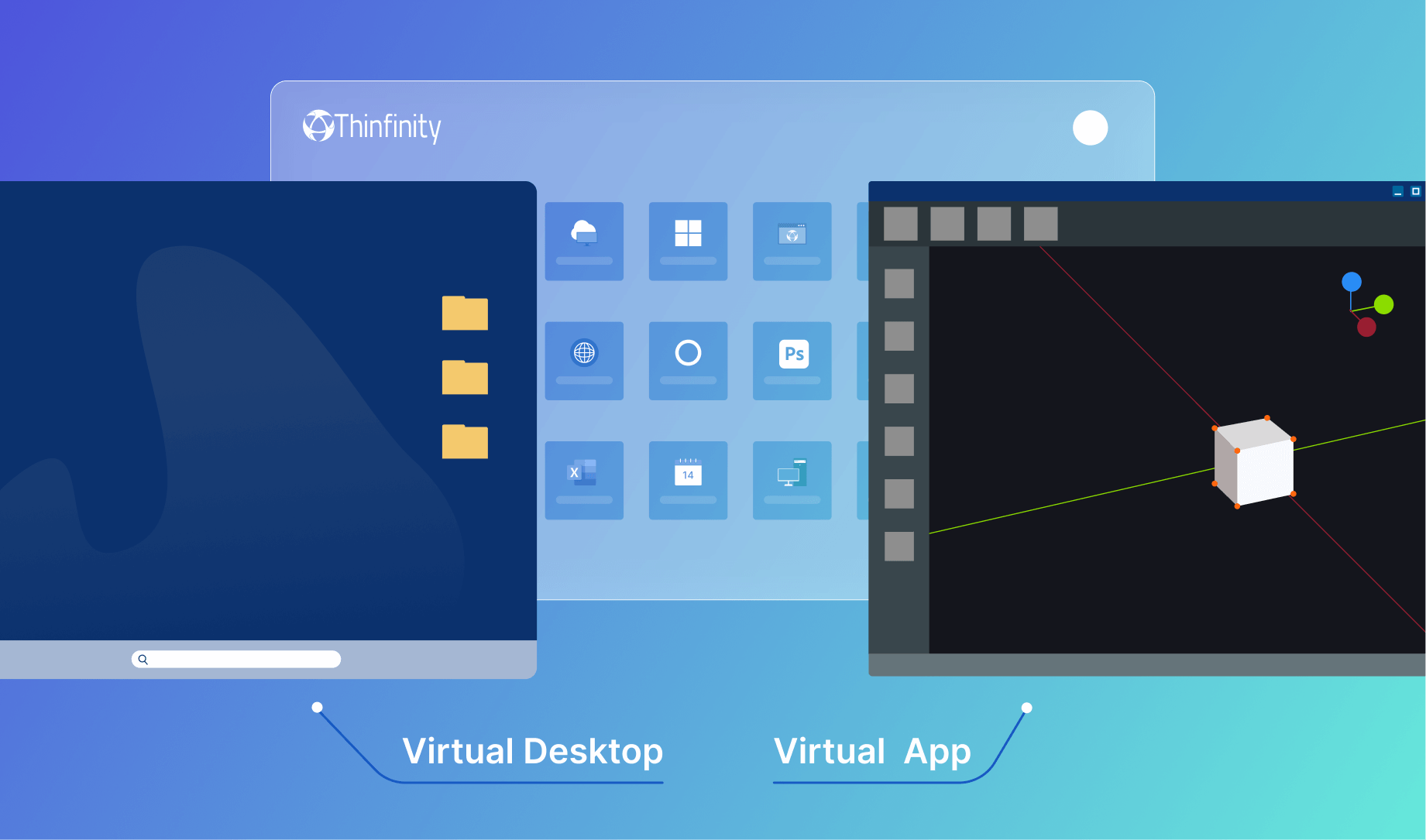
Thinfinity Workspace delivers applications and desktops, both Windows and Linux, to any HTML5 browser. It sits behind Universal ZTNA: a reverse-proxy and DMZ broker model with zero inbound ports, MFA, SSO and SAML, role-based access control, and session recording. Linux desktop and Linux application delivery to the browser is a supported scenario.

Zero trust is a response to enterprise network trends that include remote users, bring your own device (BYOD), and cloud-based assets that are not located within an enterprise-owned network boundary.
In this pattern, Thinfinity brokers the connection between the browser and the containerized Java or Linux app running in its OKE pod, then streams the rendered pixels to the browser over HTML5. The application binaries and data never leave the pod; the endpoint only ever receives rendered output and sends back keyboard and mouse input, with clipboard, file transfer, and printing governed by policy.
Each session can map to its own pod and be ephemeral, so isolation is strong: one user’s session is a separate container from another’s, and the pod can be torn down at logoff. For Windows GUI apps, Thinfinity VirtualUI is an adjacent option that web-enables a Windows application directly; here the focus is Linux and Java containers.
Step three: automate and scale with Thinfinity Cloud Manager
OKE handles pod orchestration natively. What it does not do by itself is provision and right-size the surrounding cloud environment, apply business-hours schedules, or give operators a single pane to control costs across clouds. That is where Thinfinity Cloud Manager fits.
Thinfinity Cloud Manager is the automation, scaling, and cost-control plane for the Thinfinity delivery environment. It automates provisioning, deployment, scaling, and monitoring of cloud infrastructure using templates and Terraform-based Infrastructure as Code, and it supports multi-cloud operation across OCI, AWS, and Azure from one control panel. Its autoscaling engine turns capacity on and off based on demand, including schedule-based on/off policies, so you are not paying for idle infrastructure overnight or on weekends.
The division of labour matters. Cloud Manager automates the cloud environment and the node and capacity layer, and integrates with the OCI and OKE layer. It is not, on its own, a Kubernetes controller or CRD operator. The native pod-level elasticity, HPA, and pay-per-pod behavior come from OKE; Cloud Manager provisions and scales the environment those pods run on and enforces cost and scheduling policy around it. Together, OKE’s per-pod elasticity and Cloud Manager’s environment-level automation let you pay for concurrent sessions and scale toward zero off-hours.
Which layer provides which capability?
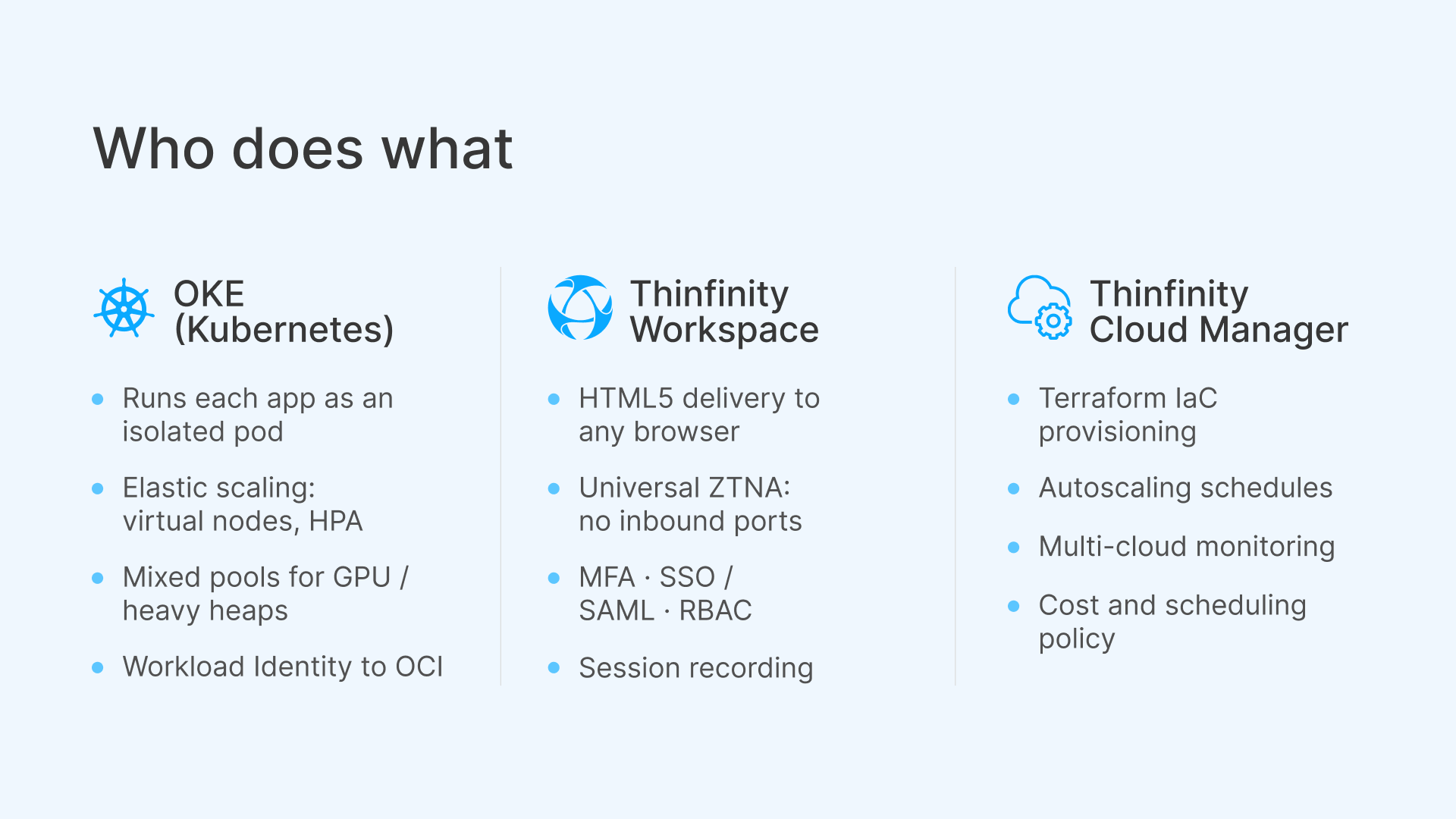
A recurring question from architects is who owns what. Read the request flow top to bottom (the user authenticates once at the ZTNA broker, the broker connects to a freshly scheduled pod, and the app streams back over HTML5) while OKE schedules and scales pods and Cloud Manager provisions the environment and applies cost policy. The table below maps each delivery need to the component that satisfies it.
| Delivery need | Capability | Who provides it |
|---|---|---|
| Run the Java/Linux app as an isolated unit | Container image scheduled as a pod, one per session, ephemeral | OKE (Kubernetes) |
| Elastic scaling to concurrent demand | Virtual nodes (pay-per-pod), HPA, Cluster Autoscaler | OKE (Kubernetes) |
| Heavy heaps or GPU workloads | Mixed node pools (managed / self-managed alongside virtual) | OKE (Kubernetes) |
| Least-privilege pod access to secrets and storage | Workload Identity via OCI IAM (Vault, Object Storage) | OKE + OCI IAM |
| Reach the app from any browser, no install | HTML5 delivery of Linux and Java apps and desktops | Thinfinity Workspace |
| Secure access without inbound ports | Universal ZTNA: reverse-proxy/DMZ, MFA/SSO/SAML, RBAC, session recording | Thinfinity Workspace |
| Provision the cloud environment as code | Templated, Terraform-based IaC automation | Thinfinity Cloud Manager |
| Right-size capacity and control cost | Autoscaling engine, schedule-based on/off, multi-cloud monitoring | Thinfinity Cloud Manager |
Where does this pattern fit best?
The pattern fits any workload where a Linux or Java application needs a wide, controlled audience without endpoint installs.
- Internal Java line-of-business apps: Give finance, operations, or claims teams a browser link to a Java app instead of managing JRE versions on every desktop.
- Engineering and scientific Linux tools: Deliver simulation, EDA, or data-analysis tools, placing GPU or high-memory sessions on managed node pools.
- Developer environments: Provide consistent, disposable Linux dev containers reachable from any machine, including locked-down or BYOD laptops.
- ISV application delivery: Software vendors can ship their Linux or Java product as a SaaS-like browser experience without asking customers to install anything.
- Cross-platform access: Reach the same app identically from Windows, Mac, Chromebooks, and tablets.
- Bursty and seasonal workloads: Scale sessions up for a quarter-end run or a training cohort, then scale back toward zero, paying for concurrency rather than peak-sized standing capacity.
Where a VM or native install still wins
Containerized delivery is not a universal replacement. It is a right-sizing tool, and there are cases where a full VM, a persistent VDI desktop, or a native install remains the better call.
- Latency and interactive UX: Remote rendering adds a network round trip. For most business and engineering apps this is imperceptible, but highly interactive 3D, real-time video editing, or sub-frame-sensitive work may favor local execution or a purpose-built high-performance session.
- Stateful applications: Ephemeral pods are ideal for stateless or externally-persisted apps. If an app expects durable local state, you must plan persistent volumes, external databases, or Object Storage, which adds design work; a persistent VM can be simpler.
- Accessibility requirements: Screen readers on the endpoint cannot read a streamed session. Where WCAG or Section 508 obligations apply, validate the assistive-technology path before committing those users to browser-delivered sessions.
- Full desktop needs: If users genuinely need a complete, long-lived Linux or Windows desktop with many installed tools and personalization, a desktop model may fit better than single-app pods.
- Heavy, always-on workloads: When utilization is consistently high around the clock, the pay-per-pod advantage shrinks and reserved capacity may be more economical.
The practical approach is to segment your application portfolio: containerize the single-purpose, bursty, and broadly-accessed apps, and keep VMs or native installs where state, latency, accessibility, or full-desktop requirements justify them.
How do you get started?
A pragmatic rollout looks like this:
- Pick one or two well-understood Java or Linux applications with clear session boundaries.
- Containerize each one and validate it as a pod on OKE, wiring Workload Identity for any secrets or storage it needs.
- Publish the app through Thinfinity Workspace behind Universal ZTNA and test the experience across the browsers and devices your users actually use.
- Bring in Thinfinity Cloud Manager to codify provisioning and apply autoscaling and business-hours schedules so the environment right-sizes itself.
- Measure concurrency and cost against your old per-VM baseline, then expand the pattern to the next set of apps.