

Summary
- Multi-cloud VM management is the day-to-day work of provisioning, operating, and governing virtual machine hosts that span more than one cloud from a single control plane.
- The recurring problem is not compute cost; it is fragmentation: four native consoles, four permission models, and four audit formats that no one can reconcile.
- Thinfinity Cloud Manager puts one console in front of OCI, AWS, Azure, Google Cloud, and on-premises hosts, with unified RBAC and cross-cloud session recording and audit logging.
- Because host agents dial outbound to a reverse gateway, adding clouds adds no inbound ports; connectivity scales without widening your attack surface.
- This piece stays on operations, access control, and audit evidence; scheduling, autoscaling, and cost optimization are handled in a companion article.
Answer first You manage VMs across multiple clouds by placing one console in front of OCI, AWS, Azure, and Google Cloud, so provisioning, role-based access, and audit logging follow a single consistent model instead of four separate ones. Thinfinity Cloud Manager provides that control plane, and its host agents connect outbound to a reverse gateway, so adding a cloud adds no inbound exposure.
What is multi-cloud VM management?
Multi-cloud VM management is the practice of provisioning, operating, and governing virtual machine hosts that live in more than one cloud (OCI, AWS, Azure, Google Cloud, or on-premises) through a single administrative control plane rather than each provider’s separate console. For an IT Director or Cloud Architect, the discipline is less about spinning up a machine and more about keeping identity, access, and evidence consistent as the estate grows across providers. The distinction matters because most teams do not start multi-cloud by choice. They arrive there through acquisition, a data-residency requirement, a lead-with-Oracle strategy on Oracle Cloud Infrastructure alongside legacy workloads elsewhere, or a business unit that standardized on a different provider. The clouds are neutral peers in this story; what breaks is the operating model that has to sit above all of them. That operating model (who can touch which host, and how you prove what happened) is where Thinfinity Workspace and its Cloud Manager earn their place.
How do you operate VMs across OCI, AWS, Azure, and Google Cloud without four consoles?
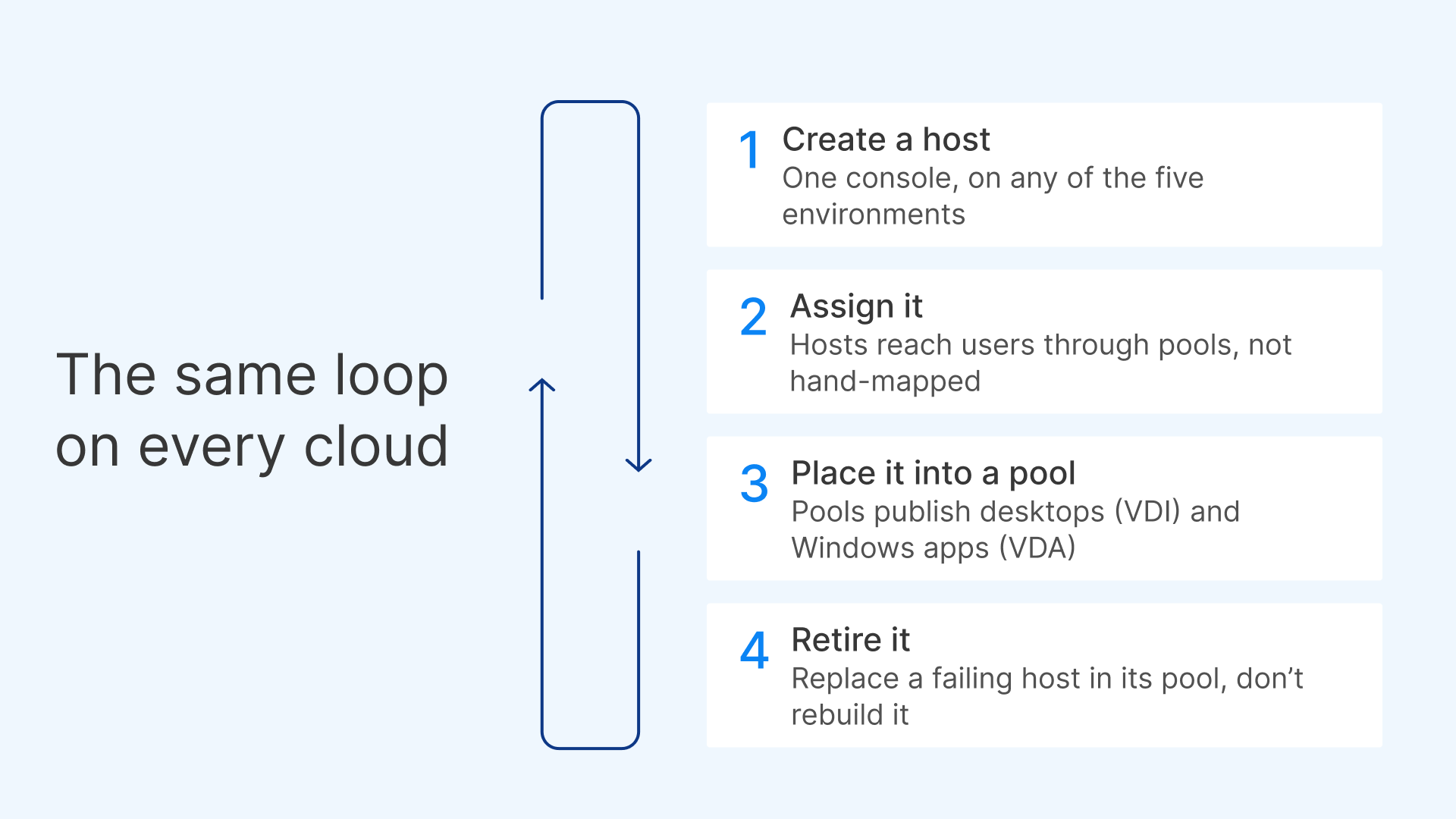
The practical answer is to stop treating each provider’s portal as the unit of work. Thinfinity Cloud Manager provisions and manages VM hosts across OCI, AWS, Azure, Google Cloud, and on-premises hosts provisioned through your connected on-premises hypervisor, from one console, so the daily loop (create a host, assign it, place it into a pool, retire it) looks the same regardless of where the machine physically runs. Pooling is the operational lever most teams underuse. Instead of hand-mapping individual users to individual machines, administrators group VM hosts into pools and publish desktops (VDI) and published Windows applications (VDA) from them over the RDC protocol. Each pool runs in a single cloud, but every pool (on OCI, AWS, Azure, Google Cloud, or on-premises) is created and managed from the same console with the same workflow, so operating four providers doesn’t mean learning four tools. This is the difference between managing an estate and babysitting a spreadsheet of instances. When a host misbehaves, you replace it in the pool rather than reconstructing a bespoke per-cloud configuration. Delivery is by pixel streaming only. The remote machine renders; the endpoint receives pixels and returns input. There is no endpoint management layer to maintain and no corporate image pushed to the device, which keeps the operational surface narrow: you operate hosts and pools, not a fleet of managed endpoints. For teams that also want to trim what those hosts carry, our companion piece on how to trim their image and storage footprint goes deeper on golden images and disk strategy.
What does RBAC do across clouds, and why is it the operational core?
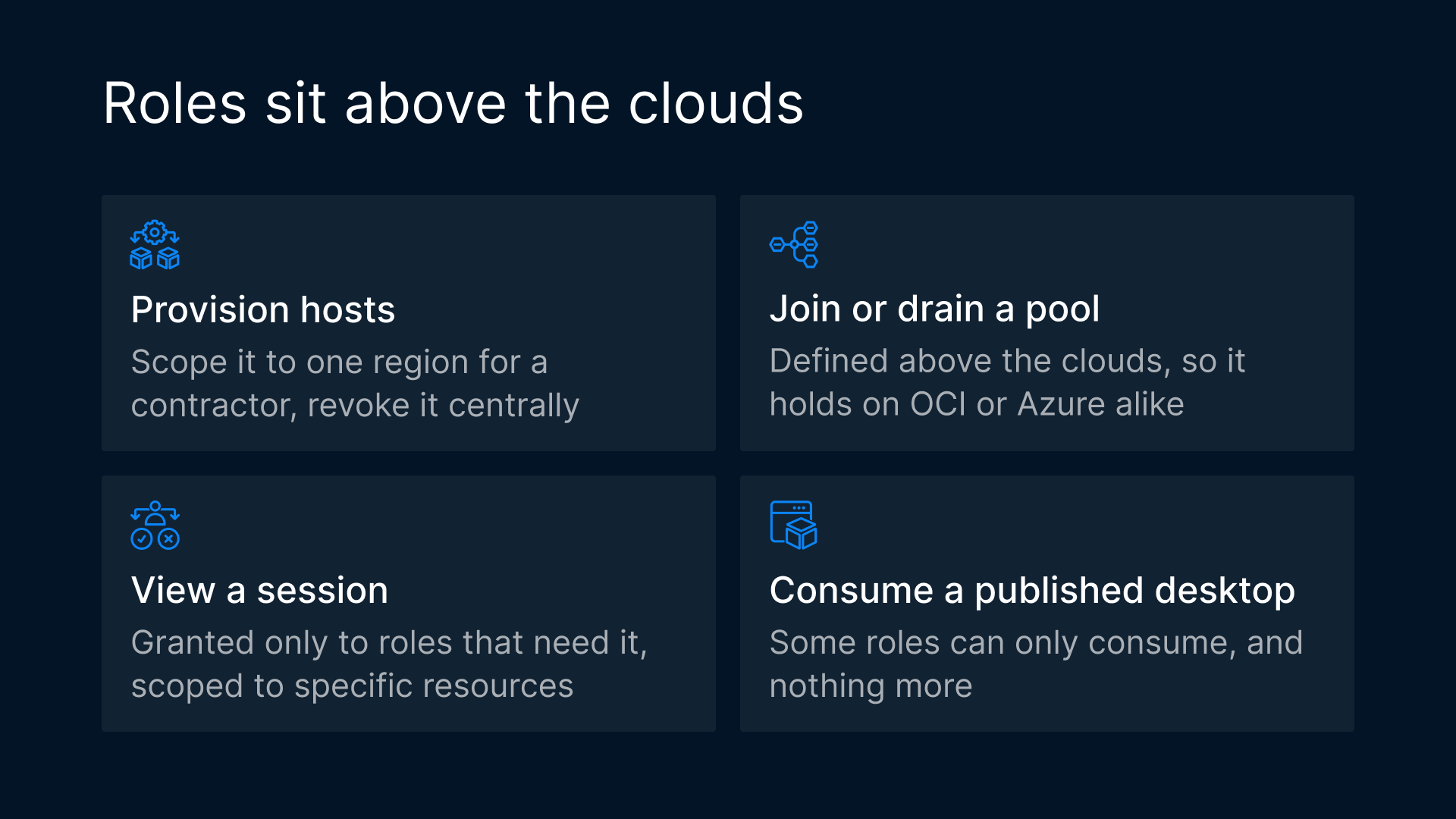
Role-based access control (RBAC) is a method of restricting system access so that administrators receive only the permissions their role requires, scoped to specific resources rather than granted globally. In a single cloud, RBAC is table stakes. Across four clouds, it is the whole game, because the alternative is four disjoint permission models that drift apart the moment someone changes a role in one provider and forgets the other three. Thinfinity Cloud Manager applies RBAC at the control-plane level, above the individual clouds. A role defined once determines who can provision hosts, who can join or drain a pool, who can view a session, and who can only consume a published desktop, and that definition holds whether the underlying host is on OCI or Azure. This is what cross-cloud access control actually means in practice: a single place to answer “who is allowed to do this,” instead of reconciling native IAM policies that were never designed to agree with each other. For the IT Director, the payoff is governance that survives audits and staff turnover. When an administrator changes teams, you adjust one role, not per-cloud entitlements scattered across consoles. When a contractor needs temporary provisioning rights in one region, you scope the role to that resource and revoke it centrally. Multi-cloud RBAC is not a feature you tick; it is the mechanism that keeps least-privilege intact as the estate spreads. DevOps and platform engineers feel this too (fewer standing credentials, less bespoke automation to keep native policies in sync), but the accountability sits with IT and architecture.
How do you prove who accessed which VM? Audit logging and the compliance evidence chain
An audit trail is a tamper-evident, time-stamped record of who did what, to which resource, and when: the evidence an organization uses to reconstruct and prove administrative and session activity after the fact. Access control decides what is allowed; the audit trail is how you prove what happened. The two are a pair, and the second is where multi-cloud estates usually fall down: each provider logs in its own format, to its own store, on its own clock. Thinfinity Cloud Manager consolidates this. Administrative actions and user sessions are captured through one system, including session recording, so the question “who accessed which VM, across which cloud, and when” has a single answer rather than a reconciliation project. That is VDI audit logging treated as a first-class capability: not scattered provider logs, but one evidence chain that follows the session regardless of where the host runs. “Event logging enables network visibility, supports the continued delivery of critical systems, and improves the security and resilience of systems.” Canadian Centre for Cyber Security This connects directly to obligations European operators already face. Under the NIS2 Directive, Directive (EU) 2022/2555, in-scope entities must manage risk to network and information systems and be able to demonstrate that management. Under DORA, Regulation (EU) 2022/2554, financial entities face specific ICT risk-management and operational-resilience requirements, including the ability to evidence access to critical systems. A consolidated, cross-cloud audit trail is precisely the kind of artifact that turns “we control access” into “here is the record.” One caution, stated plainly: architecture enables, does not by itself determine, compliance; consult your compliance advisors. A unified audit trail and centralized RBAC make evidence easier to produce and access easier to govern, but scoping, retention, reporting timelines, and legal interpretation are yours to own with qualified counsel. We will not overclaim a mapping between a product capability and a regulatory verdict.
Does managing across clouds add inbound exposure? Connectivity and ZTNA
No, and this is the connectivity property that makes centralization safe rather than risky. In Thinfinity Workspace, the client connects to a reverse gateway on port 443 over TLS 1.3 by default, and each host agent dials outbound to that gateway. There are zero inbound ports to open on the VM hosts. Adding a fifth cloud, or a tenth region, does not mean punching new inbound holes in more firewalls; the new host simply dials out like the others. This is Universal ZTNA applied to the operations problem. Access is brokered, identity-aware, and mediated by the gateway rather than exposed at the network edge. For a Cloud Architect designing a multi-cloud estate, it inverts the usual trade-off: you get one console and one access model without the widened attack surface that “central management” often implies. The audit trail and RBAC decisions described above ride on this same brokered path, so governance and connectivity reinforce each other instead of pulling apart. “Zero trust assumes there is no implicit trust granted to assets or user accounts based solely on their physical or network location (i.e., local area networks versus the internet) or based on asset ownership (enterprise or personally owned).” NIST SP 800-207
Where do scheduling, autoscaling, and cost fit?
Deliberately, not here. Deciding when VMs run, how they scale to demand, and how you drive down spend is a distinct discipline with its own trade-offs, and we treat it separately to keep this piece focused on operations, access, and audit. If you need to schedule and scale these VMs automatically (Destroy Modes), that companion article is the right starting point, and it links onward to cost strategy. For the underlying platform decision, why native IaaS needs no extra hypervisor (PENDING), and for the broader picture of elastic VDI on OCI (PENDING), see those pieces rather than duplicating them here. A related note on scope: a separate article, optimizing and scaling virtual desktops across clouds, covers the performance-and-scale angle. This piece is its operational counterpart: the same platform seen through the lens of daily control, access, and evidence rather than optimization. If your question is “how do I scale and tune,” start there; if it is “who can do what, and how do I prove it,” stay here.
Single console vs. per-cloud native consoles: how do they compare?
| Operational dimension | Single console (Thinfinity Cloud Manager) | Per-cloud native consoles |
|---|---|---|
| Unified RBAC | One role model above all clouds; least-privilege defined once | Separate IAM per provider; policies drift and must be reconciled |
| Cross-cloud audit trail | Consolidated actions and session recording in one evidence chain | Provider-specific formats, stores, and clocks; manual correlation |
| Connectivity / ZTNA | Outbound host agent to reverse gateway on 443/TLS 1.3 by default; zero inbound ports | Per-cloud networking and inbound rules to design and maintain |
| Provisioning path | One workflow for hosts and pools across OCI, AWS, Azure, GCP, and on-prem | Distinct workflow, terminology, and tooling per provider |
| Operational surface | Hosts and pools; pixel streaming only; no endpoint management | Full per-provider surface plus any endpoint tooling layered on top |