
When deploying a Virtual Desktop Infrastructure (VDI) or remote access solution, the “front door” is everything. It is the first touchpoint for your users, the primary shield against threats, and the bottleneck that determines whether a session feels snappy or sluggish.
When running Thinfinity Workspace on Oracle Cloud Infrastructure (OCI), that front door is the OCI Load Balancer.
Getting the load balancer configuration right effectively separates your Edge Layer from your Control Layer, ensuring smooth WebSocket connections, robust security, and seamless failover. Get it wrong, and you face mysterious timeouts, broken tunnels, and frustrated users.
In this guide, we analyze the intersection of Oracle’s official SSL best practices and Thinfinity’s High Availability (HA) architecture to help you design a fast, secure entry point for your VDI environment.
The Concept: Why the Load Balancer Matters
Remote desktop traffic is fundamentally different from standard web traffic. A typical website serves short, stateless requests (click → load → done).
Thinfinity Workspace, however, relies on:
- Long-lived WebSocket sessions: For streaming desktop visuals and input.
- Continuous data flow: Requiring stable, persistent connections.
- High security: Often carrying sensitive credentials and data.
The OCI Load Balancer acts as the traffic controller. It terminates the SSL/TLS encryption at the edge, inspects the health of your backend servers, and routes traffic intelligently.
The Architecture: Where does it sit?
To understand the configuration, you must visualize the flow. Thinfinity’s HA architecture on OCI is composed of three distinct layers:
- Edge Layer (Public): OCI Load Balancer, WAF, and Firewall.
- Control Layer (Private): Thinfinity Gateways, Brokers, and the MySQL HeatWave database.
- Workload Layer (Private): The Windows/Linux VDI hosts and applications.
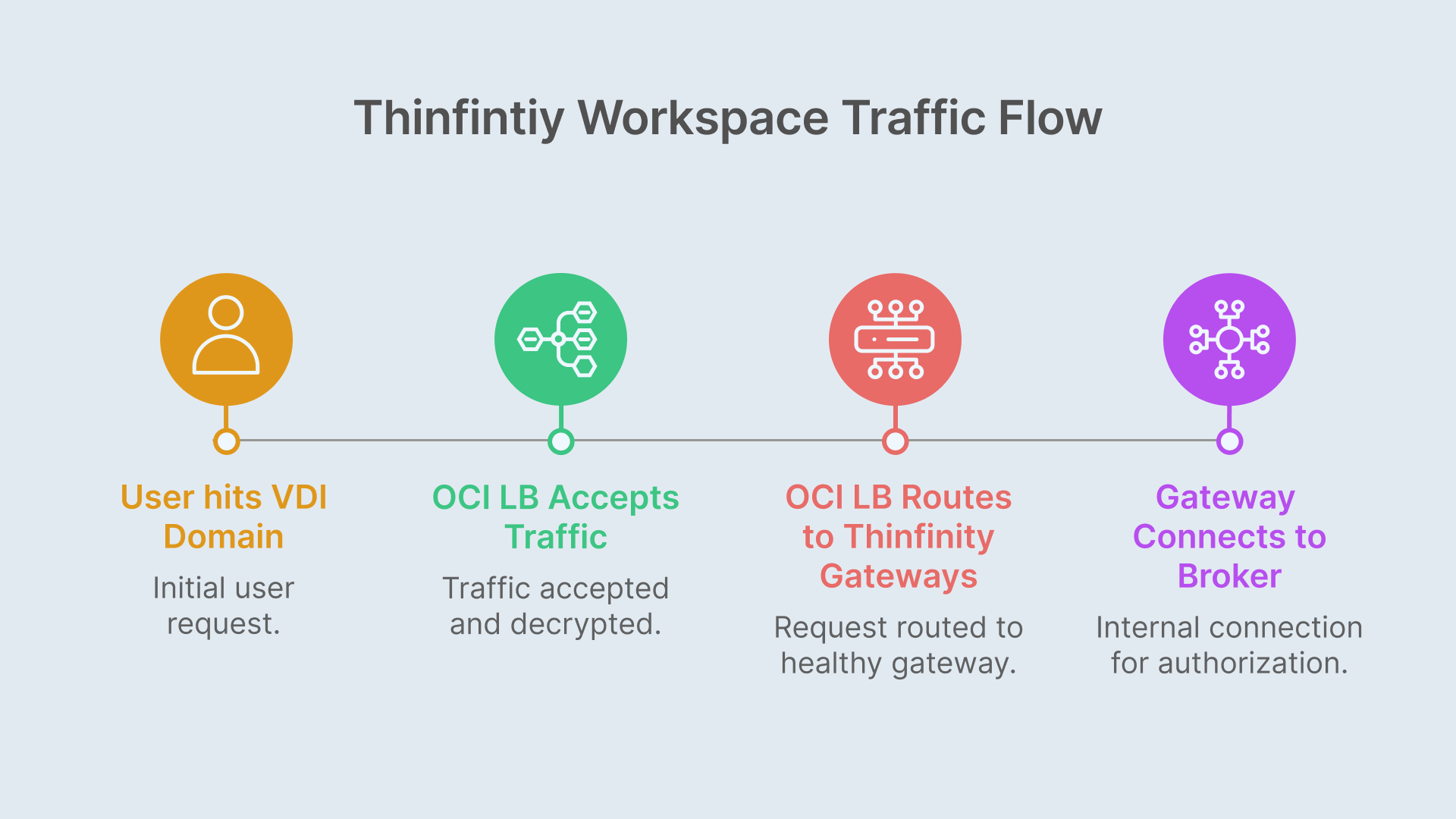
The Traffic Flow:
- User hits https://vdi.yourdomain.com.
- OCI Load Balancer (Port 443) accepts the traffic, decrypts it, and checks certificates.
- OCI LB routes the request to a healthy Thinfinity Gateway (Port 9443).
- Gateway connects internally to the Broker and MySQL HeatWave to authorize the user and assign a resource.
Key Takeaway: The OCI Load Balancer only talks to the Thinfinity Gateways. It never communicates directly with Brokers or VDI hosts. This is a critical security segmentation.
SSL Strategies: Offload vs. End-to-End
According to the Oracle A-Team’s guide on Load Balancing SSL Traffic, you generally have two design patterns for this setup. Both are fully supported by Thinfinity Workspace.
Option A: SSL Offloading (Recommended for most)
- Client ↔ OCI LB: Encrypted (HTTPS/WSS)
- OCI LB ↔ Gateway: Unencrypted (HTTP) or Re-encrypted
- Why use it: This is the most common approach. It allows you to manage certificates centrally using the OCI Certificates Service. You don’t have to install PFX files on every single Gateway VM, making scaling much easier. The Load Balancer handles the heavy lifting of encryption/decryption.
Option B: End-to-End SSL (Defense-in-Depth)
- Client ↔ OCI LB: Encrypted
- OCI LB ↔ Gateway: Encrypted
- Why use it: For highly regulated industries (Finance, Healthcare, Gov), you may require traffic to be encrypted at every hop, even inside your private Virtual Cloud Network (VCN).
5 Best Practices for Thinfinity on OCI
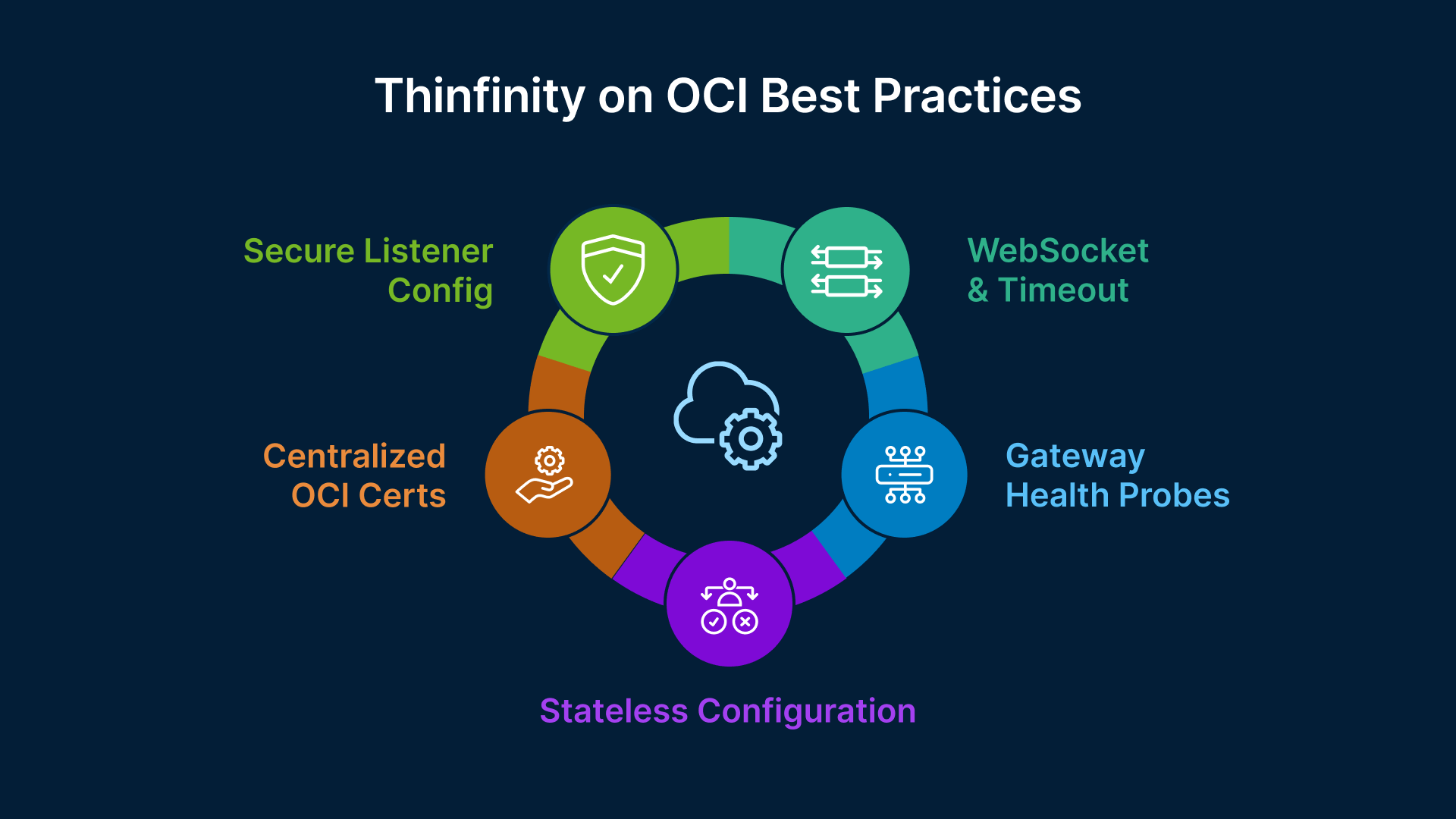
Synthesizing the Thinfinity v8 HA documentation with Oracle’s networking standards, here is your configuration checklist:
1. Configure Listeners for Modern Security
Set your public listener to Port 443 (HTTPS). Crucially, disable older protocols. Enforce TLS 1.2 and 1.3 only to meet modern compliance standards. It is also best practice to add a listener on Port 80 that performs a 301 Redirect to HTTPS, ensuring users never accidentally browse insecurely.
2. Tune for WebSockets (Vital!)
Thinfinity uses WebSockets (WSS) to stream the remote desktop experience.
- Ensure the OCI Load Balancer is configured to honor HTTP/1.1 Upgrade headers.
- Increase Idle Timeouts: Standard web timeouts (60 seconds) are too short for VDI. Increase the idle timeout on the Load Balancer to 30–60 minutes to prevent disconnecting users who stop typing for a moment.
3. Implement Health Checks
The Load Balancer needs to know if a Gateway is down so it can stop sending users there.
- Protocol: HTTP
- Port: 9443 (or your configured Gateway port)
- Path: /__health__/
- Interval: 5 seconds (Fail fast to keep the user experience smooth).
4. Avoid “Sticky Sessions”
Thinfinity Workspace v8 is designed to be stateless at the Gateway level for the initial handshake. Once the WebSocket is established, the connection is pinned by the nature of the TCP tunnel. You generally do not need to enable cookie-based session persistence (sticky sessions) on the OCI LB, which simplifies the configuration.
5. Leverage OCI Certificates
Stop managing certs on individual Windows/Linux VMs. Import your wildcard or domain certificate into OCI Certificates Service and attach it to the Load Balancer listener. OCI handles the storage and rotation, reducing the risk of expired certs taking down your VDI.
Deep Dive Resources
To implement this architecture, we recommend following the technical steps outlined in these primary sources:
- For the OCI Networking side:
Load Balancing SSL Traffic in OCI (Oracle A-Team)
Read this to understand listeners, backend sets, and certificate management in the Oracle Cloud console.
Go to source → - For the Thinfinity Configuration:
Thinfinity Workspace v8 – Edge Layer & Load Balancing
Read this for specific port mappings, health check URLs, and firewall rules.
Go to source →