
For Managed Service Providers (MSPs) and Enterprise IT teams, user experience is part of the service.
When users access a remote desktop or application portal, they are not thinking about gateways, protocols, or authentication flows. They are forming an opinion about your brand, your professionalism, and your reliability.
That’s why White Labeling in a Remote Desktop and VDI platform is not a cosmetic feature—it’s a strategic capability.
Why White Labeling Matters in VDI and DaaS Platforms
The Limitations of Traditional White Label Remote Access Solutions
Many remote access solutions advertise “white labeling,” but in practice, this often means little more than swapping a logo or adjusting a primary color.
Why Logo Replacement Is Not Enough for MSPs
That level of branding is rarely enough for:
- MSPs delivering services under their own brand
- Enterprises enforcing strict corporate identity guidelines
- Organizations managing multiple customers or business units
- Teams focused on user adoption, trust, and consistency
Thinfinity Workspace approaches white labeling differently.
Thinfinity Workspace White Labeling: Built for Deep Customization
Starting with version 7.5, customization is handled through a dedicated Customization API, designed to give you granular control over the user interface—without modifying core code or risking future upgrades.
Customization Without Modifying Core Code
Thinfinity Workspace was built with the assumption that no two organizations present their digital workspace in the same way.
Instead of hardcoding UI styles, Thinfinity uses a modern system based on:
- CSS Variables for visual styling
- JSON configuration for theme registration and management
Support for Multiple Brands and Visual Identities
This approach allows you to:
- Fully align the workspace UI with corporate brand guidelines
- Implement Dark Mode, High Contrast, or accessibility-focused themes
- Maintain multiple visual identities from a single deployment
- Customize safely, without recompilation or code forks
In short: You control the experience. Thinfinity handles the platform.
Customization in Action: A Real-World Proof of Concept
One of the most common questions we hear is:
“How flexible is the customization engine really?”
Rather than answering with documentation alone, we decided to demonstrate it with a real, functional proof of concept.
That’s how the Holiday Theme Pack was created.
Not because customers need holiday themes—but because if you can do this, you can do anything.
The themes show how easily you can transform the entire look and feel of Thinfinity Workspace—colors, fonts, backgrounds, and interactive elements—using nothing more than standard CSS and JSON configuration.
The same process applies whether you’re creating:
- A seasonal theme
- A customer-specific brand
- A permanent corporate UI
Theme Examples: Two White-Labeled UI Profiles
We designed these themes to be “plug-and-play.” They utilize our advanced customization engine to completely transform the look and feel of your workspace without affecting functionality.
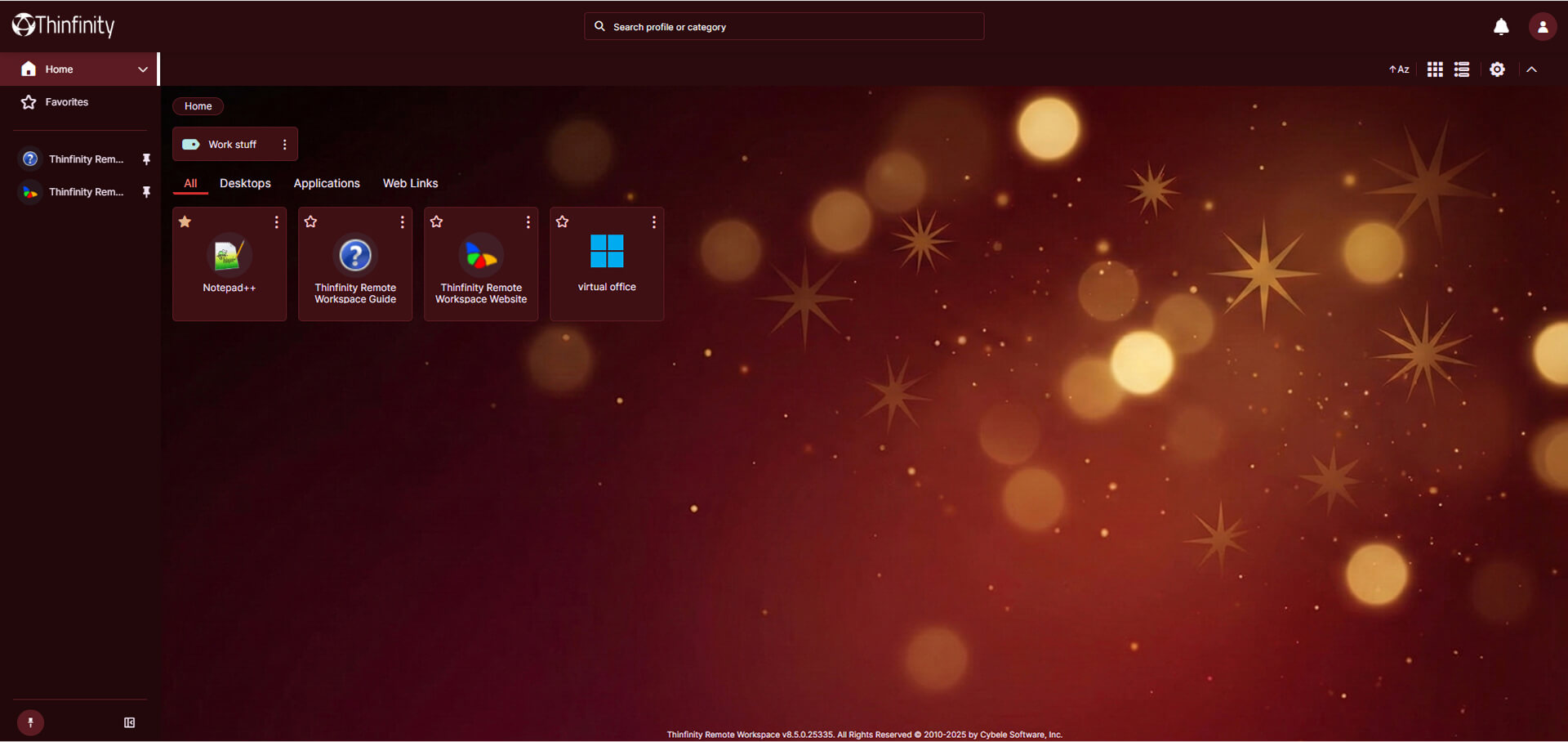
Warm Holidays: A Premium Brand Identity Example
This theme is designed for elegance and comfort. We swapped standard corporate blues for a sophisticated palette of deep burgundy and wine tones, accented with subtle gold highlights for interactive elements. It feels premium, cozy, and festive without being distracting.
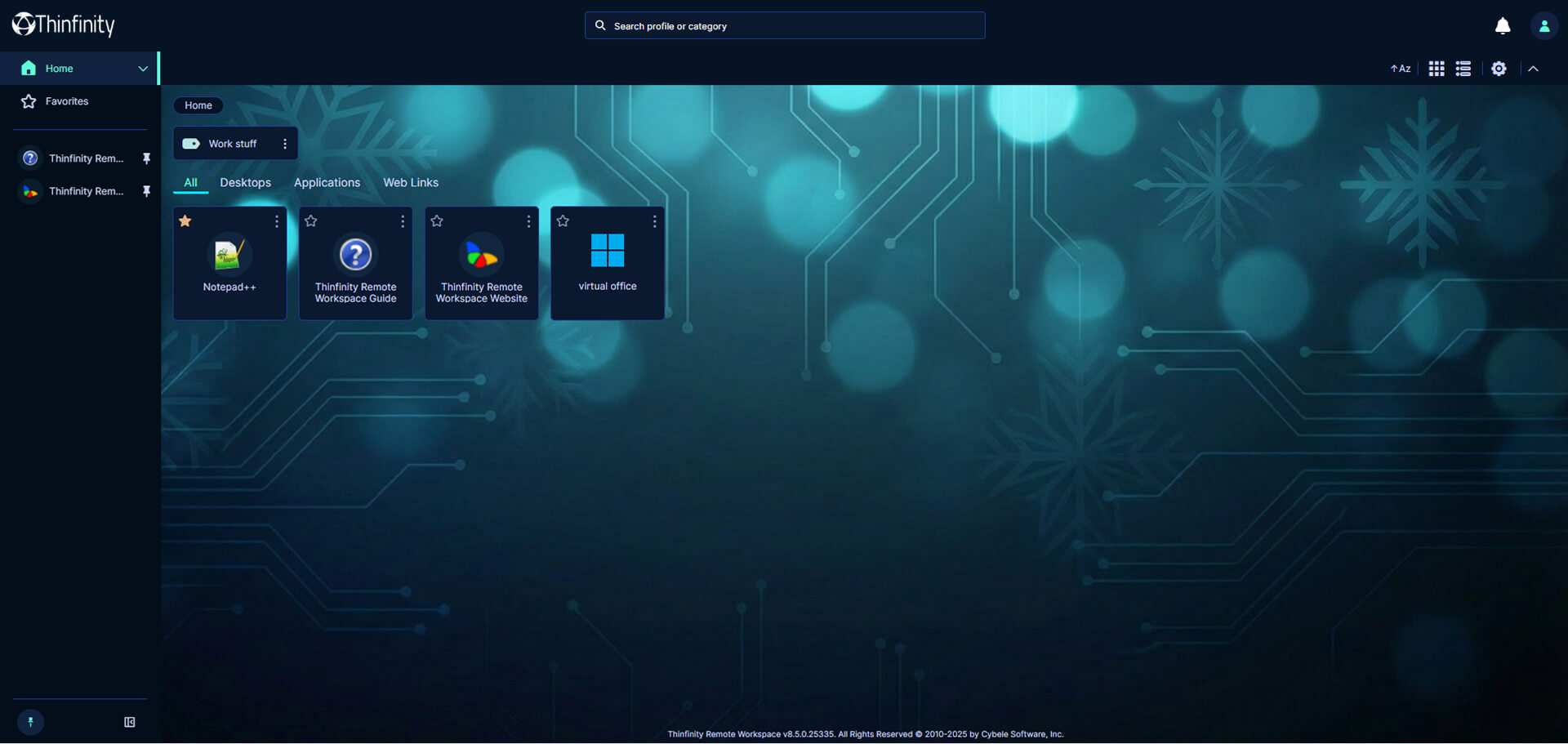
Winter Tech: A Modern, Technology-Driven UI
If your organization prefers a cleaner, more modern aesthetic, this theme is for you. It keeps the professional blue undertones but cools them down into deep midnight and icy cyan hues. The background features subtle circuit board patterns mixed with frosty elements, perfect for tech-focused teams.
How the Thinfinity Workspace Customization API Works
Theme Registration Using JSON
Thinfinity Workspace customization follows a simple two-step model:
- Theme Registration (JSON)
- Theme Styling (CSS with Variables)
Styling with CSS Variables
Instead of hardcoding colors or layouts, Thinfinity relies on CSS Variables. This means you can overhaul the entire platform—light mode, dark mode, high contrast, or branded skins—by updating values in a single CSS file.
- No recompilation
- No frontend frameworks
- No breaking upgrades
(For a technical deep-dive, check our documentation on Customizing Theme Styles).
How to Create and Deploy Custom Themes in Thinfinity Workspace
The installation process below is identical whether you are deploying a seasonal theme, a customer-specific brand, or a permanent corporate UI.
Step 1: Registering the Theme
First, you need to tell Thinfinity where your new custom theme is located.
Go to C:\Program Files\Thinfinity\Workspace\ search for the custom-themes.json and copy it to C:\ProgramData\Cybele Software\Thinfinity\Workspace\DB\
(i) To find the ProgramData folder, make sure to enable hidden items.
Next, in the custom-themes.json:
- Edit the filename property to point to the location where you want to store your theme files. This can be any accessible folder on your server, such as C:\my-themes\your-css-filename.css, your Documents folder, or a centralized shared drive.
- Edit the custom-themes.json file you just copied, and add the following snippet inside the “themes”: [ … ] array.
{
“class”: “warm-holidays-theme”,
“name”: “Warm Holidays Theme”
}
{
“class”: “winter-tech-theme”,
“name”: “Winter Tech Theme”
}
If you already have a theme, simply add the new customized one in the themes array like so:
“themes”: [
{
“class”: “your-brand-theme”,
“name”: “Your Brand Theme”
},
{
“class”: “winter-tech-theme”,
“name”: “Blue Holidays Theme”
},
{
“class”: “warm-holidays-theme”,
“name”: “Red Holidays Theme”
}
]
Step 2: Create your Custom Theme folder
Once you have defined the target path in the filename property, simply move the downloaded files in the same folder:
- Create the folder if it doesn’t exist.
- Paste the .css file (ensure the name matches the filename declared in your JSON). If you already have a .css file, make sure to add the new classes and declare the variables as shown in the example below.
.your-brand-theme{
…//css variables
}
.winter-tech-theme{
…//css variables
} - Paste the background image into the same folder.
Step 3: Applying a Default Theme for All Users
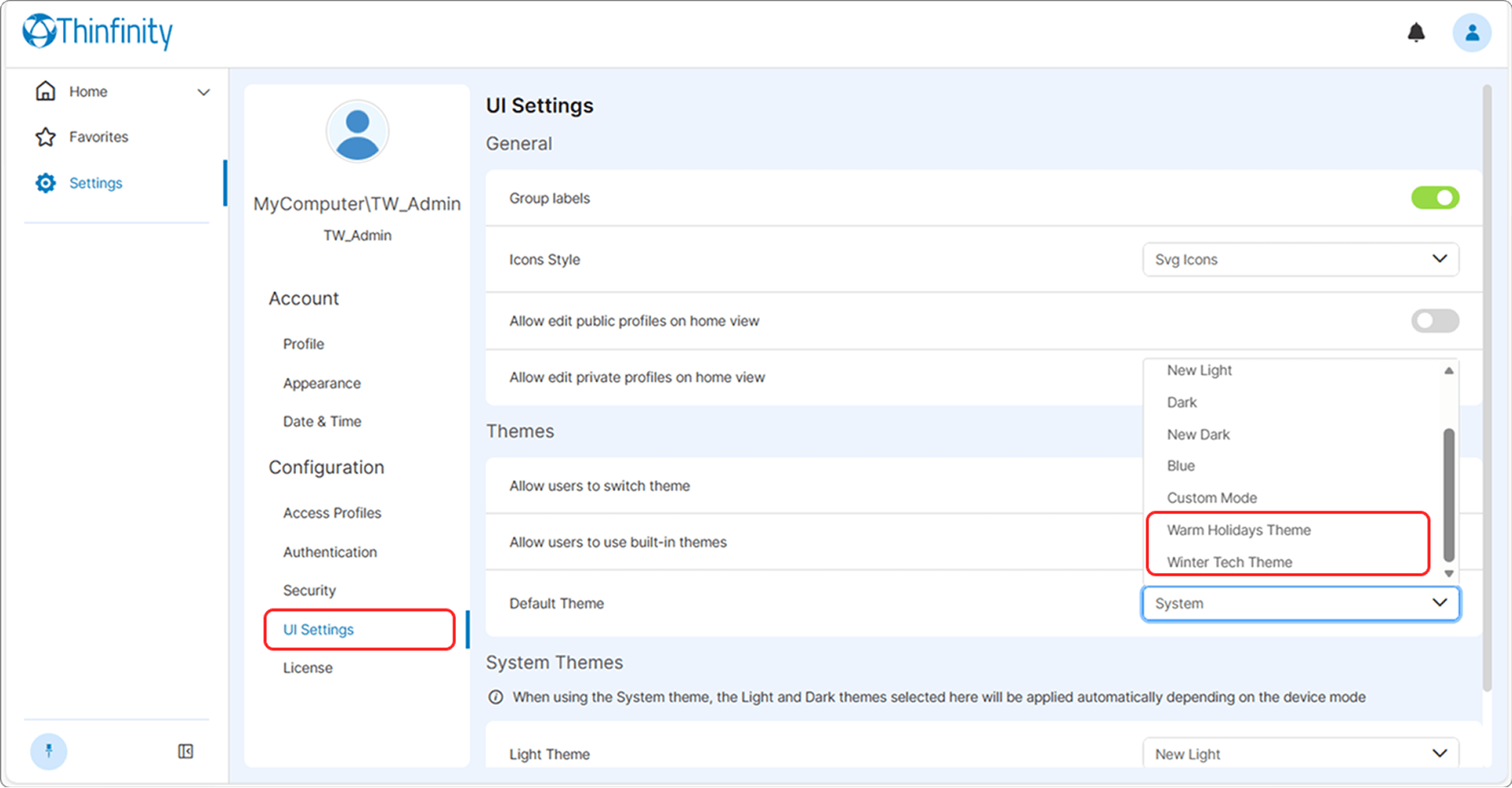
Refresh your Thinfinity Workspace browser tab. The new theme will appear as the default one in the Appearance section.
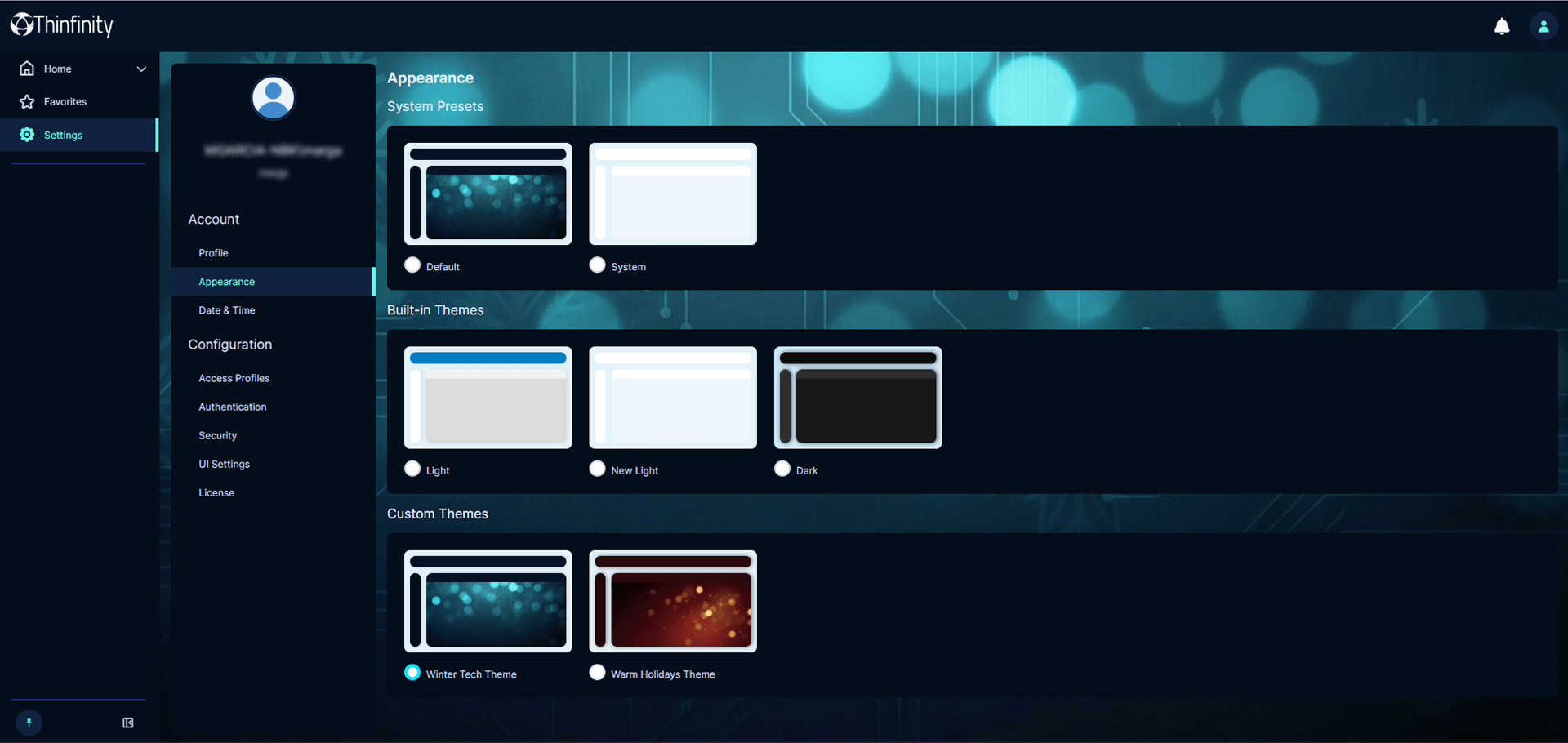
To enforce a theme for all users, in the UI Settings section set one of the following in your main configuration:
“defaultTheme”: “winter-tech-theme”
or
“defaultTheme”: “warm-holidays-theme”
Download Your Free Theme Pack
Ready to bring some holiday cheer to your users? Click the button below to download the complete pack, including CSS files and high-resolution background images for both themes.
Use it as a reference, a starting point, or simply as proof of how far white labeling can go in Thinfinity Workspace.
White Labeling as a Competitive Advantage for MSPs
White labeling is not about decoration. It’s about ownership of the user experience.
With Thinfinity Workspace, MSPs and enterprises can deliver a remote access platform that looks, feels, and behaves like a native part of their organization—no compromises required.
From all of us at Cybele Software, we wish you a happy holiday season and a successful year ahead.