
The Core Building Blocks of Remote Work Architecture
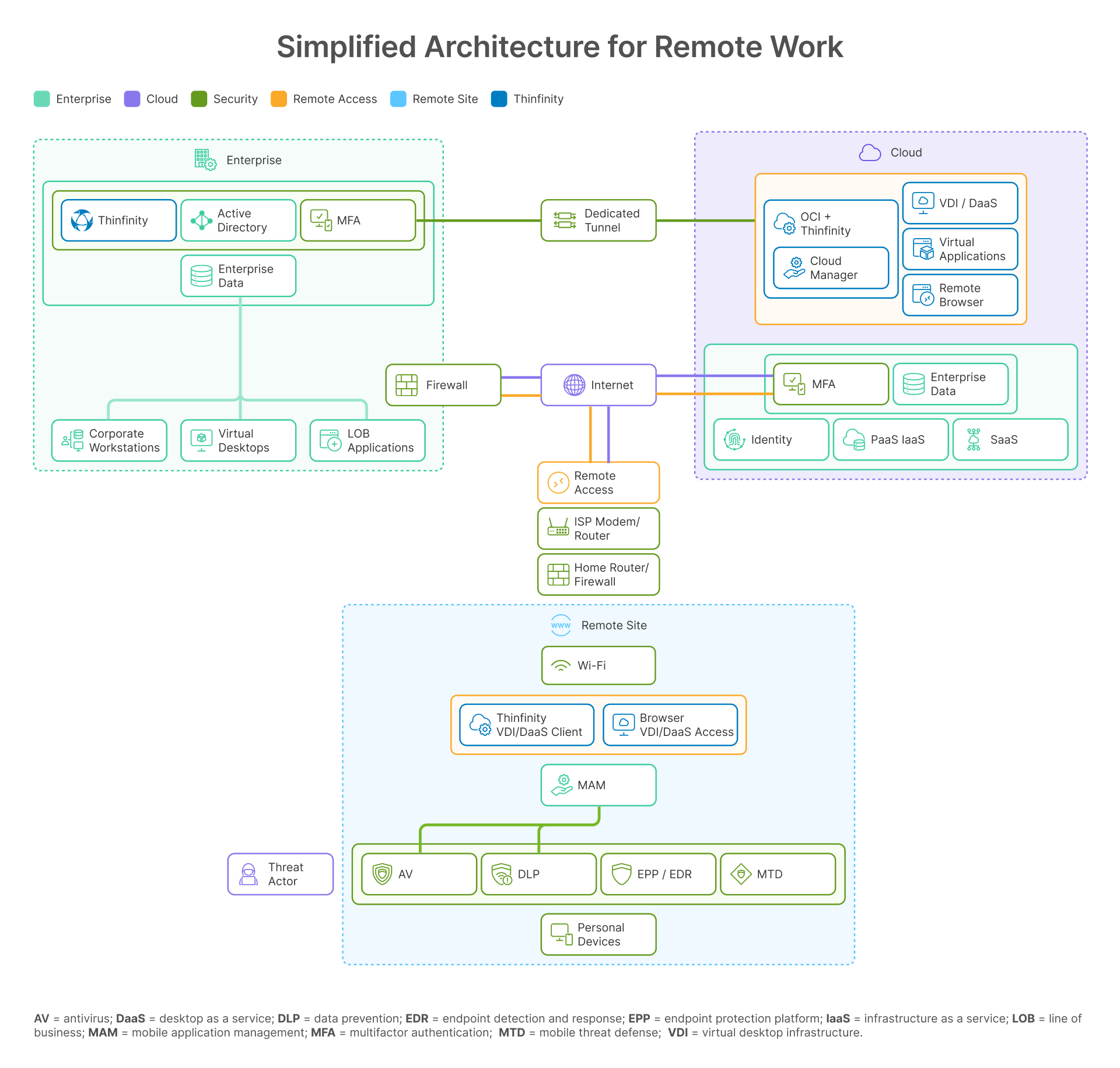
Remote work has moved beyond a temporary fix—it’s now a defining feature of modern enterprise operations. But delivering a secure, scalable, and user-friendly remote work experience requires a layered architecture that balances productivity with protection. At a high level, this architecture can be divided into four layers: the enterprise layer, the cloud layer, the remote site layer, and the security controls that bind them all together.
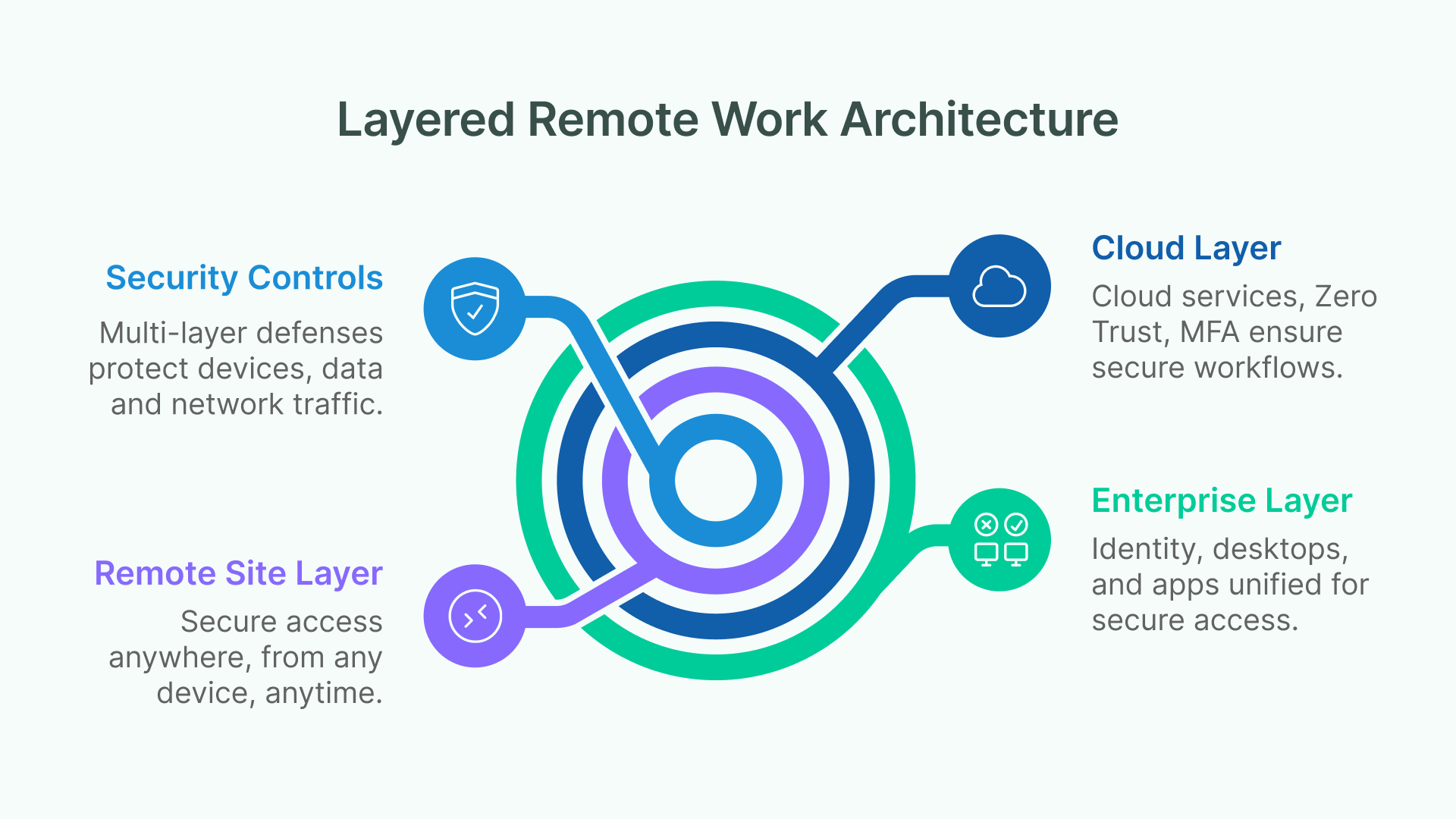
1. The Enterprise Layer
At the foundation lies identity and access. Active Directory (AD) and federated identity remain essential, ensuring users can authenticate seamlessly across on-premises AD, Azure AD, Okta, and OCI IAM.
Enterprises also need to manage both corporate workstations and virtual desktops. While some workloads still run on physical devices, virtualization is becoming the norm—delivering secure, policy-driven access no matter where users connect from.
And then there are line-of-business (LOB) applications, both legacy and modern. Instead of rewriting or replatforming these critical apps, enterprises can securely publish them for remote access, extending their value without disrupting business processes.
2. The Cloud Layer
The second layer is where cloud-first services reshape remote work. Cloud-hosted desktops (VDI/DaaS) and remote browsers reduce endpoint risk by isolating applications and sessions away from the user device.
Enterprises also rely heavily on SaaS and PaaS/IaaS platforms—from Salesforce to custom workloads hosted on OCI. Secure brokering and session isolation are critical to protect data flowing through these services.
Finally, Zero Trust principles and MFA must be enforced across every entry point. This eliminates reliance on implicit network trust and ensures every access request is verified explicitly.
3. The Remote Site Layer
This is where employees, contractors, and partners connect from diverse environments. VDI or DaaS becomes the gateway to productivity, ensuring secure application delivery to any endpoint—whether a managed thin client, personal laptop, or mobile device.
Mobile Application Management (MAM) adds another layer of defense by protecting corporate data on personal devices, enforcing policies without compromising usability.
4. Security Controls
Finally, every remote work architecture must be underpinned by strong security controls. Endpoint protection (EPP/EDR, MTD, AV, DLP) complements centralized virtualization, monitoring threats, preventing malware, and responding quickly to incidents.
At the network perimeter, firewalls, advanced threat detection, and dedicated tunnels safeguard traffic flows—particularly when connecting to OCI-hosted desktops and workloads. These layered defenses ensure that remote productivity doesn’t come at the expense of security.
Thinfinity VDI on OCI: The VDI/DaaS Component in Action
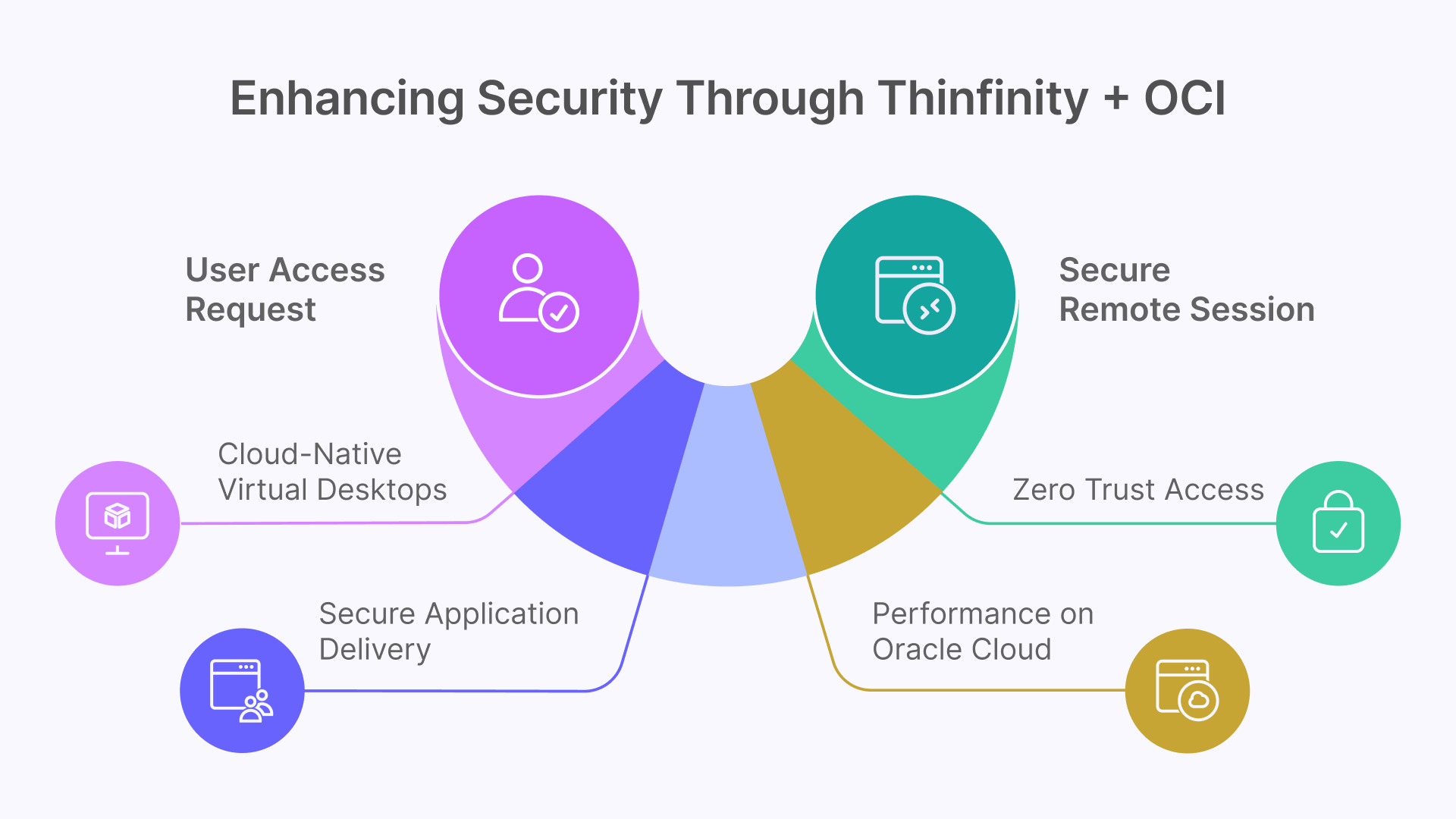
In Gartner’s remote work framework, the VDI/DaaS component at the remote site is more than just infrastructure—it’s the control point where IT enforces security, performance, and compliance. Thinfinity VDI on Oracle Cloud Infrastructure (OCI) strengthens this layer by combining cloud-native desktops, secure app delivery, Zero Trust access, and high-performance capabilities at global scale.
1. Cloud-Native Virtual Desktops
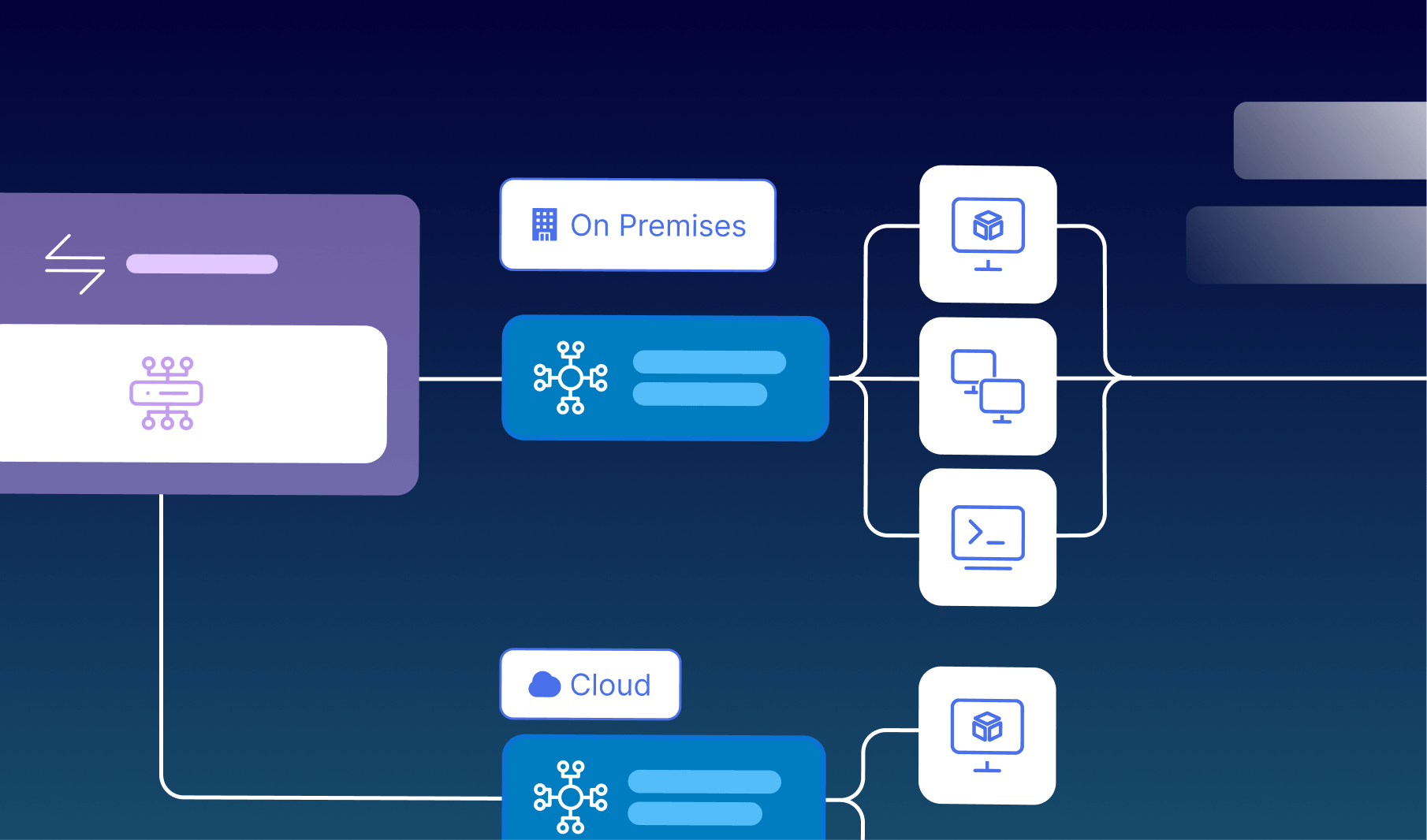
Thinfinity integrates natively with OCI Compute, allowing enterprises to deploy both Windows and Linux desktops. IT teams can choose between:
- Session-based pools, optimized for environments like call centers, education labs, or shared productivity applications.
- Dedicated VMs, ideal for developers, designers, or financial analysts who need GPU acceleration or persistent environments.
This flexibility makes it possible to align desktop delivery models with diverse user needs while maintaining consistency in policy enforcement.
2. Secure Application Delivery
Thinfinity goes beyond full desktop delivery. In application mode, IT can publish a single application—or a small group of apps such as ERP, CRM, or CAD—without exposing the entire desktop environment. This approach reduces risk and simplifies access for task-focused users.
3. Zero Trust Access
Unlike traditional VPN-based models, Thinfinity brokers all connections over HTTPS with end-to-end TLS encryption. Access is identity-aware, supported by native MFA integration with OCI IAM, Okta, Azure AD, and Active Directory.
Policies can be tailored with granular RBAC (Role-Based Access Control), ensuring contractors, employees, and offshore developers each operate within the least privilege model appropriate to their role.
4. Performance on Oracle Cloud
Performance is a key differentiator. With Thinfinity Cloud Manager, desktops autoscale automatically—provisioning or decommissioning resources in real time as demand shifts.
For workloads requiring higher performance, OCI’s GPU-accelerated shapes (NVIDIA A10 and A100) provide workstation-class responsiveness for design, simulation, or AI/ML use cases. And with Oracle’s 48+ global regions, enterprises benefit from low latency and reduced round-trip times for distributed teams.
Mapping Thinfinity on OCI to the Gartner Diagram
- Enterprise Data & AD: Connect Thinfinity Broker with AD/LDAP for seamless identity management.
- Firewall & Dedicated Tunnel: Deploy Thinfinity Gateway in OCI VCNs with WAF and load balancers for secure inbound access.
- Remote Site & Personal Devices: End users connect via any modern browser (no client install required), or optionally through Thinfinity’s native client for advanced features like USB redirection (smart cards, fingerprint readers, scanners).
- Security Layer: Thinfinity integrates with SOC/SIEM solutions, logs all session activity, and enforces clipboard, printing, and file transfer policies to reduce data exfiltration risk.
Why Thinfinity VDI on OCI Is a Stronger Choice
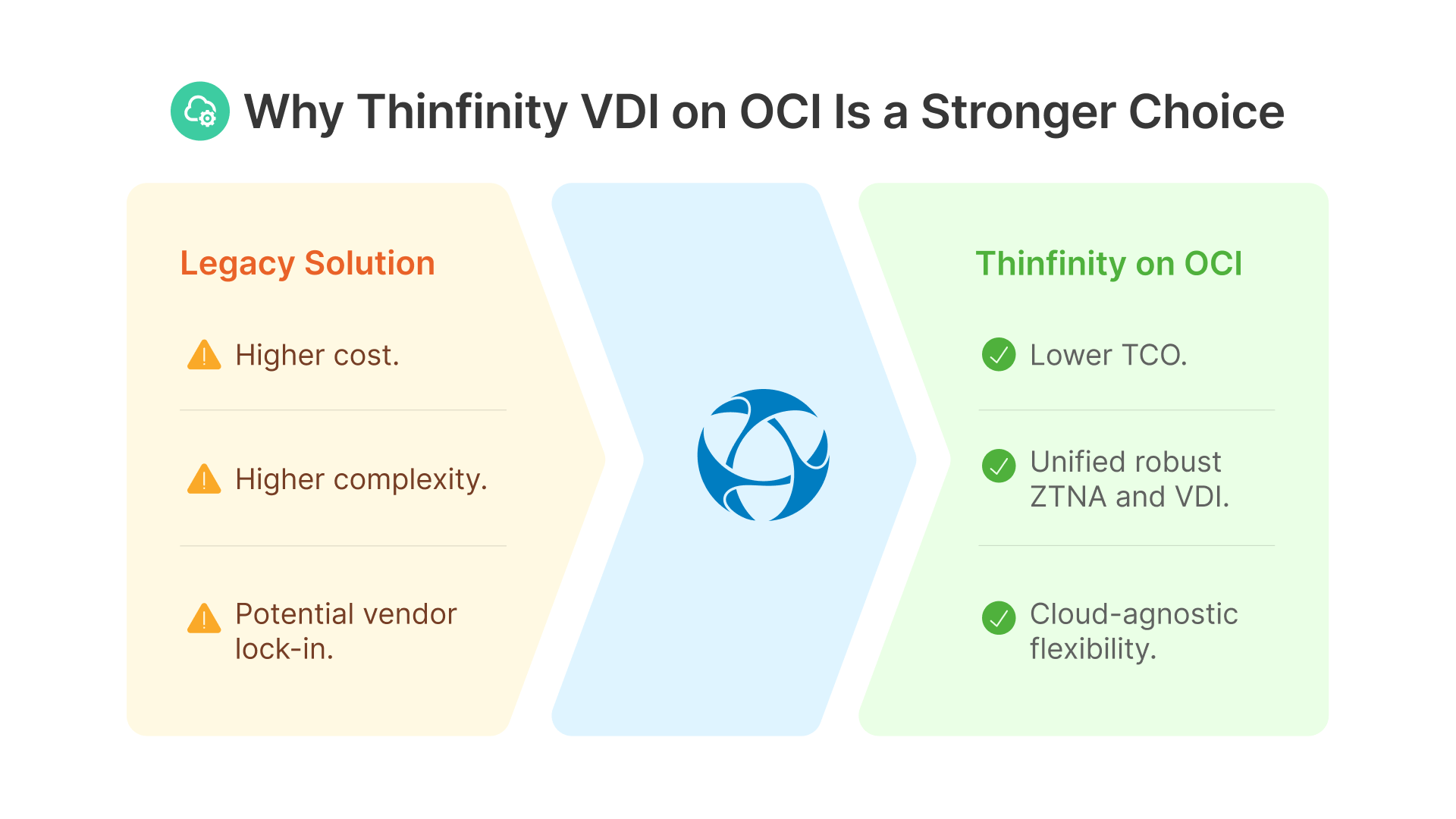
Enterprises evaluating desktop virtualization often compare Thinfinity on Oracle Cloud Infrastructure (OCI) with legacy solutions such as Citrix or VMware. While these platforms dominated past generations, Thinfinity offers a more agile and cost-effective approach designed for the realities of modern hybrid work.
Clear Advantages Over Legacy VDI
Thinfinity on OCI removes the complexity of layered licensing and third-party add-ons, delivering a lower total cost of ownership (TCO). It is cloud-agnostic, optimized for OCI but capable of extending to hybrid and multi-cloud environments—avoiding the lock-in that has frustrated so many IT leaders. Unlike point solutions, it unifies ZTNA and VDI into a single broker platform, blending secure access, identity federation, and desktop delivery under one roof. And because it is built for scale, it supports both multi-tenant MSP offerings and enterprise-grade deployments for Fortune 500 firms, including regulated industries where compliance is non-negotiable.
Security Implications for Remote Work
From a solution engineer’s perspective, the strength of Thinfinity lies in its ability to centralize. By hosting applications and desktops directly on OCI, data never leaves the cloud—even when users connect from unmanaged personal devices. This prevents sensitive information from being stored locally, reducing exposure. Thinfinity also helps contain threat actors, ensuring that phishing attempts or compromised endpoints cannot easily pivot into enterprise networks. Meanwhile, audit-ready logging satisfies the stringent requirements of frameworks such as GDPR, HIPAA, ISO 27001, and PCI-DSS.
Conclusion: Enabling the Hybrid Workforce
The Gartner Simplified Architecture for Remote Work underscores that the VDI/DaaS layer is the control plane balancing user productivity and enterprise security. Thinfinity VDI on OCI embodies that principle. It delivers a cloud-native, scalable desktop model, enforces Zero Trust security across all devices, and integrates identity, compliance, and performance into one cohesive platform.
Looking ahead, enterprises that centralize workloads with Thinfinity on OCI will be better equipped to provide secure, high-performance remote work at global scale—making it not just a technical upgrade, but a strategic enabler for 2025 and beyond.