

TL;DR
- The April 2026 Windows security update enabled Enforcement mode for Kerberos RC4 hardening on domain controllers: accounts with a null or unset msDS-SupportedEncryptionTypes attribute now get AES-SHA1 tickets only. The July 2026 update, rolling out now, removes the Audit-mode rollback entirely.
- FSLogix profile containers on AD-joined SMB shares (Windows file servers, NAS, Azure Files) fail to attach when the storage object behind the share can’t authenticate with AES, and this hits any broker: Citrix, VMware/Omnissa Horizon, RDS, and AVD alike.
- Fix it now: audit msDS-SupportedEncryptionTypes on the storage objects, enable AES, rotate stale service-account passwords so AES keys exist, and validate mounts on a patched pilot. The commands and event IDs are below.
- The bigger signal: a default-value flip in AD shouldn’t be able to take down desktop access. Thinfinity VDI on OCI removes the FSLogix-over-SMB layer from the critical sign-in path.
FSLogix Profiles Won’t Mount After the 2026 Kerberos RC4-to-AES Change: How to Fix It — and the Case for Thinfinity VDI on OCI
Since the April 2026 Windows security update, domain controllers issue Kerberos tickets using AES-SHA1, not RC4, for any Active Directory account with no explicit encryption configuration. If the file server or storage account behind your FSLogix profile shares can’t handle AES tickets, containers stop attaching and users lose their profiles at sign-in. The fix is to enable AES on the affected AD objects, following Microsoft’s CVE-2026-20833 guidance. This article walks through the remediation, and then asks the harder question: why can a single Kerberos default still lock users out of their desktops?
What Changed: the CVE-2026-20833 Kerberos RC4 Hardening, Phase by Phase
Kerberos selects an encryption type when the Key Distribution Center (KDC) on a domain controller issues tickets. For years, many Active Directory objects carried a null or unset msDS-SupportedEncryptionTypes attribute, and when that attribute was empty, the KDC fell back to RC4, a cipher Microsoft has been deprecating for over a decade because it enables offline password-cracking attacks (Kerberoasting).

RC4, once a staple for compatibility, is susceptible to attacks like Kerberoasting that can be used to steal credentials and compromise networks.

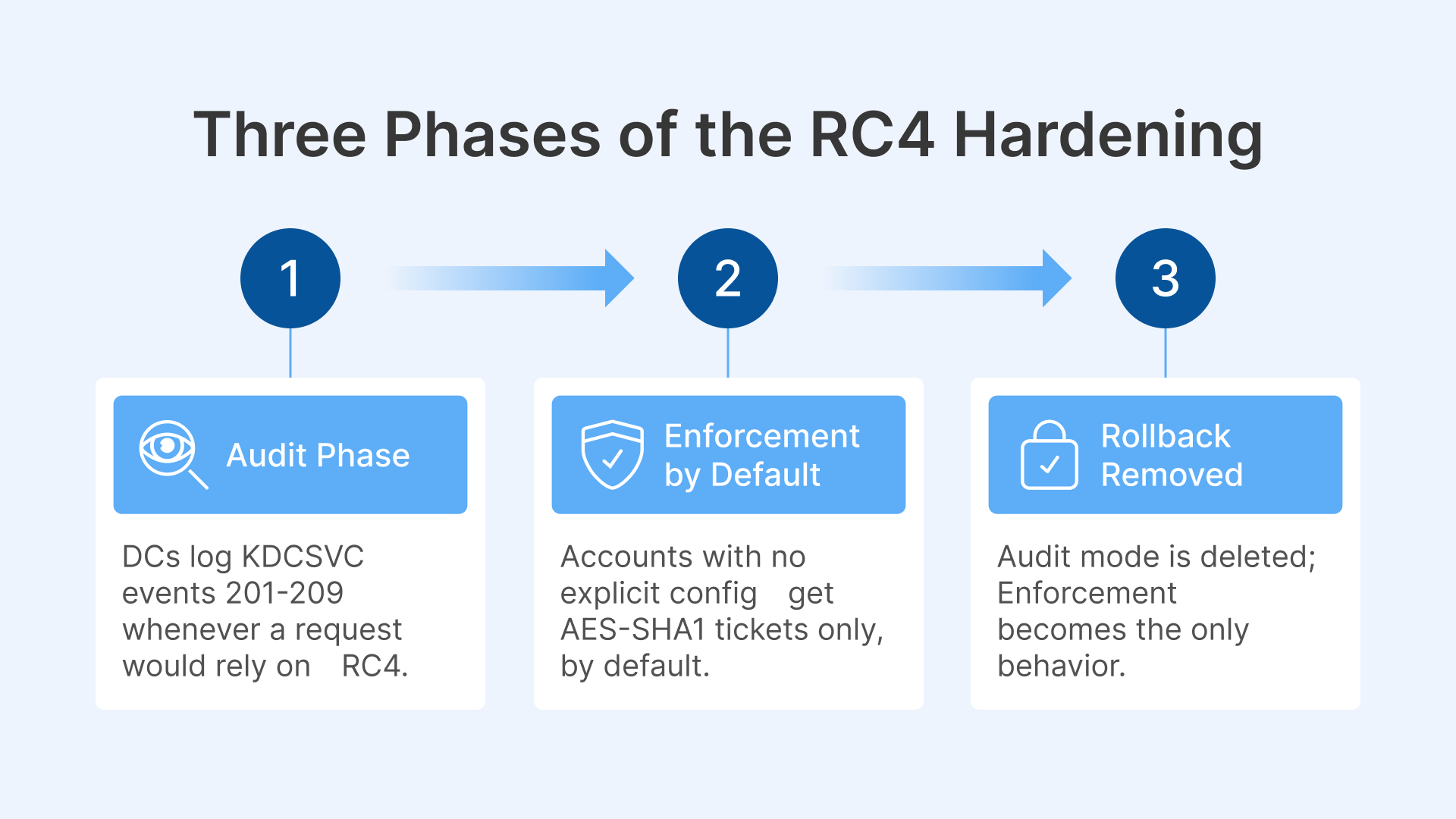
Microsoft is removing that fallback in three phases under CVE-2026-20833:
- January 2026, Audit phase. Domain controllers begin logging KDCSVC events (IDs 201–209 in the System log) whenever a ticket request would rely on RC4, so admins can find dependencies before anything breaks.
- April 2026, Enforcement enabled by default. With the April 14 update, domain controllers change the default: accounts with no explicit encryption configuration receive AES-SHA1 tickets only. Enforcement mode is switched on automatically. Audit mode remains available, but only as a manual rollback, via the RC4DefaultDisablementPhase registry value.
- July 2026, Rollback removed. The July security update deletes Audit mode as an option. Enforcement becomes the only behavior. RC4 tickets are issued only for accounts where RC4 is explicitly enabled in the encryption-types bitmask.
Two things follow from this timeline. First, the change is not coming, it is already in effect. Enforcement has been the default on patched domain controllers since April. Second, the July update, shipping to production rings right now, removes the emergency exit. An environment that has been quietly surviving on the Audit-mode rollback loses that option the moment the July update lands on its DCs.
Note that RC4 is not deleted from Windows by this change. Objects with encryption types explicitly configured are honored, and environments already standardized on AES see no difference. The hardening removes the implicit default, which is exactly where most unremediated FSLogix storage lives.
Microsoft documented the FSLogix impact in its release notes and in a dedicated “Action required” post on the FSLogix blog; both are linked at the end of this article.
Why FSLogix Profiles Stop Mounting
FSLogix stores each user’s profile in a VHDX container on an SMB file share. To attach that container at sign-in, the session host requests a Kerberos service ticket for the share, and the domain controller now issues that ticket using AES-SHA1 whenever the target account has no explicit encryption configuration.
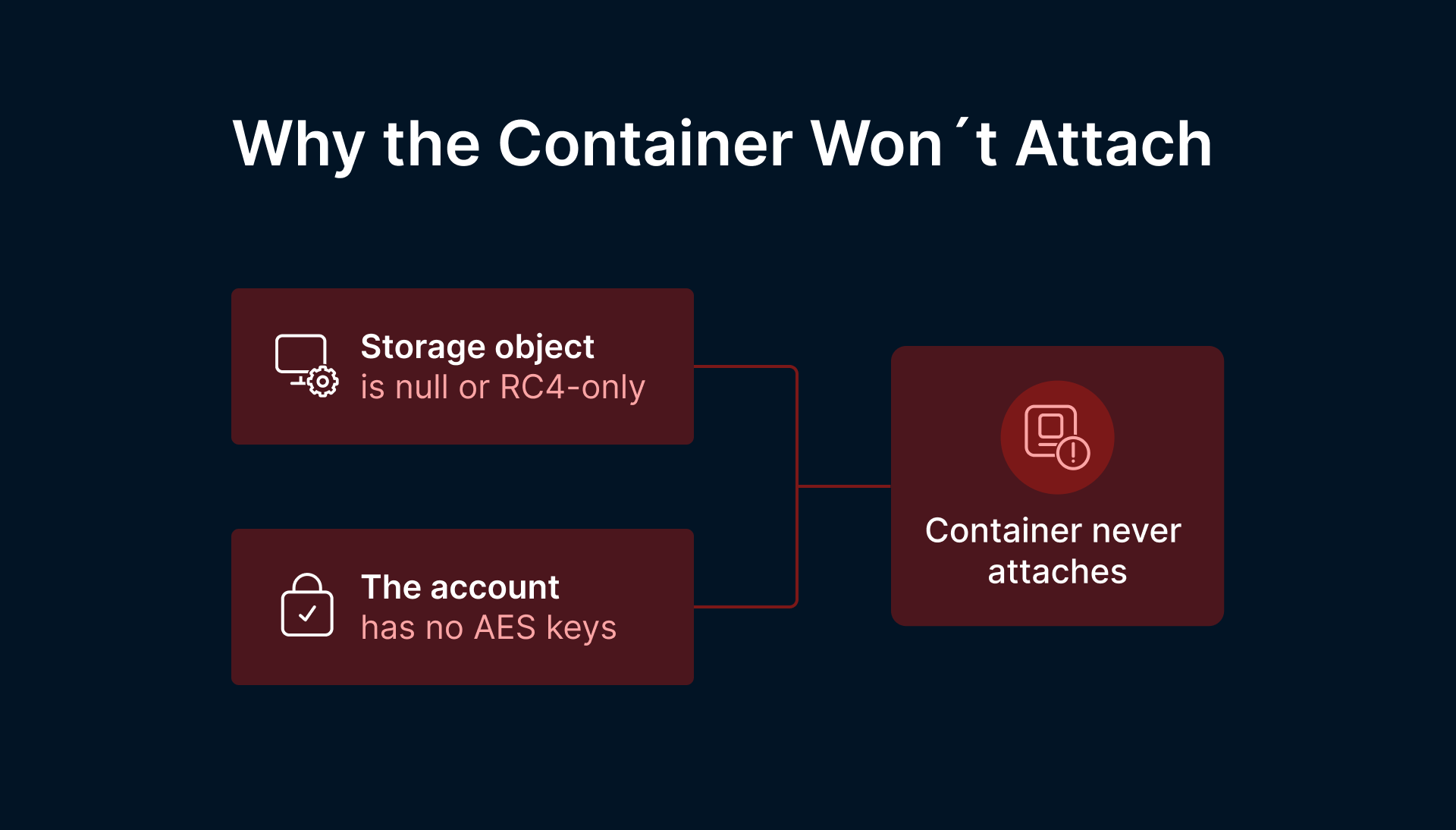
The failure has two common shapes:
- The storage object is null or RC4-only. The computer or service object behind the file server, NAS, or Azure Files storage account has a null/unset or RC4-only msDS-SupportedEncryptionTypes value. Under Enforcement, the KDC refuses to fall back to RC4, authentication to the share fails, and the container never attaches.
- The account has no AES keys. Even where AES is nominally allowed, an account whose password has never been rotated since AES support was introduced may simply lack AES-compatible Kerberos keys. The KDC can’t issue an AES ticket for keys that don’t exist.
Either way, the chain reaction is the same: SMB/Kerberos authentication fails, the FSLogix container doesn’t attach, and, depending on configuration, the user is blocked at sign-in or dropped into a temporary local profile with none of their apps, settings, or data. On a multi-session host serving hundreds of concurrent users, that becomes a help-desk storm within one login window.
Crucially, this is not an Azure Virtual Desktop problem. It affects any Windows multi-session VDI stack that relies on FSLogix over AD-joined SMB: Citrix, VMware/Omnissa Horizon, RDS, and AVD alike. The dependency follows the FSLogix-over-SMB pattern, not a particular broker.
Why Deferring Updates Doesn’t Make You Safe
Many organizations deliberately defer Server cumulative updates for stability. That is a reasonable operational stance, but here it only relocates the risk to the day you finally patch. The hardening is cumulative and staged: whichever update you eventually install carries the enforcement behavior with it, and after July there is no Audit rollback to fall back on. Staying unpatched is a shrinking runway, not a safe harbor.
Treat the change as fully in effect today, and validate FSLogix profile mounts on a patched pilot before the update reaches production, rather than discovering the failure mid-maintenance window with users locked out.
Fix It Now: Remediation Checklist
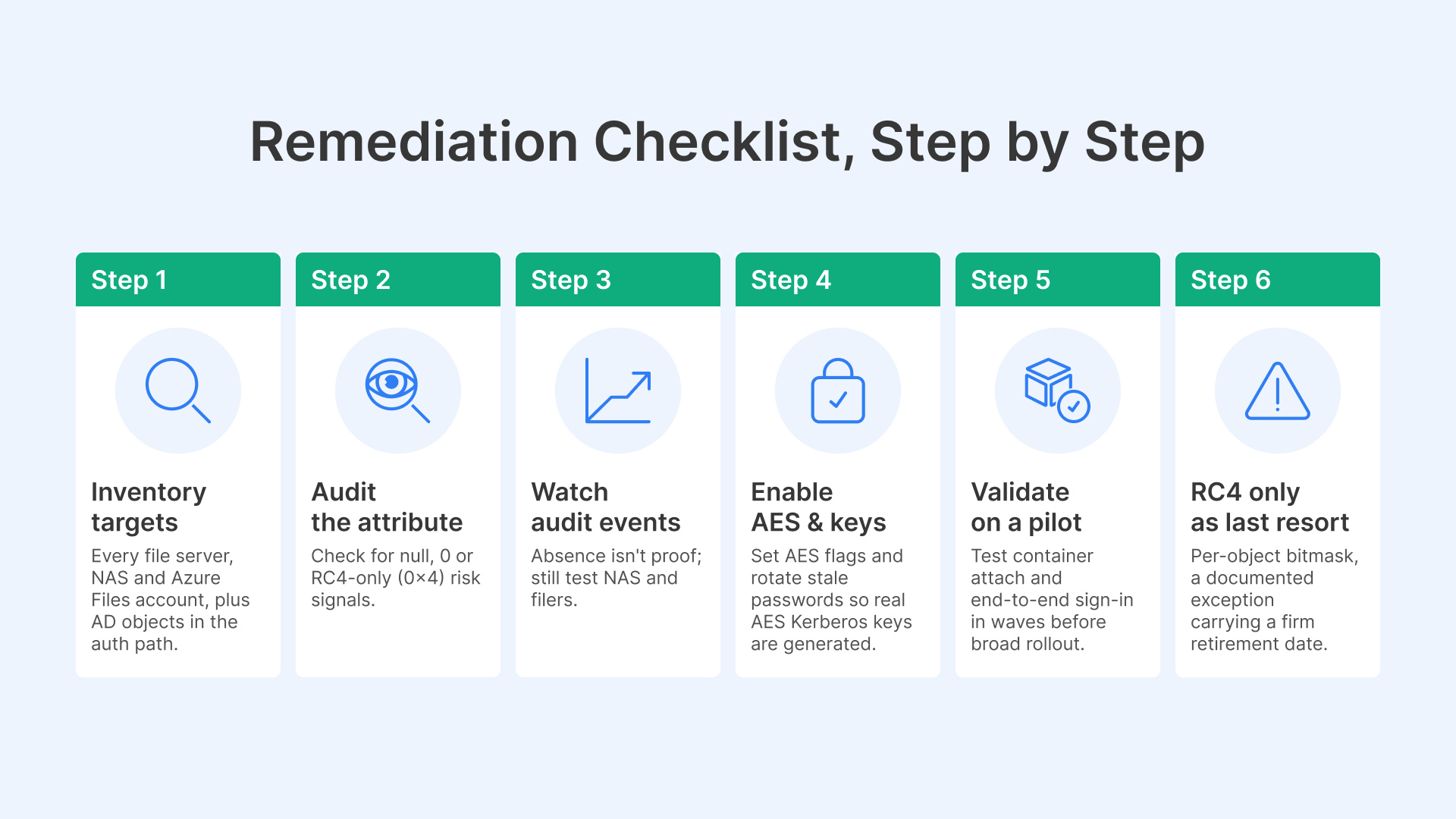
The remediation is an Active Directory task, and Microsoft’s CVE-2026-20833 management guide is the authoritative procedure. Here is the working sequence:
1. Inventory the targets. Identify every file server, NAS, and Azure Files storage account hosting FSLogix containers, plus the AD computer and service objects in the authentication path.
2. Audit the encryption attribute. msDS-SupportedEncryptionTypes is the single most useful data point. Null/unset, 0, or RC4-only (0x4) values are your risk signals:
Reference values: 0x8 = AES128, 0x10 = AES256, 0x18 = both AES types. Anything null, 0, or 0x4 (RC4-only) needs attention.
3. Watch the audit events. On your domain controllers, review KDCSVC Event IDs 201–209 in the System event log. These fire when the KDC cannot issue AES-SHA1 tickets or session keys, and they name the accounts involved. One caveat from Microsoft: the absence of events does not guarantee non-Windows storage devices will accept AES tickets; validate NAS and third-party filers by testing, not by log silence.
4. Enable AES, and make sure AES keys exist. Set the AES flags on the affected objects, and rotate the password on any computer or service account that hasn’t changed it in years; a password reset is what generates the AES Kerberos keys. For Azure Files with AD authentication, follow Microsoft’s storage-account-specific procedure for updating the encryption type.
5. Validate on a patched pilot. On a session host with the April-or-later update, test container attach and end-to-end sign-in before any broad rollout. Then stage the update in waves, watching FSLogix event logs and SMB/Kerberos errors so regressions surface early.
6. Only then consider explicit RC4, as a last resort. If a legacy filer genuinely cannot do AES, RC4 can be explicitly enabled per-object in the encryption-types bitmask. Treat that as a documented exception with a retirement date, not a fix.
To be clear about scope: this remediation lives entirely in your Active Directory and storage layer, and Microsoft’s documentation is the right companion for it. Where we can help is with the question that follows.
The Bigger Signal: Structural Fragility in Legacy VDI + FSLogix
Step back from the specific patch. The real problem is not one Kerberos default, it is that a default-value flip in Active Directory can cascade into a desktop outage at all.
That exposure is structural in the legacy pattern: multi-session Windows hosts, FSLogix profile containers, SMB file shares, AD/Kerberos, on-prem Citrix or VMware brokers, and a VPN or gateway edge. Every layer is both a dependency and a failure domain. The profile layer alone has produced a steady stream of industry-wide incidents: container detach failures, logon hangs, releases pulled for critical fixes, and now an encryption default three layers down the stack can decide whether your users get their desktop this morning.
If your Citrix estate is aging, your VMware/Omnissa Horizon roadmap is uncertain, or profile-container incidents keep recurring, this event is a prompt to ask a harder question: does desktop delivery really need to carry all of this plumbing?
The Lift-and-Shift Case: Thinfinity VDI on OCI
Thinfinity Workspace delivers secure VDI, DaaS, and application delivery through any HTML5 browser, with Universal ZTNA built in. Lifting and shifting aging on-prem VDI to Thinfinity on Oracle Cloud Infrastructure retires the legacy brokers and takes the profile-over-SMB layer out of the critical sign-in path, the exact dependency that turned a Kerberos default change into an outage.
Zero trust assumes there is no implicit trust granted to assets or user accounts based solely on their physical or network location (i.e., local area networks versus the internet) or based on asset ownership (enterprise or personally owned).
- Browser-native access: users reach desktops and apps over pure HTML5, no VPN and no endpoint agent to deploy or patch.
- Zero inbound ports: a reverse-proxy/DMZ model shrinks the edge attack surface compared with traditional gateway appliances.
- Identity-centric security: native MFA, SSO, and SAML/OAuth with Entra ID, Okta, and other IdPs, plus RBAC and session recording.
- A simpler profile story: persistent OCI desktops keep the user’s profile local to the VM, no container to mount, no SMB share in the sign-in path. Non-persistent pools are supported where density demands them, with a far smaller profile-plumbing footprint.
- Operational fit: concurrent single-licensing, white-labeling, and a cloud-agnostic design with a strong OCI partnership. On OCI, Thinfinity Cloud Manager provisions, starts, stops, and scales instances by demand.
One more consolidation win: Thinfinity includes built-in terminal emulation (z/Scope), so legacy mainframe and AS/400 (IBM i) green-screen applications ride the same browser front door as your Windows desktops.
An honest ceiling: Thinfinity VDI on OCI does not abolish Active Directory or Kerberos. Persistent OCI desktops can still be domain-joined, and identity requirements don’t vanish. What changes is where the fragility can reach: with the on-prem brokers retired and no profile container mounting over SMB at every sign-in, a Kerberos default flip is far less likely to translate into users locked out of their desktops.
| Dimension | Legacy Citrix / VMware / RDS + FSLogix | Thinfinity VDI on OCI |
|---|---|---|
| Profile handling | FSLogix VHDX containers mounted over AD-joined SMB at every sign-in | Persistent desktops with local profiles; no SMB mount in the sign-in path |
| Client requirements | Native clients or agents, frequently a VPN | Any HTML5 browser, no agent, no VPN |
| Inbound firewall ports | Broker / gateway ports exposed at the edge | Zero inbound ports (reverse-proxy / DMZ model) |
| Access security | Bolt-on MFA and gateway appliances | Built-in Universal ZTNA, MFA/SSO/SAML, RBAC, session recording |
| Licensing | Per-named-user or layered tiers | Concurrent single-licensing |
| Infrastructure | On-prem brokers + hypervisor + edge stack | Cloud-agnostic; native OCI provisioning and autoscale |
What to Check Now: Remediation Plus Migration Triggers
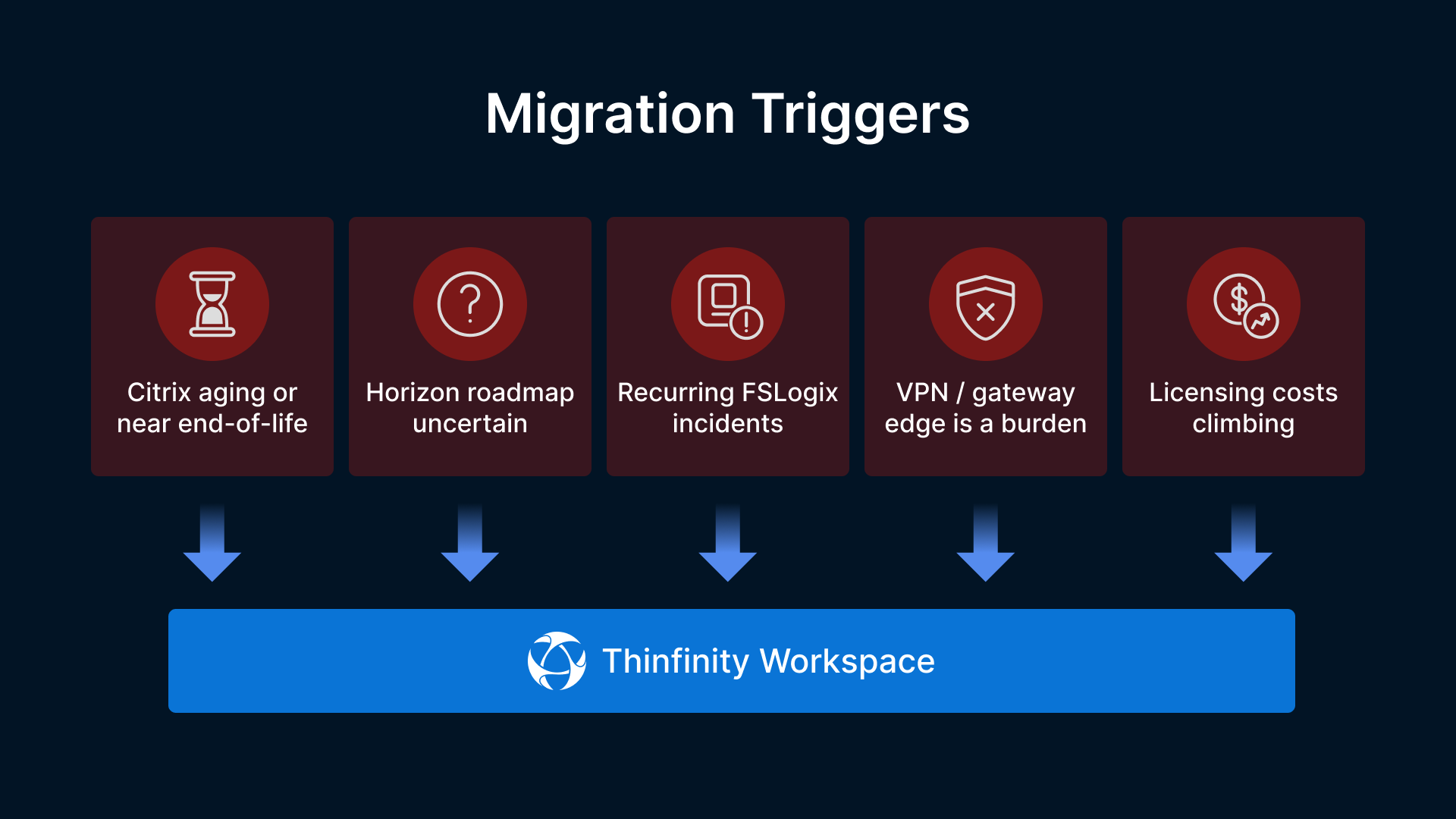
Do both things in the right order. First, stabilize the environment with the AD remediation above so no one loses access, that work is yours and Microsoft’s documentation covers it. Then evaluate whether it’s time to stop rebuilding this particular house of cards. If you recognize two or more of the following, a Thinfinity-on-OCI pilot is worth scoping now:
- Your Citrix version is aging or nearing end of support.
- Your VMware/Omnissa Horizon roadmap or licensing is uncertain.
- FSLogix or profile-container incidents recur in your environment.
- Your VPN or gateway edge is a standing security and operations burden.
- Named-user or tiered VDI licensing costs keep climbing.