
Executive Summary
Your contact center is hemorrhaging money. A 5,000-seat telecom contact center conducting a hardware refresh cycle every 3–4 years spends $7.5 million to $15 million per cycle — money that could be redirected to agent training, customer experience improvements, or shareholder value. That’s before accounting for the hidden costs: the labor to image 5,000 desktops, the downtime during rollout, the emergency calls when a hard drive fails on a Friday night, and the security nightmares that come with 45% annual agent turnover and work-from-home access.
This article examines the operational, financial, and security crises driving physical desktop management in large contact centers, and why virtual desktop infrastructure (VDI) is no longer a “nice-to-have” — it’s becoming a business imperative. We’ll walk through real cost drivers, compliance risks, and the modern architecture that lets you scale elastically while eliminating capital refresh cycles entirely.
The Contact Center Desktop Problem at Scale
The challenge isn’t the number 1,000. It’s the number 5,000. Or 10,000. Most IT executives can manage endpoint infrastructure for a 500-person office. But a modern telecom contact center operates at a scale that breaks traditional desktop management models. A single major carrier operates 15,000–50,000 agent seats across multiple geographic regions and international sites. BPOs (Business Process Outsourcing firms) that handle billing, customer service, and technical support for carriers operate similar or larger footprints.
Hardware Refresh Cycles: The $7.5M–$15M Anchor
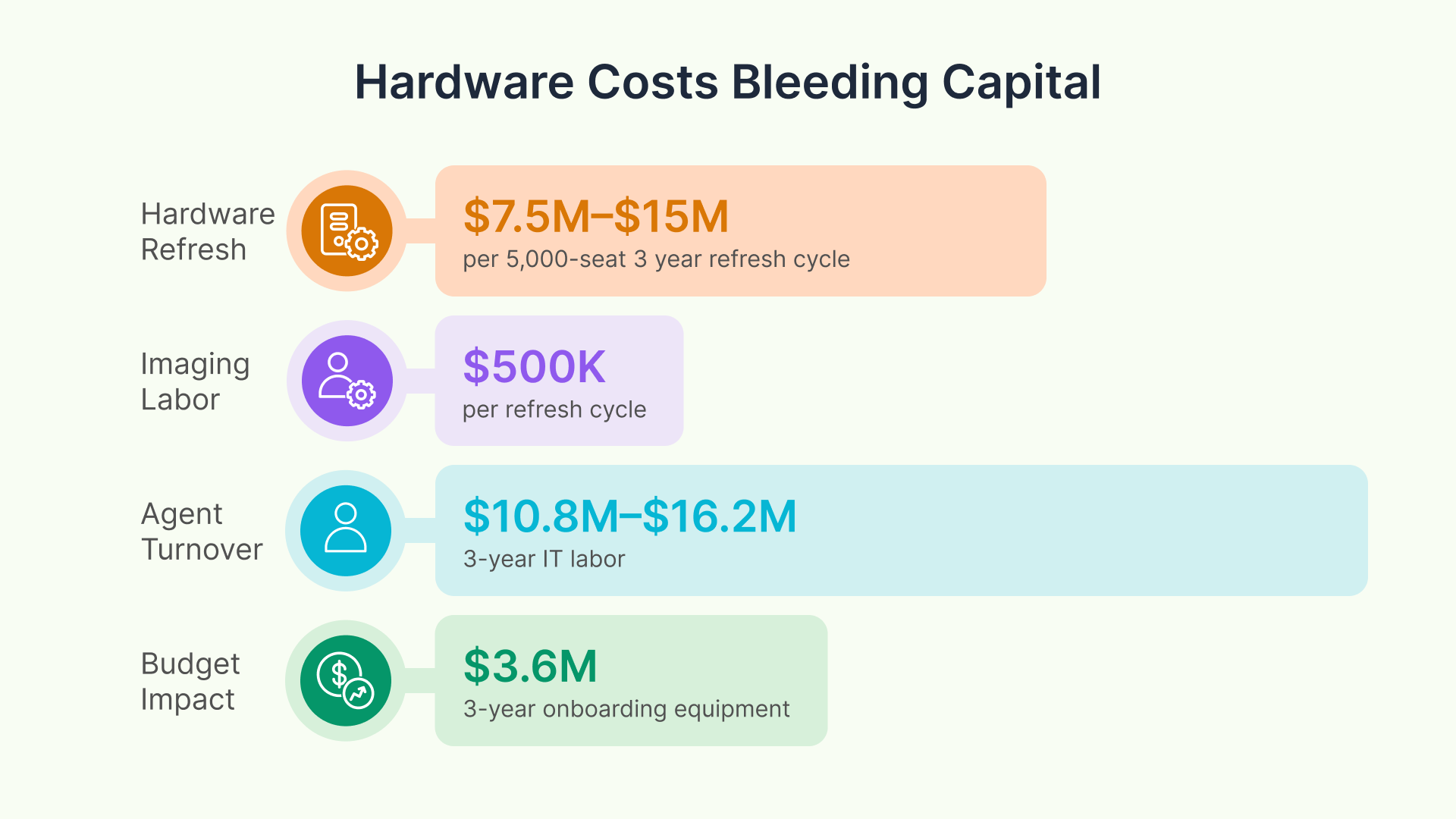
Most organizations follow a 3- to 4-year hardware refresh cycle. The industry standard is straightforward: a workstation costs $1,500–$3,000 in hardware, and labor/logistics add another 20–30%. For a 5,000-seat center:
- Hardware cost per workstation: $1,500–$3,000
- Total hardware for 5,000 seats: $7.5M–$15M
- Refresh frequency: Every 3–4 years
- Total cost per refresh cycle: $7.5M–$15M
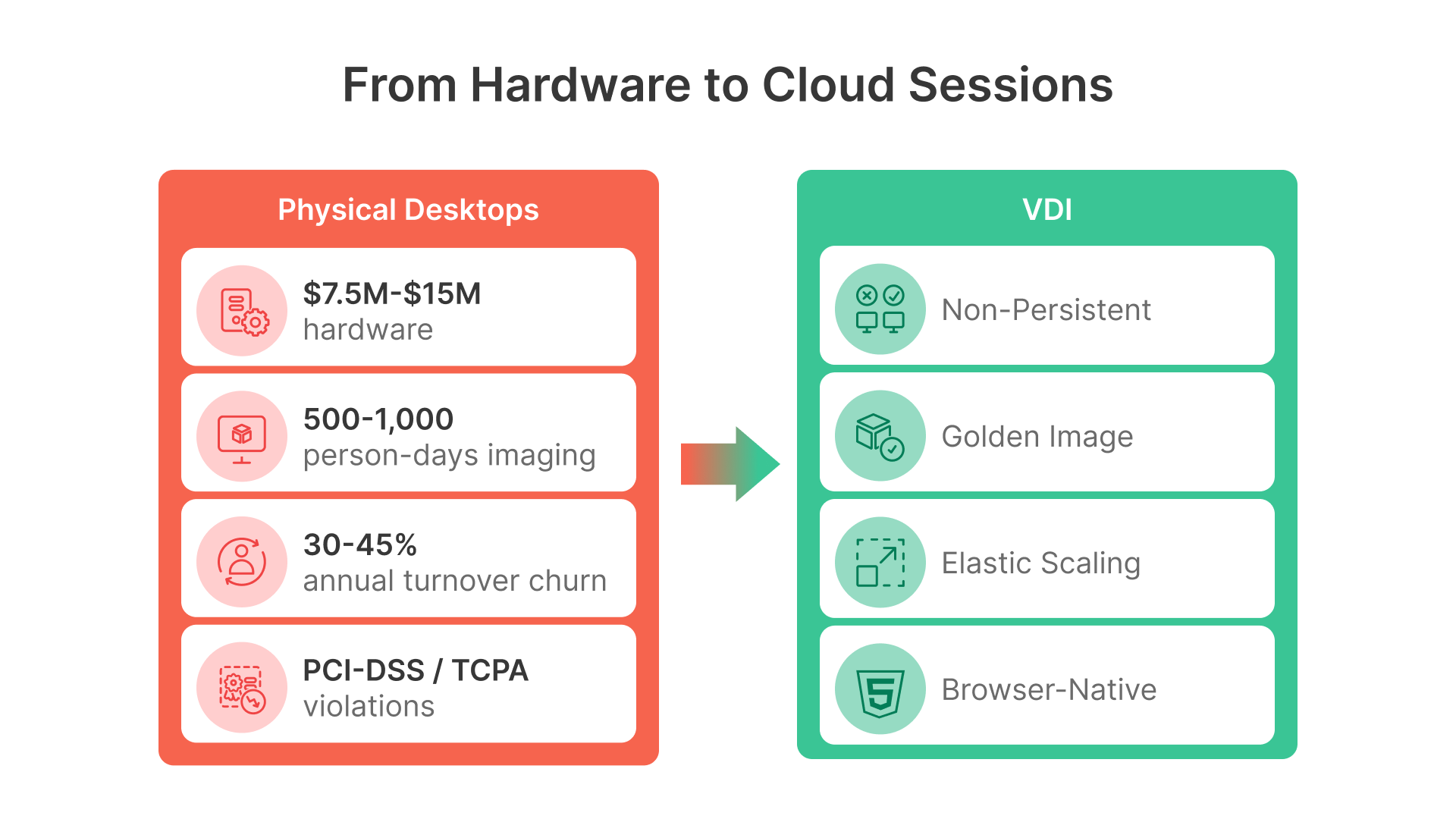
But this line-item hides a deeper problem. Every workstation needs imaging (standardized OS, agent apps, patches, security controls), testing, logistics, installation coordination, and helpdesk support during the transition. A single IT tech can image 5–10 machines per day if working full-time; for 5,000 machines, you need 500–1,000 person-days of labor. Even outsourcing imaging at $50–$100 per machine adds another $250K–$500K to the cycle.
The Operational Budget Reality
Contact center CFOs and CIOs work within brutal budget constraints. Operational budgets typically break down as: labor at 60–75% (agent wages, supervisors, QA staff); technology & infrastructure at 15–25% (systems, network, desktop support, software licenses); and facilities at 5–10% (real estate, utilities, furniture). A $7.5M–$15M refresh cycle consumes 15–25% of an entire annual technology budget in a single year. For a 5,000-seat center with $100M in annual operating costs, that refresh cycle eats up $1.5M–$2.5M of the tech budget in a single fiscal quarter. Any major outage, compliance failure, or security incident during the refresh threatens SLA delivery and customer satisfaction.
Agent Turnover: The Hidden Desktop Cost Multiplier
If hardware refresh cycles were the only problem, you could at least plan for them. But contact centers operate in a state of constant desktop churn driven by agent turnover.
The Turnover Math: 1,500–2,250 New Desktops Per Year
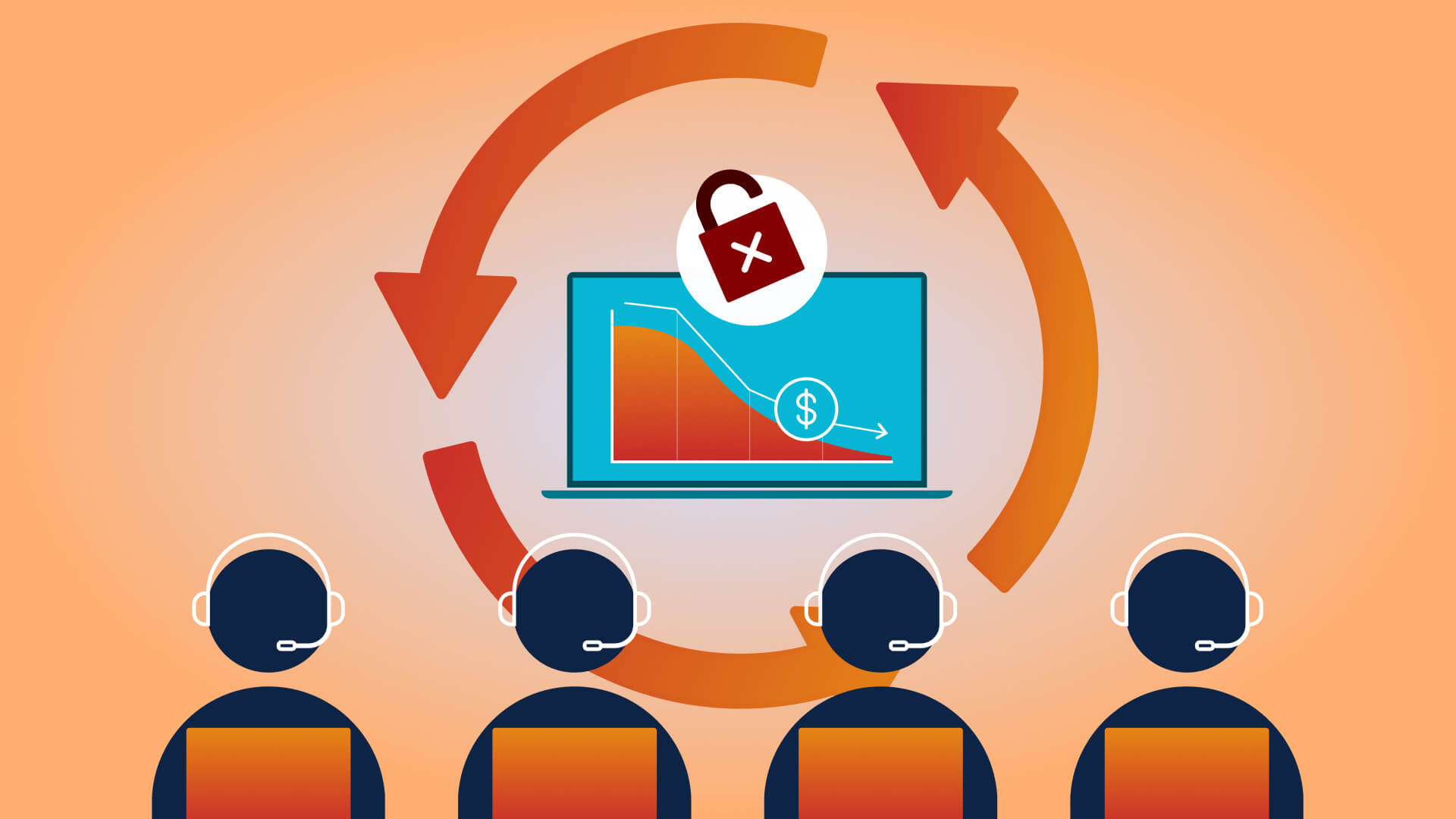
Contact center agent turnover ranges from 30% to 45% annually. For a 5,000-seat operation: annual turnover rate of 30–45% means 1,500–2,250 agents departing per year, requiring 1,500–2,250 new desktops per year. That’s nearly half of your workforce replaced every year. Every departing agent’s workstation must be wiped, re-imaged, and tested (4–6 hours per machine), reconfigured with new agent ID, credentials, and phone extension, verified for software compatibility with the onboarding team’s test cases, and physically moved or stored if the agent worked remotely.
Assuming 20 person-hours of IT labor per device per year (provisioning, re-imaging, troubleshooting, deprovisioning), you’re spending 30,000–45,000 person-hours annually just managing agent desktop churn. At a fully-loaded IT labor cost of $120/hour, that’s $3.6M–$5.4M per year in IT labor alone.

52% of CX leaders say agent burnout is an issue and causing agents to leave their companies.

Provisioning Speed as a Bottleneck to Growth
Provisioning a new physical desktop takes 3–5 business days: imaging, shipping (if remote), configuration, security patching, and end-user testing. Seasonal spikes — holiday season, product launches, billing cycle surges — amplify the bottleneck. A 5,000-seat center facing a 20% surge (1,000 additional agents) during the holiday season faces weeks of provisioning delays, forcing use of temporary workstations, shared desktops, or hiring delays. With VDI, provisioning takes minutes. New agents log in, receive a pre-configured session, and start taking calls within hours.
The Work-From-Home / Hybrid Reality
COVID-19 permanently changed contact center operations. What was once a niche benefit — remote agent work — is now a core operational model. 40–60% of contact center agents now work remotely at least part-time, and carriers and BPOs have committed to maintaining hybrid flexibility as a retention tool.
VPN-Based Remote Access: Expensive and Fragile
Physical desktops connected via traditional VPN create multiple problems. VPN scaling costs involve high per-seat licensing and infrastructure costs with vendor lock-in. Voice quality suffers because VPN latency introduces jitter and dropped calls. Security is weak because data remains on local drives and screenshots, USB recording, and lateral movement are hard to prevent. Complexity is high as network engineering, VPN capacity planning, and troubleshooting consume IT staff time. A 5,000-seat center with 60% remote work (3,000 agents) faces continuous VPN scaling, licensing cost increases, and call quality complaints. One major carrier’s IT team reported that 25% of contact center support tickets during the pandemic were VPN-related.
BYOD Policies Create Uncontrolled Risk
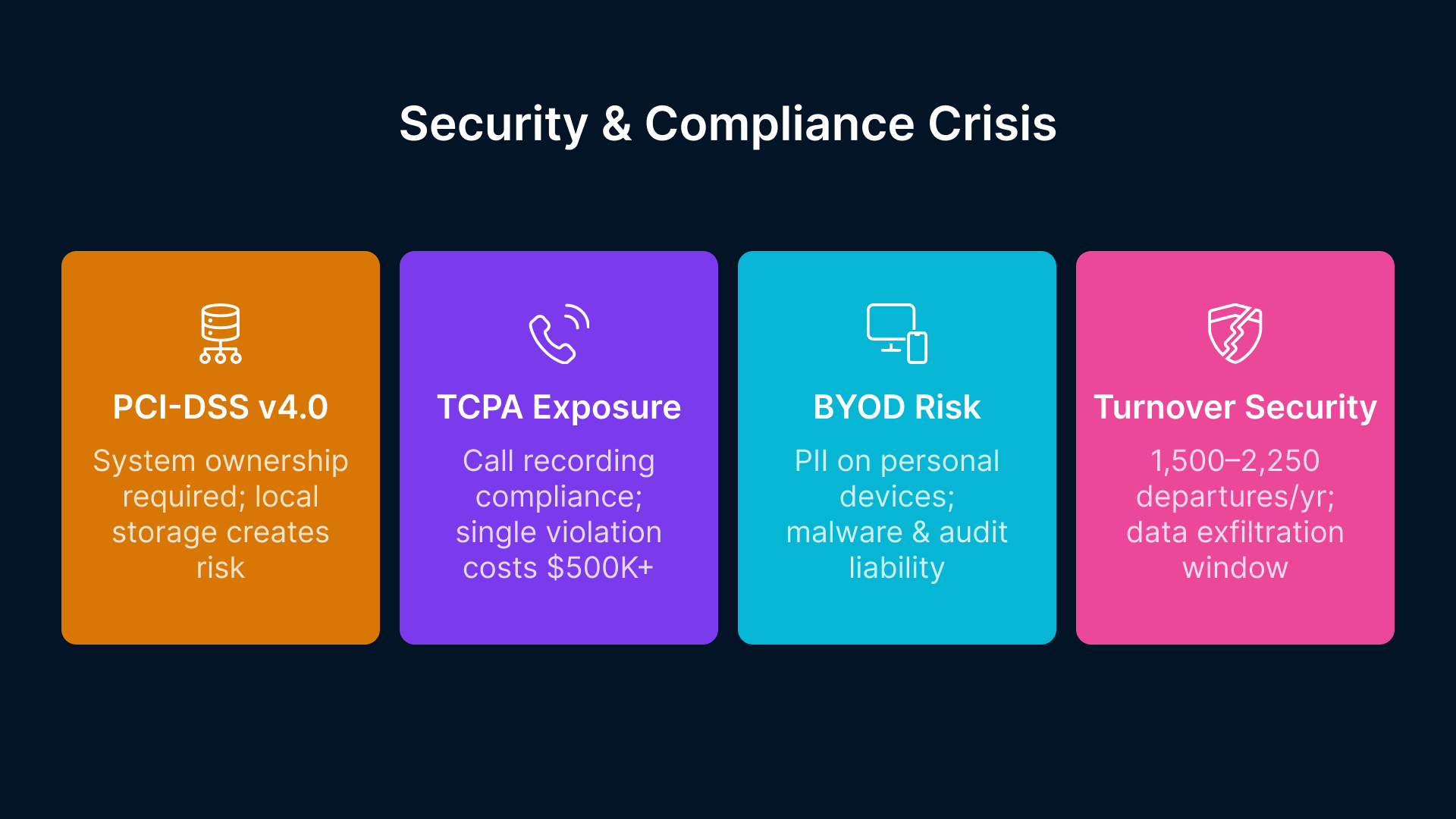
To reduce costs and complexity, many carriers allow Bring-Your-Own-Device (BYOD) policies: agents use personal laptops for remote access. The security implications are severe. PII exposure occurs because sensitive customer data (name, SSN, payment method, call recordings) can be stored on personal machines. Malware vectors open because agents download personal software, visit untrusted sites, increasing risk of compromised credentials. Audit liability grows when data governance audits reveal uncontrolled data replication across thousands of personal devices. Compliance violations arise because PCI-DSS v4.0 requires systems to be owned and controlled by the organization, not agents. With VDI, all data stays in the data center. Agents access a secure, managed session through their browser. No local storage, no USB ports, no screenshots unless explicitly logged and audited.
Security and Compliance Exposure
Contact centers handle some of the most sensitive customer data in business: personally identifiable information (PII), payment card data, call recordings, and billing information. Regulation and risk management make endpoint security a non-negotiable priority.
PCI-DSS v4.0 and Data Residency Requirements
Payment Card Industry Data Security Standard v4.0 (effective 2024–2025) tightens requirements for systems handling credit card data. System ownership mandates that cardholder data environments must be owned, controlled, and managed by the organization — not users. Data localization requires cardholder data to remain within defined geographic boundaries. Encryption in transit and at rest must be enforced on all endpoints, while local storage is discouraged. Access logging means every access to cardholder data must be logged, timestamped, and auditable. Physical desktops with local data storage, USB ports, and screen-sharing capabilities introduce significant PCI-DSS compliance risk. Auditors flag these as “control weaknesses” requiring remediation plans.
TCPA Compliance and Call Recording
The Telephone Consumer Protection Act (TCPA) mandates that outbound calling agents must provide proper disclosures and maintain compliant call recording. Desktops with third-party recording software or uncontrolled access to recordings introduce compliance violations. A single lawsuit over a TCPA violation can cost $500K–$2M in fines and settlements.
The Turnover Security Nightmare
With 30–45% annual turnover, you have 1,500–2,250 agents leaving your organization every year. Each departing agent’s workstation represents a data security risk. Drives are wiped, but fragments may remain in swap files, recovery partitions, or USB devices the agent touched. Access revocation for physical machines takes hours to disable; VDI sessions are killed in seconds. Audit trail loss occurs because physical machines create no centralized log of what the agent accessed or when. A former agent with lingering physical access could exfiltrate customer data, call recordings, or billing information. In VDI, access is instantly revoked; every session is logged and auditable; no data remains on the endpoint.
The Omnichannel Desktop Complexity
Modern contact center agents don’t just answer phones. They manage email, chat, social media, and SMS within unified customer interaction platforms. The average agent needs 6–8 applications running simultaneously: a CRM (Salesforce, Microsoft Dynamics, Oracle Siebel); a Contact Center Platform (Genesys, Five9, NICE, Cisco UCCE); a Knowledge Base (proprietary or third-party — Zendesk, ServiceNow, Kendra); a Ticketing System (Jira, Freshdesk, internal systems); Workforce Management (Verint, NICE WFM, custom tools); and Quality Monitoring with call recording and playback, screen capture, and speech analytics.
Software Conflicts and Version Mismatches
When you manage 5,000 physical desktops with 6–8 mission-critical applications each, version control becomes a nightmare. One team upgrades the CRM from Salesforce v60 to v61; another team hasn’t patched their knowledge base in six months. Incompatibilities emerge — the quality monitoring tool crashes on Firefox 120 but works on 119, so some agents can’t record calls. IT spends days troubleshooting before realizing it’s a browser version mismatch. Coordinating upgrades across 5,000 machines takes weeks. Any single machine that misses a patch becomes a support ticket, a security vulnerability, or a compliance violation.
Why VDI Eliminates This Complexity
With VDI, IT maintains a single golden image — one master template for an agent workstation. Every agent gets an identical session with the same browser version, the same CRM build, the same knowledge base library. When a new browser version is released, IT tests it once and updates the golden image. All agents receive the new version on their next login. No patchwork rolling updates, no version conflicts, no agent-specific troubleshooting.
Why VDI Changes the Equation
Virtual Desktop Infrastructure (VDI) is not a new concept. Citrix and VMware have offered VDI solutions for 15+ years. But modern VDI — cloud-native, HTML5-based, integrated with public cloud infrastructure like Oracle Cloud Infrastructure (OCI) — addresses the specific pain points of large-scale contact centers in ways older on-premises VDI couldn’t.
Non-Persistent Sessions: Clean Slate, Every Login
In Thinfinity Workspace deployed on OCI, agents receive a non-persistent desktop session every time they log in. No local storage, no cached files, no malware persistence. When the agent logs out, the session is destroyed. When the next agent logs in, they receive a brand-new, clean session from the golden image. This eliminates local data leakage (no customer data written to disk), malware persistence (no viruses survive beyond the agent’s shift), and storage administration (no disk cleanup, no storage fragmentation).
Provisioning in Minutes, Not Days
New agent onboarded? They log in to the web portal, authenticate with their corporate identity (AD/LDAP), and receive a VDI session configured with their role, team assignment, and phone extension. Seconds later, they’re on a call. No imaging, no shipping, no hardware inventory. For seasonal peaks (holiday hiring, campaign launches), you can spawn 500 new agent sessions in OCI with zero additional hardware. When the season ends, those sessions are deprovisioned.
Zero Local Data Storage = PCI-DSS Scope Reduction
PCI-DSS compliance requires organizations to minimize systems handling cardholder data. With VDI, customer data never resides on the endpoint — it lives in the OCI data center, backed by encryption, intrusion detection, and centralized audit logs. Compliance auditors see a dramatically reduced in-scope footprint, shorter audit cycles, and lower remediation costs.
Elastic Scaling for Seasonal Peaks
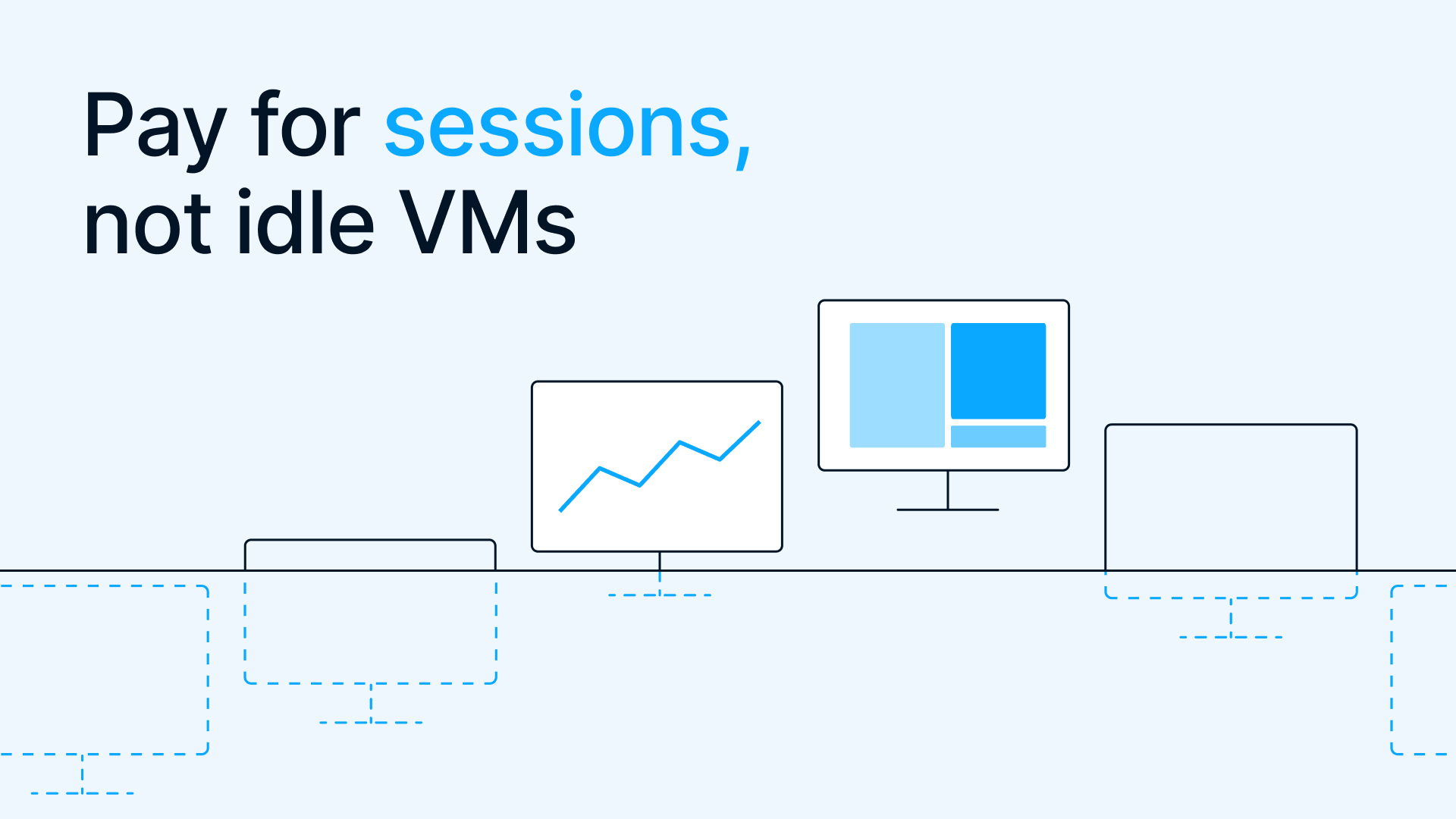
Contact centers experience predictable peaks: holiday season (Nov–Dec), back-to-school (Aug), tax season (Feb–Apr for US carriers), and billing cycle surges. Traditional infrastructure means over-provisioning for the peak and carrying idle capacity the rest of the year. With VDI on OCI, you provision compute capacity on demand. Need 1,000 additional agent seats for the holiday season? Spin up 100 OCI VMs, each hosting 10 lightweight sessions. When the season ends, deallocate the VMs and return to baseline. You pay for capacity only when you use it.
Single Golden Image for 5,000+ Agents
IT maintains one master image — the gold standard desktop. When a software update is needed, IT tests it on a small pool of agents, validates compatibility, and then rolls it out to the entire user base in hours. No staggered rollouts, no version conflicts, no support tickets from agents on old software versions.
Browser-Native Access Supports BYOD and WFH Without VPN
HTML5-based VDI platforms like Thinfinity Workspace require only a web browser. Agents connect from home, the office, or anywhere with internet using any device: laptop, desktop, tablet, or thin client. The connection is encrypted (TLS), but there’s no VPN infrastructure to scale, license, or troubleshoot. Security is built into the session, not the network layer. This removes VPN licensing costs (no per-seat VPN client fees or vendor lock-in), reduces network latency (browser-to-data center routing is optimized; no VPN tunnel overhead), and improves call quality (lightweight session encoding reduces jitter).
While many executives estimate replacement costs at $3,000–$5,000 per agent, McKinsey & Company’s extensive research reveals the true cost ranges from $10,000 to $20,000 per departing agent.
TCO Comparison: Physical Desktops vs. VDI
Let’s quantify the total cost of ownership (TCO) for a 5,000-seat contact center over 3 years and 5 years, comparing traditional physical desktops to VDI on OCI.
3-Year TCO Comparison
| Cost Category | Physical Desktops (3 yr) | VDI on OCI (3 yr) | Savings |
|---|---|---|---|
| Hardware (desktops + networking) | $7,500,000 | $0 | $7,500,000 |
| Hardware refresh (mid-cycle repairs) | $1,200,000 | $100,000 (infrastructure) | $1,100,000 |
| OS & Software Licensing (per-device) | $2,000,000 | $500,000 (OCI licensing) | $1,500,000 |
| IT Labor (imaging, patching, provisioning, support) | $5,400,000 | $1,200,000 (lighter support load) | $4,200,000 |
| Imaging & Deployment Tools | $400,000 | $50,000 (Thinfinity tooling) | $350,000 |
| Remote Access (VPN scaling, licensing) | $600,000 | $0 (browser-native) | $600,000 |
| Data Center & Network Infrastructure | $2,500,000 | $1,500,000 (OCI compute + storage) | -$1,000,000 |
| Security Tools (endpoint protection, DLP) | $800,000 | $200,000 (centralized in OCI) | $600,000 |
| Helpdesk Labor (user support, device issues) | $1,500,000 | $600,000 (fewer device issues) | $900,000 |
| Agent Onboarding Equipment Costs | $3,600,000 | $150,000 (credential provisioning only) | $3,450,000 |
| TOTAL 3-YEAR TCO | $25,900,000 | $4,700,000 | $21,200,000 (82% savings) |
5-Year TCO Comparison
| Cost Category | Physical Desktops (5 yr) | VDI on OCI (5 yr) | Savings |
|---|---|---|---|
| Hardware (desktops + 1 refresh at year 3-4) | $15,000,000 | $0 | $15,000,000 |
| Hardware refresh and repairs | $2,000,000 | $200,000 (infrastructure upgrades) | $1,800,000 |
| OS & Software Licensing | $3,500,000 | $1,000,000 | $2,500,000 |
| IT Labor (imaging, patching, provisioning) | $9,000,000 | $2,000,000 | $7,000,000 |
| Imaging & Deployment Tools | $600,000 | $100,000 | $500,000 |
| Remote Access Infrastructure | $1,200,000 | $0 | $1,200,000 |
| Data Center & Network Infrastructure | $4,500,000 | $3,000,000 (OCI compute + storage) | -$1,500,000 |
| Security & Compliance Tools | $1,400,000 | $400,000 | $1,000,000 |
| Helpdesk Labor | $2,500,000 | $1,000,000 | $1,500,000 |
| Agent Onboarding Equipment | $6,000,000 | $250,000 | $5,750,000 |
| TOTAL 5-YEAR TCO | $45,700,000 | $7,950,000 | $37,750,000 (83% savings) |
Key assumptions in this model: 5,000 agent seats, 30–45% annual turnover (1,500–2,250 departures/arrivals per year); physical desktop hardware cost of $2,000 per device; OCI compute at $0.30/hour for agent VM baseline; IT labor cost of $120/hour fully loaded; VDI reducing per-device labor by 60–70%; refresh cycle every 3–4 years for physical; OCI hardware refreshes transparently; and remote/WFH at 60% of workforce, eliminating VPN scaling costs in VDI scenario.
Compliance and Risk Mitigation
Beyond cost, VDI dramatically reduces compliance risk.
PCI-DSS v4.0 Alignment
Endpoints no longer handle cardholder data; data center is in-scope for encryption and audit. Every session is authenticated and every action logged. Centralized logging provides all user activity with no local data fragments.
TCPA Call Recording Compliance
All calls are recorded in the data center; no agent-side recording tools exist. Supervisors listen to calls through the VDI portal; no local playback downloads are required.
Data Residency Requirements
Carriers and BPOs serving regulated markets (EU, Canada, India) have data residency mandates. OCI’s regional availability (Europe, APAC, Canada) ensures customer data stays in the required jurisdiction. With physical desktops, enforcing data residency is nearly impossible; VDI makes it inherent to the architecture.
Implementation Considerations
Transitioning a 5,000-seat contact center from physical desktops to VDI is a multi-quarter effort, but the phased approach mitigates risk.
Phase 1: Pilot (Months 1–3)
Scope: One team of 100–200 agents on VDI. Objective: Validate application compatibility, call quality, and user experience. Timeline: 3 months. Success metric: Call quality equivalent or better than physical desktops; user satisfaction >80%.
Phase 2: Rollout (Months 4–9)
Scope: Remaining 4,800 agents in 4 waves (1,200 per month). Objective: Minimize disruption; maintain SLA adherence. Timeline: 6 months. Success metric: Zero unplanned downtime; SLA maintained >99%.
Phase 3: Optimization (Months 10–12)
Scope: Decommission physical infrastructure; optimize OCI resource allocation. Objective: Reduce operational overhead; realize cost savings. Timeline: 3 months. Success metric: IT labor reduced by 50%; cost per agent down 40–50%.
Ready to Evaluate Thinfinity Workspace for Your Contact Center?
Request a personalized demo with your technology team. See firsthand how cloud-native VDI eliminates hardware refresh cycles, accelerates agent provisioning, and reduces compliance risk. We’ll walk through a TCO analysis specific to your organization’s size, turnover, and infrastructure model.