

Summary
- KB5129237 is Microsoft’s out-of-band update for Windows Server 2022 (OS Build 20348.5631, released September 14, 2026) that fixes a Remote Desktop Services regression introduced by the September 8, 2026 Patch Tuesday security update KB5122882 (OS Build 20348.5622).
- The regression was host-side. In affected environments, Microsoft reports that RDS might become unstable, with RDP connections failing after several minutes, sign-in issues, or servers hanging at “Please wait for the Remote Desktop Configuration.”
- This was not a Windows Server 2022-only event. Microsoft shipped same-day out-of-band fixes across the Windows line, from Windows Server 2012 through Server 2025 and Windows 10/11.
- Microsoft states the issue does not affect Windows 365 or Azure Virtual Desktop, so the lesson is not “a single vendor’s cloud broker is fragile.” It is operational: how you test, stage, roll out, and roll back OS patches, and how you contain blast radius.
- Running Thinfinity Workspace on Oracle Cloud Infrastructure (OCI) helps with image-based patch testing, staged rollout, and fast recovery, but it does not patch the Windows hosts for you. You still install KB5129237, or the matching fix for your OS, on affected hosts.
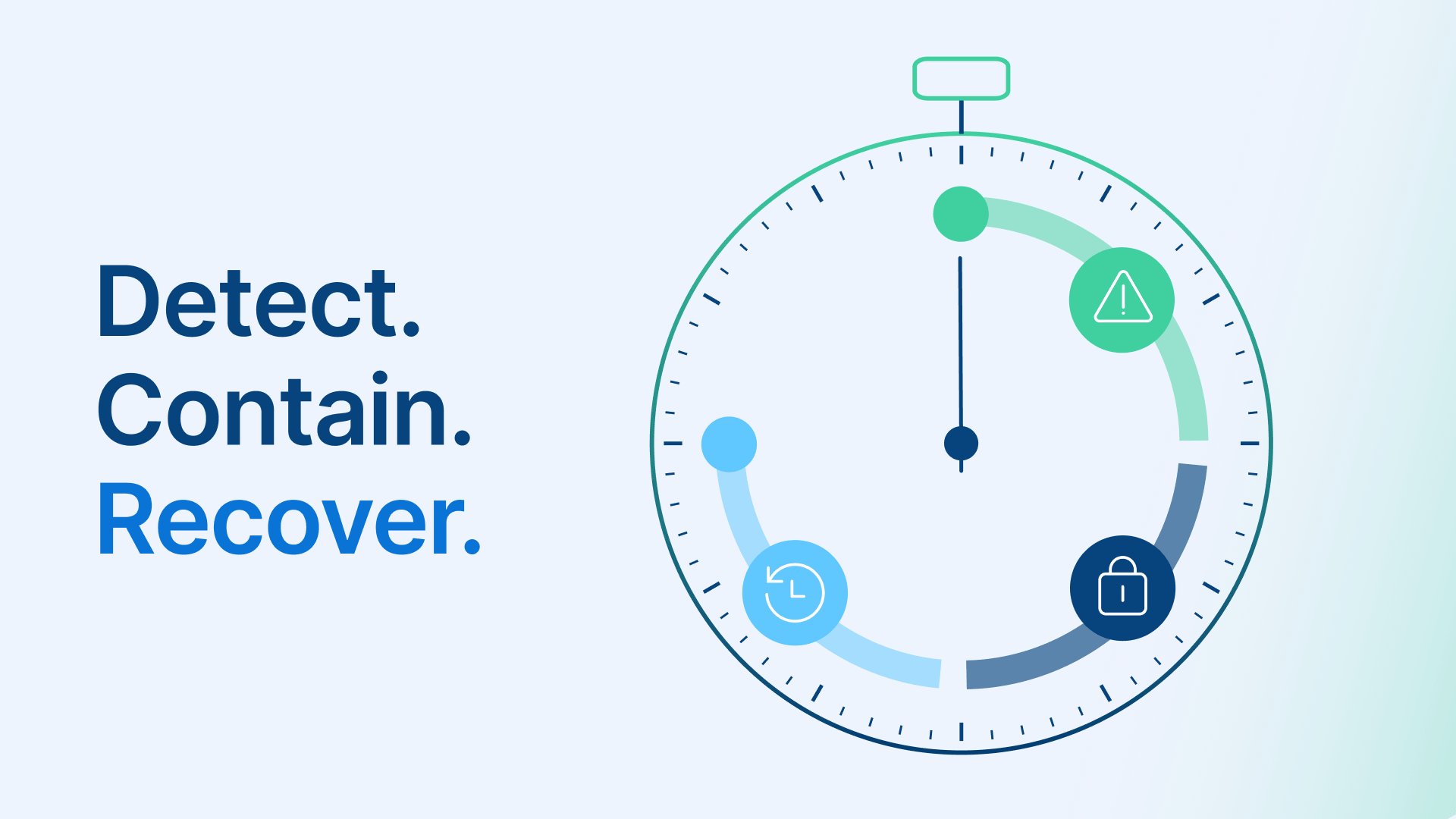
This piece is written a few weeks after the fix shipped, so treat it as lessons learned rather than a live emergency. The incident is a useful stress test of one question every VDI and Remote Desktop Session Host (RDSH) operator should be able to answer: when a routine security update destabilizes the operating system your sessions run on, how quickly can you detect it, contain it, and recover, preferably without a fleet-wide outage or an all-night maintenance window? KB5129237 is the hook, but the durable value is in the patch-resilience practices it exposes.
What happened with KB5129237 and KB5122882?
On September 8, 2026, Microsoft’s Patch Tuesday security update for Windows Server 2022, KB5122882 (OS Build 20348.5622), introduced a regression in Remote Desktop Services. Six days later, on September 14, 2026, Microsoft released KB5129237 (OS Build 20348.5631), a cumulative out-of-band update that fixes it. Because KB5129237 is cumulative, installing it carries the September security content forward, so applying the fix does not mean giving up the security update. Microsoft opened the issue on its Windows release health dashboard on September 11, 2026, and notes that administrators who had already deployed a temporary mitigation through Group Policy do not need to take any action before installing the out-of-band update.
What Microsoft says the regression did
In Microsoft’s own wording, in affected environments “RDS might become unstable, resulting in RDP connections failing after several minutes, sign-in issues, or servers hanging at ‘Please wait for the Remote Desktop Configuration’. Related tools, including Microsoft Management Console (MMC), RDS Licensing Diagnoser, and File Explorer might also become unresponsive. Additionally, the Windows Update page might stop responding and continuously display a loading indicator.” Every one of those symptoms is host-side. The “Please wait for the Remote Desktop Configuration” hang is what a user sees during sign-in on an affected host, and the tools that could stop responding (MMC, the RDS Licensing Diagnoser, File Explorer, the Windows Update page) all run locally on that host. In other words, any session terminating on an affected Windows host could be hit, regardless of what sits in front of it.
What else KB5129237 addresses
KB5129237 also fixes a separate regression affecting 8-channel and 3D USB Audio Class 1.0 modes. Two known issues remain after the out-of-band update, and they are distinct. First, the Windows Server Update Services (WSUS) console does not show sync error details. That issue is not new: Microsoft has listed it since KB5070884 in October 2025, when that functionality was temporarily removed to address the remote code execution vulnerability CVE-2025-59287; that CVE relates only to the WSUS item. Second, and unrelated to the WSUS issue, some USB Audio Class 1.0 devices can still fail, showing Device Manager “Code 10” or producing no audio, with a resolution pending. One note on root cause: Microsoft published symptoms, not a root-cause analysis. Some third-party outlets have attributed the behavior to a deadlock between RDP and the Local Session Manager (LSM) on the host, but that is secondary analysis that Microsoft has not confirmed.
Why does an RDS regression count as an availability event?
For any estate that depends on the Windows RDS role to host sessions, instability in the RDP sign-in path is indistinguishable from downtime. Users cannot sign in, and administrators cannot open the local tools they would normally use to diagnose the problem because those same tools may be unresponsive on the affected host. A security update is necessary and these updates will keep coming, so the exposure question is not “should we patch.” It is how much of your estate a single bad patch can take down at once, and how fast you can push a fix or a rollback without a maintenance window. That framing matters because it points the lesson at operations rather than at any one vendor. The fix itself is simple: install KB5129237 on affected hosts. The architecture question is how to make the next emergency patch a routine, reversible change instead of a fleet-wide incident.
Which Windows versions were affected?
This was not limited to Windows Server 2022. Microsoft shipped out-of-band fixes across the Windows line on the same day, September 14, 2026. Per Microsoft’s Windows release health dashboard (one per Windows version), the out-of-band fixes are:
- Windows Server 2022: KB5129237
- Windows Server 2025: KB5129235
- Windows Server 2019: KB5129238
- Windows Server 2016: KB5129239
- Windows Server 2012 R2: KB5129243 (Monthly Rollup, ESU only)
- Windows Server 2012: KB5129244 (Monthly Rollup, ESU only)
- Windows 11 24H2 / 25H2: KB5129195; Windows 11 23H2: KB5129242; Windows 11 26H1: KB5129194
- Windows 10 22H2 / 21H2: KB5129236; Windows 10 Enterprise LTSC 2019 and LTSC 2016 are fixed by the Server 2019 (KB5129238) and Server 2016 (KB5129239) updates
The breadth is the point: one month’s Patch Tuesday security updates destabilized Remote Desktop across the entire Windows family and forced same-day out-of-band patching everywhere. Microsoft also states that the issue does not affect Windows 365 or Azure Virtual Desktop. That last detail reframes the whole discussion. Microsoft’s own managed desktop services were fine, so the lesson is not that a cloud broker is weak. It is that broad OS regressions happen, and operational discipline around patching is what limits the damage. Microsoft deserves credit for a fast, cross-platform out-of-band response here.
How can an image-based patch workflow reduce the blast radius?
This is where running your Windows hosts as cloud VDI helps: not by making those hosts immune, but by changing how quickly you can test, contain, and recover. Thinfinity Workspace delivers published Windows applications and desktops from Windows hosts you run on Oracle Cloud Infrastructure, and that image-based model changes how a patch like KB5129237 moves through your estate.
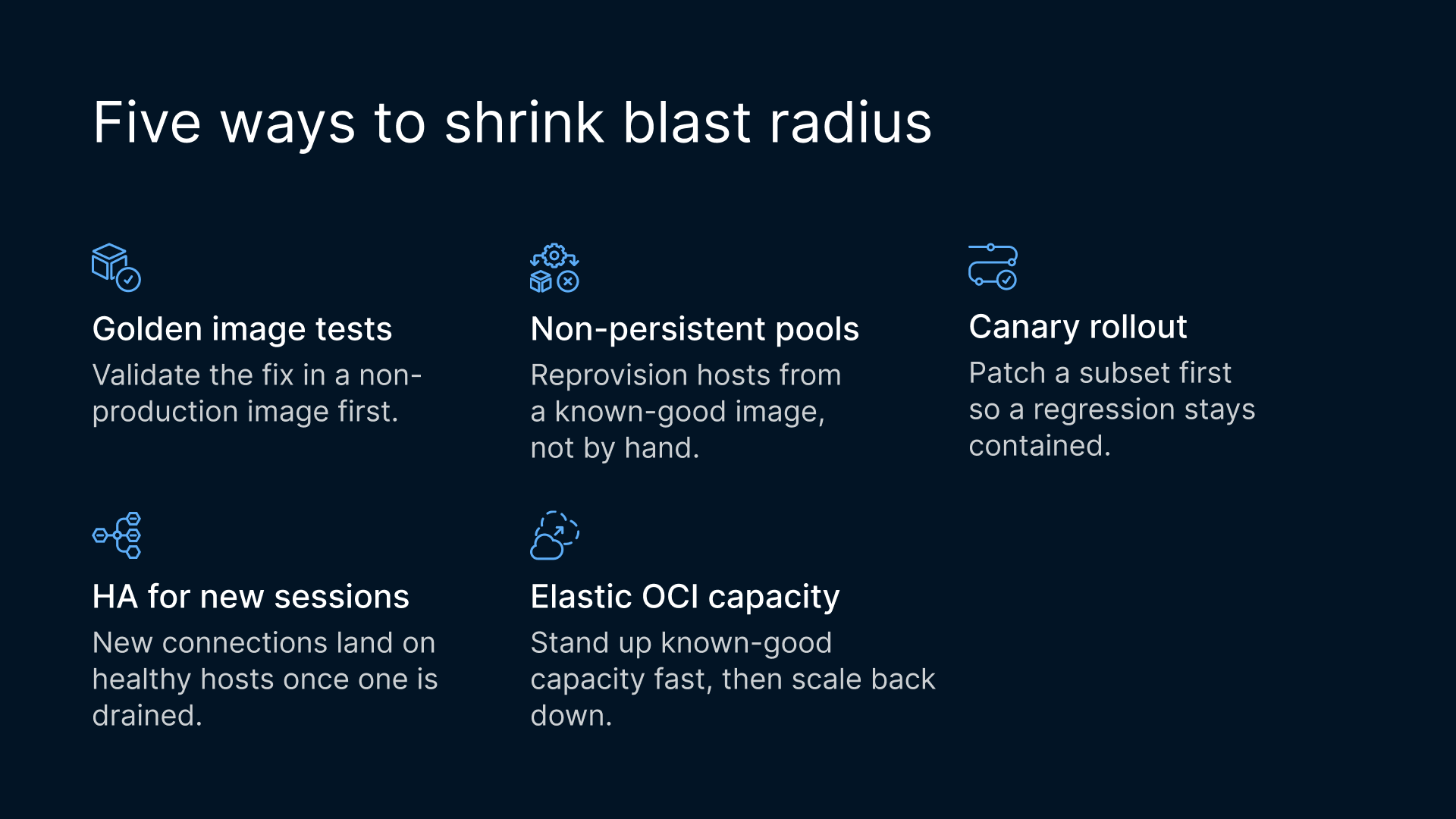
- Golden-image patch testing and versioning. Validate the out-of-band fix, or catch a bad patch, in a non-production image before it reaches users. Patch the image once and roll it out in stages instead of patching live servers in place; if the patch regresses, the previous known-good image is still there to return to.
- Non-persistent pools. Reprovision hosts from a known-good or patched image instead of hand-repairing each server.
- Staged, canary rollout. Patch a subset of hosts first so a regression like this one does not hit the whole fleet at once.
- High availability for new connections. Once an affected host is detected or drained, new connections can land on healthy capacity. That does not repair sessions already running on the affected host, and a host that hangs at sign-in may not look unhealthy to a basic health check.
- Cloud elasticity on OCI. Stand up known-good capacity quickly during remediation, then scale it back down afterward.
“Even under emergency circumstances, it may still be beneficial to first deploy a new patch to a small number of canary assets to confirm that the patch is not corrupted and does not break the software.” NIST If you are already rethinking platform dependencies after the Broadcom era, our overview of alternatives to VMware post-Broadcom covers the same resilience-first mindset at the hypervisor layer.
What are the limits?
None of the above removes the need to patch Windows, and it is worth being explicit about where the practices stop.
- You must install the out-of-band fix on affected Windows hosts. The regression is in the Windows host itself, and a broker or gateway in front of it does not patch it; multi-session hosts stay exposed until they are patched.
- RDSH requires Microsoft RDS Client Access Licenses (CALs) and a Microsoft RDS license server, regardless of which broker or gateway sits in front. Windows and RDS CALs are always licensed separately with Microsoft. Thinfinity’s concurrent licensing covers Thinfinity; it is not a substitute for Windows or RDS CALs. One of Microsoft’s own listed symptoms, the RDS Licensing Diagnoser hanging, is a reminder that this licensing layer is part of the Windows stack you still operate.
- HA does not repair sessions already running on an affected host; it helps new connections reach healthy capacity.
- Patching VDI is not always a fully “live” operation. Pooled and non-persistent collections, plus drain windows, still exist and still need planning.
“Each user and device that connects to a Remote Desktop Services session host or Azure Virtual Desktop session host running Windows Server needs a Remote Desktop Services (RDS) client access license (CAL).” Microsoft Learn Stated plainly: an image-based workflow changes how quickly you can contain and recover from a bad OS patch. It does not make Windows patching optional and it does not make your session hosts immune.
How does ad hoc patching compare with an image-based workflow?
The table below compares two operating models on the dimensions this incident stressed. Both models still depend on the affected Windows RDS/RDP host stack, so the comparison is about patch-resilience practice, not features.
| Patch-resilience practice | Ad hoc in-place patching of Windows RDS hosts | Image-based patch workflow for Windows VDI on OCI with Thinfinity |
|---|---|---|
| Patch testing before production | Often applied directly to live hosts | Validate the update in a non-production golden image first |
| Staged / canary rollout | Harder to stage; frequently all-at-once | Patch a subset of hosts first, then widen |
| Rollback on a bad patch | Manual uninstall or restore per host; slow at fleet scale | Return hosts to the prior known-good image; reprovision pools |
| Blast-radius containment | A fleet-wide push can hit every host at once | Canary plus pools limit how many hosts a regression reaches |
| Dependency on the affected Windows RDS/RDP host stack | Yes, you must patch the hosts | Yes, you must patch the hosts; the workflow does not avoid the host-side bug |
| New-connection failover | Typically manual | New connections go to healthy capacity once an affected host is detected or drained (running sessions are not repaired) |