

Summary
- Same foundation, different scope. Both OCI Secure Desktops and Thinfinity Workspace run natively on Oracle Cloud, keep data in your OCI region, and rely on pixel streaming rather than moving data to the endpoint. This is not a cloud-vs-cloud debate; it is a comparison of delivery scope, access, identity, and licensing.
- Delivery scope is the biggest divide. OCI Secure Desktops delivers full Windows and Linux desktops from managed pools. Thinfinity adds individually published Windows apps (Virtual Windows application publishing/VDA via multi-session and RemoteApp), Linux/Java apps, and Remote Browser Isolation: apps, not just desktops.
- Any client, one security model. Thinfinity is not browser-only. Users connect from any HTML5 browser and from native Windows, Linux, and mobile (iOS/Android) client apps, all under a single Universal ZTNA.
- One hardened connection path. On each host a Thinfinity agent dials outbound to a reverse Gateway over port 443 with TLS 1.3 using RDC, so no inbound ports open on the perimeter firewall or the host machine.
- Licensing shapes TCO. OCI Secure Desktops bills per provisioned desktop; Thinfinity uses concurrent single-licensing that lowers total cost when named users exceed peak concurrency, alongside simpler cross-forest identity and multi-tenant white-label delivery.
If you are searching for an OCI Secure Desktops alternative, the short answer is that you do not have to leave Oracle Cloud Infrastructure to get a broader desktop and application experience. Both OCI Secure Desktops and Thinfinity Workspace on OCI run natively on Oracle Cloud, keep your data in-region, and use pixel streaming so information stays on the server. The difference is scope, access flexibility, identity, and licensing model. OCI Secure Desktops delivers full Windows and Linux desktops from managed pools as a clean, Oracle-native service. Thinfinity Workspace, on the same OCI foundation, adds individual published applications alongside full desktops, reaches users from any HTML5 browser and native Windows, Linux, and mobile clients under one unified security model, simplifies identity and cross-forest administration, and offers concurrent licensing that can lower total cost of ownership for many workloads. This is a current, side-by-side comparison to help IT directors and solutions architects choose the right fit.
The shared foundation: both run natively on OCI
The two share a strong common foundation. Both are virtual desktops on Oracle Cloud, running inside your OCI tenancy, so sensitive workloads and data remain within the OCI region and compartment structure you already govern. Both operate on a pixels-not-data principle: the workload executes on OCI compute and only an encrypted display stream reaches the user’s device, so endpoints never hold the data. Pixel streaming is a major reason security-conscious teams in banking, healthcare, and government adopt Oracle Cloud VDI.
The OCI platform underneath both keeps improving. OCI Secure Desktops is now available in 60+ regions, including sovereign and government realms, and OCI has eliminated outbound data-transfer (egress) fees, a win for any streaming desktop workload regardless of broker. Cybele Software runs Thinfinity Workspace as an Oracle partner precisely because OCI’s flexible compute shapes, in-region data residency, and network economics make it an excellent place to host desktops and applications. For teams standardizing on Oracle Cloud, this is the same reasoning behind native OCI VDI for enterprises. This is not a story about escaping OCI; it is about how much desktop and application experience you can build on top of it.

[…] customers can deploy desktops closer to end users, reducing latency and improving productivity […]

OCI Secure Desktops vs Thinfinity Workspace on OCI: side-by-side comparison
The table summarizes where the two align and where Thinfinity extends the experience, dimension by dimension. Details and pricing evolve, so confirm current specifics in Oracle’s documentation and in a Cybele scoping session.
| Dimension | OCI Secure Desktops | Thinfinity Workspace on OCI |
|---|---|---|
| Delivery scope | Full Windows and Linux desktops provisioned from managed pools. Desktop-centric; not designed for granular published-app delivery. | Full desktops and individually published Windows apps (VDA via multi-session and RemoteApp), Linux/Java apps, and Remote Browser Isolation from one platform. Apps, not just desktops. |
| Access clients | Supported web browser or a lightweight installed client app for Windows, macOS, and Linux, connecting to the Secure Desktops service. | Any HTML5 browser and native Windows, Linux, and mobile (iOS/Android) client apps, all enforcing the same Universal ZTNA security. Client flexibility with one unified security model. |
| Protocols / gateway | Streamed access through the OCI Secure Desktops service endpoints and client within your tenancy. | Every client connects to the reverse Gateway; on each host a Thinfinity agent dials outbound via RDC and streams the session up, so the desktop and app hosts stay private with nothing exposed inbound. On OCI the Gateway sits in a DMZ subnet while hosts stay private. |
| Session experience and features | Streamed desktop sessions; Oracle documents and fixes specific session-experience items over time. | Persistent and non-persistent desktops, session recording, granular app windows, plus USB peripheral redirection, audio/video redirection, and GPU-capable delivery for a higher-fidelity experience. |
| Access security and ZTNA | Access through OCI identity and the Secure Desktops console/client within your tenancy. | A Universal ZTNA layer in front of desktops and apps, enforced identically across browser and native clients. |
| Identity / MFA / RBAC / recording | Integrates with OCI IAM/identity for authentication. | Broad IdP brokering with MFA, SSO, and SAML; role-based access control; built-in session recording. |
| Identity administration (user management, cross-forest, IdP) | Uses OCI identity constructs; user management, cross-forest authentication, and multi-IdP integration are commonly cited as needing more setup effort. | Simple user management, simple cross-forest authentication, and broad, simple IdP integration (SAML, OpenID Connect, Active Directory, Entra ID, Okta) from one console. |
| Multi-tenancy / white-label | Single-organization service model within a tenancy. | Native multi-tenant and white-label capabilities built for MSPs and ISVs. |
| Licensing model | Per-provisioned-desktop: roughly US$20 per desktop/month (10-desktop minimum) plus compute, storage, network, and any Windows license. | Concurrent single-licensing: pay for simultaneous sessions, not for every provisioned desktop, plus underlying OCI resources. |
| TCO drivers | Every desktop in the pool is billed; idle desktops still count. Windows pools default to Dedicated Virtual Host (DVH). | Concurrency plus OCI right-sizing and no egress fees; strong fit when named users exceed peak concurrency. |
| Windows model | Windows requires BYOL; pools default to Dedicated Virtual Host (DVH), which can add cost and complexity versus shared VMs. | Windows multi-session and RemoteApp publishing let many users share hosts; deliver a single app without a full desktop. |
| Migration from Citrix / VMware | Migration into a desktop-pool model. | Turnkey migration target from Citrix and VMware/Horizon; publish existing apps and desktops with minimal re-architecture. |
| Management | Oracle-managed service surface; administration through the OCI console. | Single management plane for apps, desktops, identity brokering, and recording, deployable in your OCI tenancy. |
| Best fit | Teams wanting a first-party, Oracle-managed full-desktop pool inside OCI. | Teams needing apps + desktops, any-client access under one ZTNA model, simpler identity/cross-forest administration, multi-tenancy/white-label, or concurrent-licensing economics on OCI. |
Delivery scope: desktops versus desktops plus apps
The single most important distinction in OCI Secure Desktops vs Thinfinity is what gets delivered. OCI Secure Desktops hands a user a complete Windows or Linux desktop provisioned from a pool, exactly what many organizations want. It is desktop-centric by design, not intended for granular application virtualization where you publish a single application rather than an entire operating system.
Thinfinity Workspace on OCI covers the full-desktop use case and then extends it. Its Virtual Windows application publishing (VDA) is a core strength: from one platform you can publish an individual Windows application through multi-session hosts or RemoteApp, deliver Linux and Java applications, present full persistent or non-persistent desktops, and isolate risky web browsing through Remote Browser Isolation. This “apps, not just desktops” model is a key differentiator versus a desktop-pool service, because real environments are rarely all-desktop: a claims processor may need one line-of-business app, a developer a full Linux desktop, a contractor a single hardened browser. Delivering an app instead of a whole desktop reduces the compute footprint, shortens login time, and simplifies the experience. Thinfinity also includes built-in z/Scope terminal emulation for legacy host access, useful when green-screen mainframe or AS/400 workflows still live alongside modern apps.
Access clients and session experience: any client, one security model
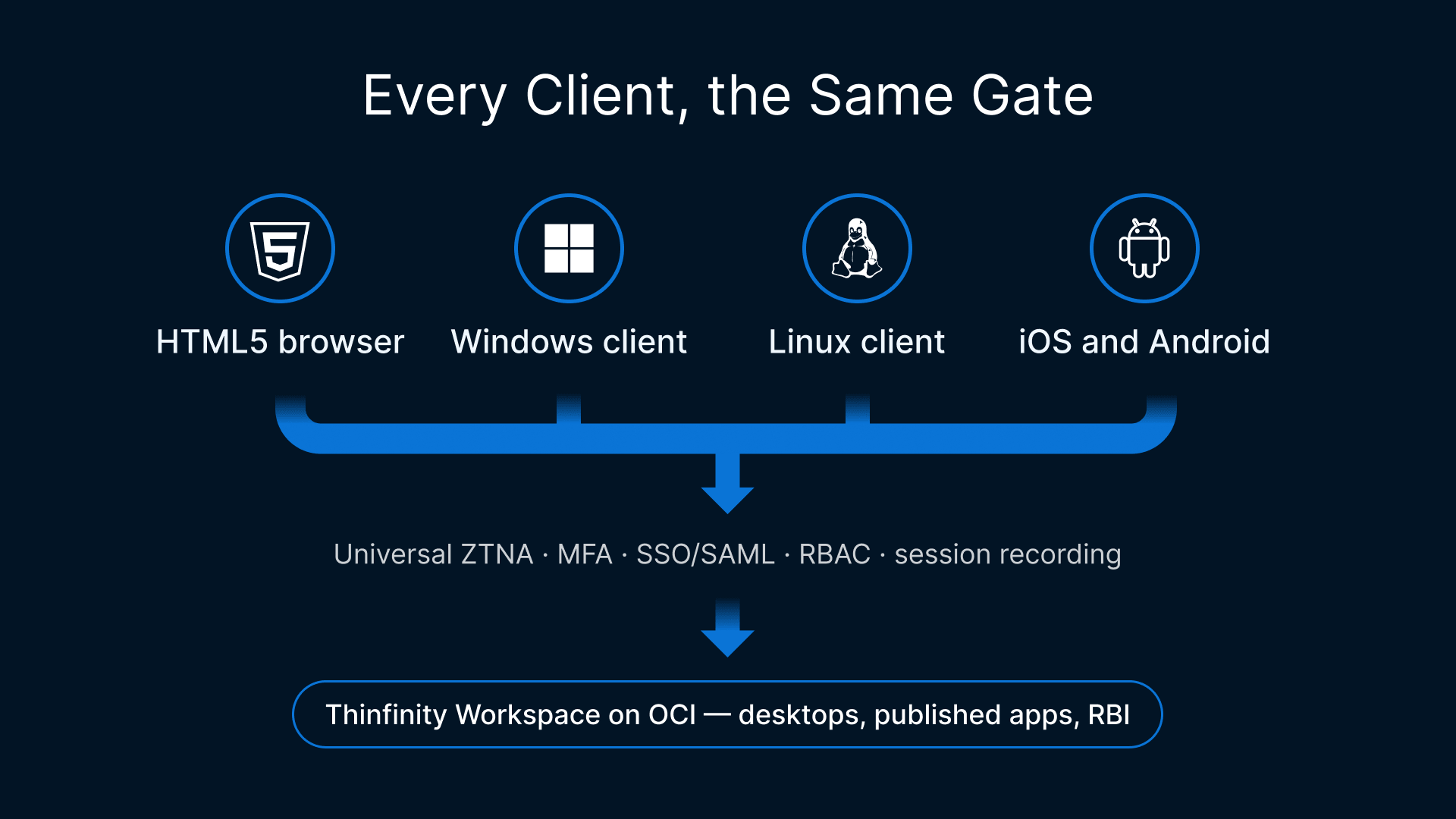
A common misconception is that Thinfinity is “browser-only.” It is not. Thinfinity reaches users from any HTML5 browser and from native Windows, Linux, and mobile (iOS/Android) client apps. All of those paths enforce the same Universal ZTNA security: identity brokering with MFA/SSO/SAML, RBAC, and session recording, so you get client flexibility without fragmenting your security posture into different rules for different endpoints.
That reach pairs with Thinfinity’s publishing breadth: a back-office team on desktops, a field crew on one published app, and an external contractor on a hardened browser can all run from one OCI-hosted platform under one ZTNA fabric, on a browser or a native client.
The native clients also unlock a higher-fidelity session experience where it counts. Thinfinity supports USB peripheral redirection, audio and video redirection for collaboration tools such as softphones and conferencing, and GPU-capable delivery for heavyweight workloads like GIS mapping and SCADA. Combined with persistent or non-persistent desktops and granular published-app windows, you can tune each session to the workload rather than handing everyone the same generic desktop.
Thinfinity Gateway: one connection path
How traffic reaches the workload is central to both security and performance, and with Thinfinity the connection path is the same no matter how the user connects. Whether a session opens in an HTML5 browser or in a native Windows, Linux, or mobile client, that client connects to the Thinfinity reverse Gateway over port 443 with TLS 1.3 encryption. On the resource side, a Thinfinity agent runs on each VDI desktop or application host; the agent establishes the connection locally and outbound to the Gateway using RDC, Thinfinity’s streaming protocol, and streams the session content up to the Gateway.
Because the agent dials out rather than listening for incoming connections, no inbound ports are opened, not on the perimeter firewall and not on the host machine, so the desktop and app hosts stay private. On OCI, you place the Gateway in a DMZ subnet, keep the hosts in private subnets, and expose only the Gateway, brokering every session through one hardened entry point under the same Universal ZTNA.
Access security and Universal ZTNA
Security architecture is where the platforms differ most concretely. OCI Secure Desktops brokers access through OCI identity and its own console and client, appropriate for a first-party service. Thinfinity adds a full Universal ZTNA fabric on top of OCI (MFA/SSO/SAML identity brokering, role-based access control, and native session recording) that authenticates and authorizes users before any connection reaches a workload. Because that fabric and the single hardened entry point apply to browser and native clients alike, the ZTNA guarantee is universal rather than client-specific, giving regulated environments a minimal external attack surface with granular RBAC and native recording, often the deciding factor.
Identity and administration: user management, cross-forest, and IdP integration
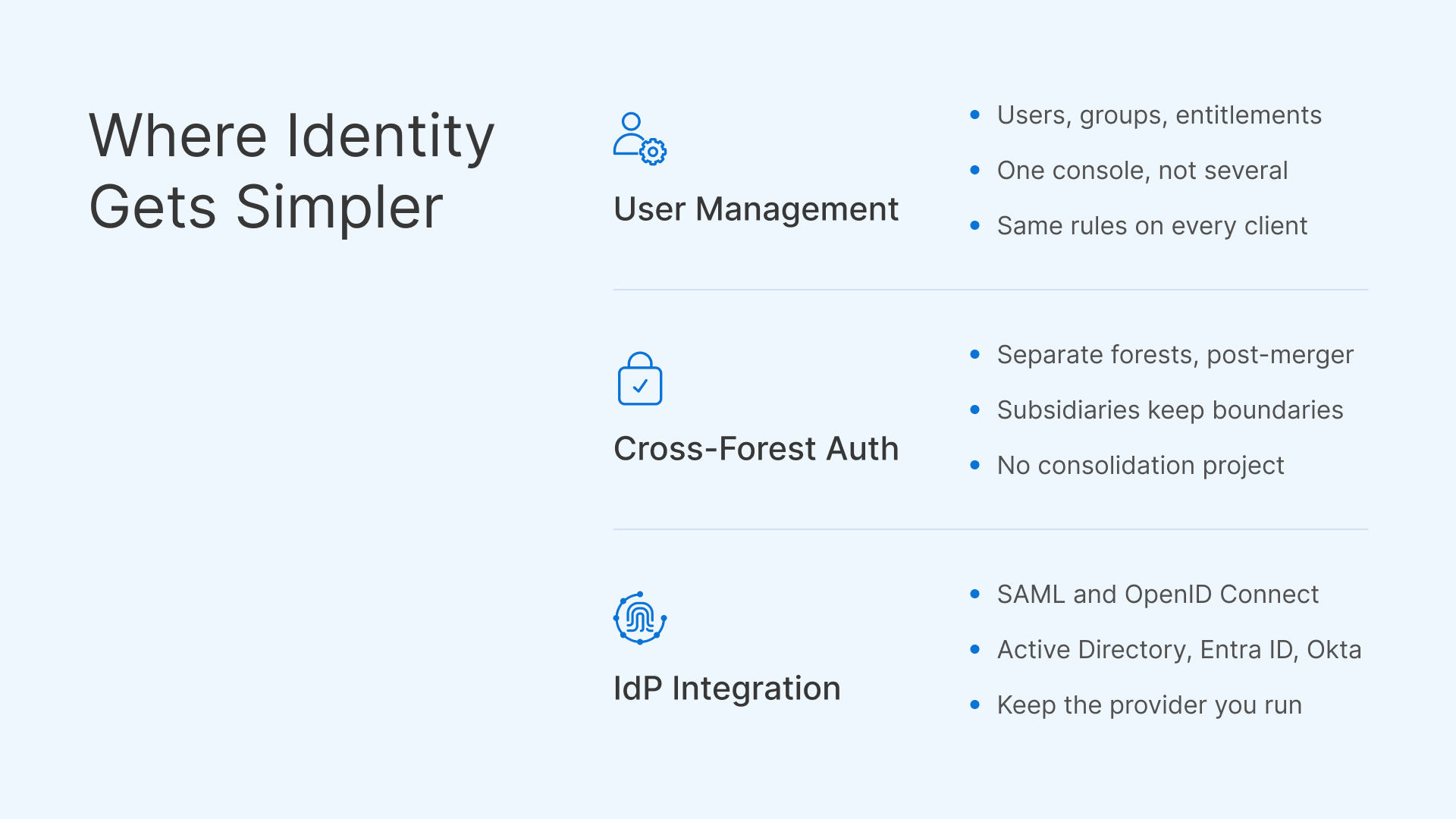
Identity is where Thinfinity’s breadth is most visible, and where teams frequently report that native desktop-pool services take more effort. Three capabilities stand out. User management is deliberately simple: administrators define users, groups, and their access to specific apps and desktops from a single console, without stitching together multiple identity surfaces. Cross-forest authentication is straightforward, which matters to organizations that have grown through mergers or maintain separate Active Directory forests for business units, subsidiaries, or security boundaries. And IdP integration is broad: Thinfinity brokers identity through SAML, OpenID Connect, Active Directory, Entra ID, and Okta, so you plug into the identity provider you already run rather than forcing a migration.
These are the areas commonly cited as requiring more setup with native desktop-pool services such as OCI Secure Desktops, which lean on OCI’s own identity constructs: a reasonable design choice for a first-party service, not a defect. The comparative point is that user management, cross-forest authentication, and multi-IdP integration tend to be simpler to operate with Thinfinity, which suits organizations with complex directory topologies or a heterogeneous IdP landscape. Validate your specific scenario during a scoping session.
Multi-tenancy and white-label
For managed service providers and ISVs, the operating model matters as much as the technology. OCI Secure Desktops is designed around a single organization consuming desktops within its tenancy. Thinfinity Workspace adds native multi-tenant and white-label capabilities, so a provider can host many customers on shared OCI infrastructure, isolate them logically, and brand each tenant under its own identity. That turns “virtual desktops on Oracle Cloud” into a productizable service an MSP can resell, meter, and brand, often decisive when you deliver DaaS or app delivery to external customers rather than only internal employees.
TCO: concurrent licensing versus per-provisioned-desktop
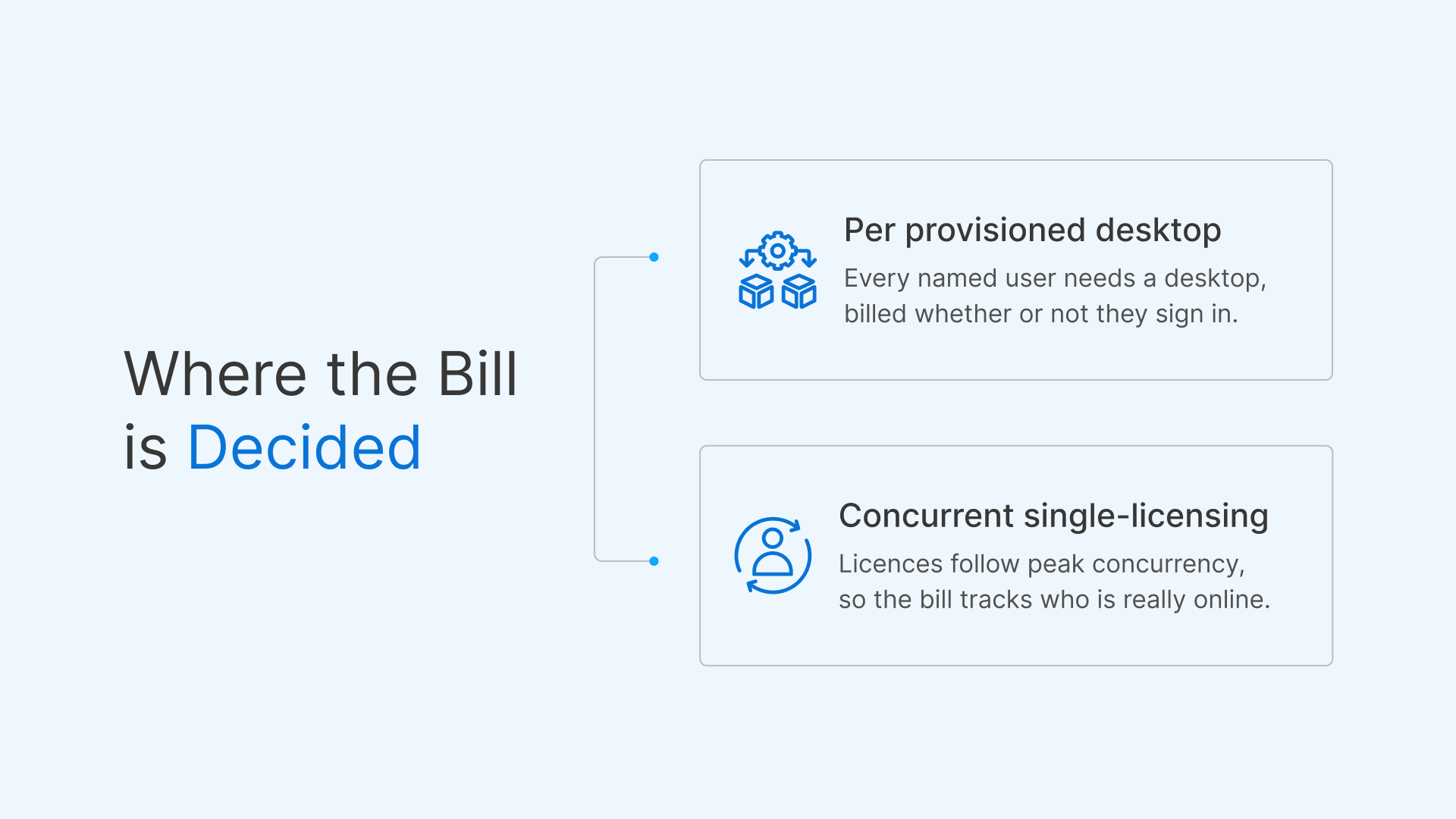
Total cost of ownership often decides the evaluation. OCI Secure Desktops uses a per-provisioned-desktop model: roughly US$20 per desktop per month with a 10-desktop minimum, plus the underlying OCI compute, storage, and network, plus any Windows license you bring. Windows pools default to a Dedicated Virtual Host (DVH), which can add cost and complexity. The key characteristic is that you pay for every desktop in the pool, whether or not it is in use.
Thinfinity Workspace uses concurrent single-licensing: you pay for simultaneous sessions rather than for each named or provisioned desktop. Many real workloads are not “one person, one always-on desktop all day.” Shift workers hand off the same role across three shifts; part-time, seasonal, and contractor staff log in intermittently; task workers touch a single app for minutes at a time. In each case the number of people who could log in is much larger than the number logged in at once. A per-desktop model charges for the full named population; a concurrent model charges for the peak. Combine that with OCI’s flexible compute shapes and its elimination of egress fees, and the delivered cost can drop meaningfully.
The following example is illustrative only, uses round numbers, and includes no vendor quotes; always model your own environment with current pricing. Imagine 300 named users who share desktops across shifts and roles, with a measured peak of 100 concurrent sessions.
- Per-provisioned-desktop approach (illustrative): to guarantee everyone a desktop you provision on the order of 300 desktops. At about US20perdesktop/monththatisroughlyUS6,000/month in desktop fees alone, before compute, storage, network, and Windows licensing, and before any DVH premium. Idle desktops still bill.
- Concurrent-licensing approach (illustrative): you license around the 100-concurrent peak (with headroom) and right-size OCI compute to match. You pay for the sessions actually in use, not for 300 always-provisioned desktops, and you avoid the DVH premium by using shared multi-session Windows hosts where appropriate.
The takeaway is structural, not a precise dollar figure: when named users substantially exceed peak concurrency, concurrent licensing plus OCI right-sizing tends to lower TCO; per-desktop pricing is most efficient when nearly every named user is active at once. For predictable-cost planning in regulated sectors, see our related piece on predictable-cost banking VDI on OCI.
Windows specifics: DVH and BYOL versus multi-session and RemoteApp
Windows deserves its own note because it drives cost. With OCI Secure Desktops, Windows requires bring-your-own-license (BYOL), and pools default to Dedicated Virtual Host. DVH dedicates physical host capacity, which suits certain licensing and isolation needs but can raise cost and complexity relative to shared VMs, and Oracle’s Known Issues page documents a DVH fail-state recovery procedure administrators should understand. With Thinfinity Workspace, Windows multi-session hosts and RemoteApp publishing let many users share the same hosts and let you deliver a single application rather than a full desktop. That density, combined with concurrent licensing, is frequently where the largest Windows-side savings appear. Confirm Microsoft licensing terms for your scenario.
Migrating or coexisting
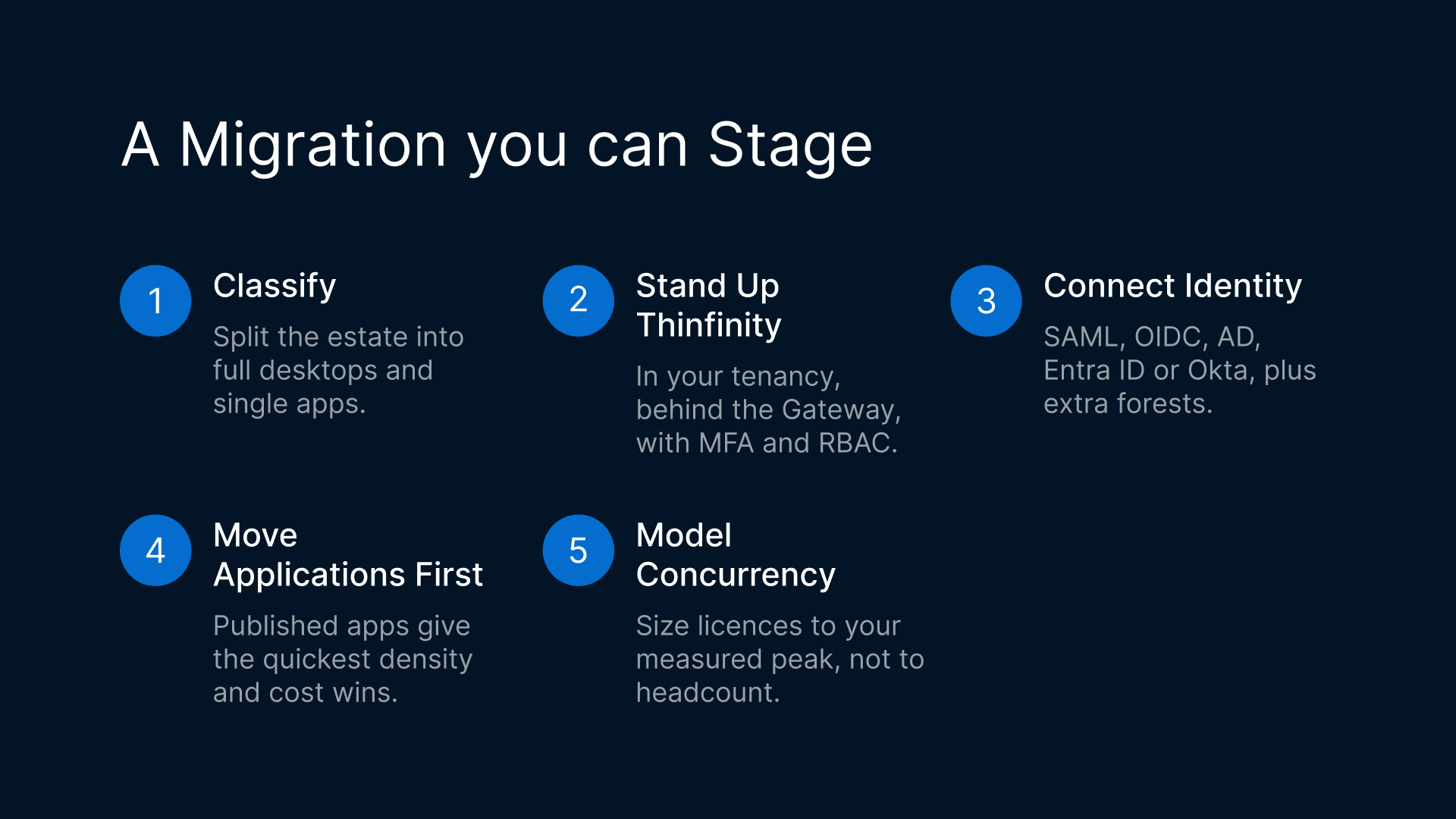
Choosing Thinfinity Workspace does not require ripping anything out. Because both run on OCI, the two can coexist during a transition: keep specific full-desktop pools on OCI Secure Desktops while you stand up Thinfinity for published apps, any-client access, simpler cross-forest identity, or concurrency-driven savings. Thinfinity is also a turnkey migration target from Citrix and VMware/Horizon, so teams consolidating from legacy on-prem or other-cloud VDI can land directly on OCI, whether you are evaluating a Citrix alternative or a VMware alternative. A typical path: classify apps and desktops as full-desktop or single-app; stand up Thinfinity in your OCI tenancy behind the reverse-proxy/DMZ Gateway with MFA and RBAC; connect your existing IdP (SAML, OpenID Connect, Active Directory, Entra ID, or Okta) and any additional forests; migrate app-only users first for quick density and cost wins; then move full-desktop users, choosing persistent or non-persistent per workload; and model concurrent licensing against your measured peak. Cybele solutions architects can help scope the migration and the TCO model.