
Summary
- Remote browser isolation for contractor access runs the contractor’s browser as an ephemeral pod on Oracle Kubernetes Engine (OKE), so the internal web app renders on OCI and only the isolated session reaches the endpoint.
- Universal ZTNA scopes the external user to one specific internal app, not the network; Just-in-Time (JIT) Access makes that grant time-boxed and self-expiring.
- No VPN and no managed laptop: any device with an HTML5 browser connects to the Thinfinity Gateway over TCP 443, while hosts and pods dial outbound, so there are zero inbound ports.
- Nothing from the internal network lands on the device; clipboard, upload, download, and printing are policy-controlled per session, and the pod is discarded at logout.
Remote browser isolation for contractor access lets a contractor, third party, or BYOD user reach a specific internal web application through an isolated browser session that runs on your infrastructure, not on their device. The session is time-boxed and least-privilege, nothing from the internal network lands on the endpoint, and no VPN or managed laptop is required.
Why is contractor, third-party, and BYOD access to internal web apps so risky?
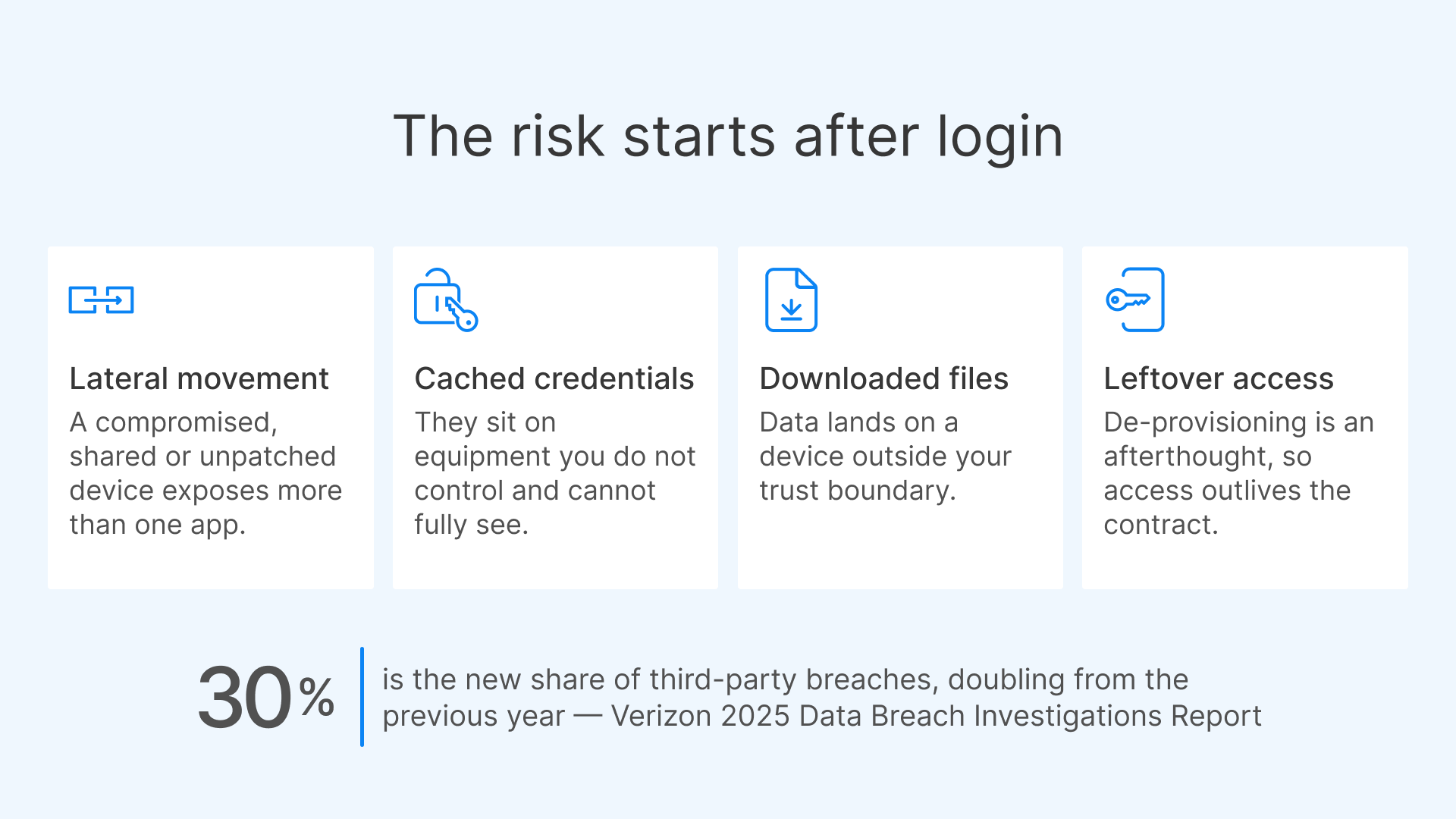
The hard part of contractor access has never been the login screen. It is everything that comes after. A traditional approach puts the external user on your network with a VPN client, or ships them a managed laptop, and then trusts that device for the life of the engagement. Both paths extend your trust boundary to equipment you do not control and cannot fully see. Once a VPN tunnel is up, the contractor’s unmanaged laptop is effectively on the corporate network. If that device is compromised, or shared, or simply running an unpatched browser, the exposure is no longer limited to the one application the contractor was hired to use. Lateral movement, cached credentials, downloaded files, and leftover access after the engagement ends are the recurring failure modes. De-provisioning is often an afterthought, and access quietly outlives the contract. That risk is not hypothetical. Verizon’s 2025 Data Breach Investigations Report found that the share of breaches involving a third party roughly doubled, to about 30 percent. Third-party and contractor access is precisely the surface that most organizations provision quickly and decommission slowly.

The report found that third-party involvement in breaches has doubled to 30%, and exploitation of vulnerabilities has surged by 34%, creating a concerning threat landscape for businesses globally.

What CISOs and IT managers actually want is narrower than a network connection. They want a named external user to reach one or two internal web apps, for a defined window, from whatever device that person already owns, with nothing sensitive left behind and a clean, instant off switch. That is the problem remote browser isolation for contractor access is built to solve.
What is remote browser isolation on OKE and OCI, and how does it isolate the session?
Thinfinity RBI runs the browser the contractor uses as an ephemeral container, a pod, orchestrated by Kubernetes. Oracle Kubernetes Engine (OKE) on Oracle Cloud Infrastructure (OCI) is a natural home for that workload, because browser sessions are bursty and per-user and benefit from pod-level elasticity. The remote browser runs inside the OCI pod, close to the internal application. The contractor interacts with the rendered session in their own browser, while the application’s code, cookies, tokens, and network connections stay on the pod and never reach the endpoint. The mechanics are deliberately simple from the outside. The user opens any HTML5 browser and connects to the Thinfinity Gateway over TCP 443. The Gateway, together with the Broker and Cloud Manager that make up Thinfinity Workspace, authenticates the user, confirms entitlement, and connects them to an isolated browser pod. Hosts and pods dial outbound to the Gateway, so there are zero inbound ports open into the protected network. The contractor never touches the internal network directly; they only ever see the isolated session. Because the session lives in a pod, isolation is structural rather than promised. Each contractor gets a fresh, single-browser pod launched from a shared hardened base image. When the session ends, the pod is discarded, so nothing persists between sessions and nothing accumulates on a shared desktop. Clipboard, file upload, file download, and printing are policy controls applied per session and per role, so you decide exactly what, if anything, is allowed to cross between the isolated browser and the contractor’s device. For most contractor and third-party scenarios, keeping those channels closed is the whole point. One practical note for architects: because the RBI browser pods are Linux-based, the browser workload needs no Windows RDS CALs. That keeps the isolated-browser layer lightweight and avoids desktop-OS licensing for what is, in the end, a single browser tab per user.
How does it deliver least-privilege, time-boxed access without a VPN or anything on the endpoint?
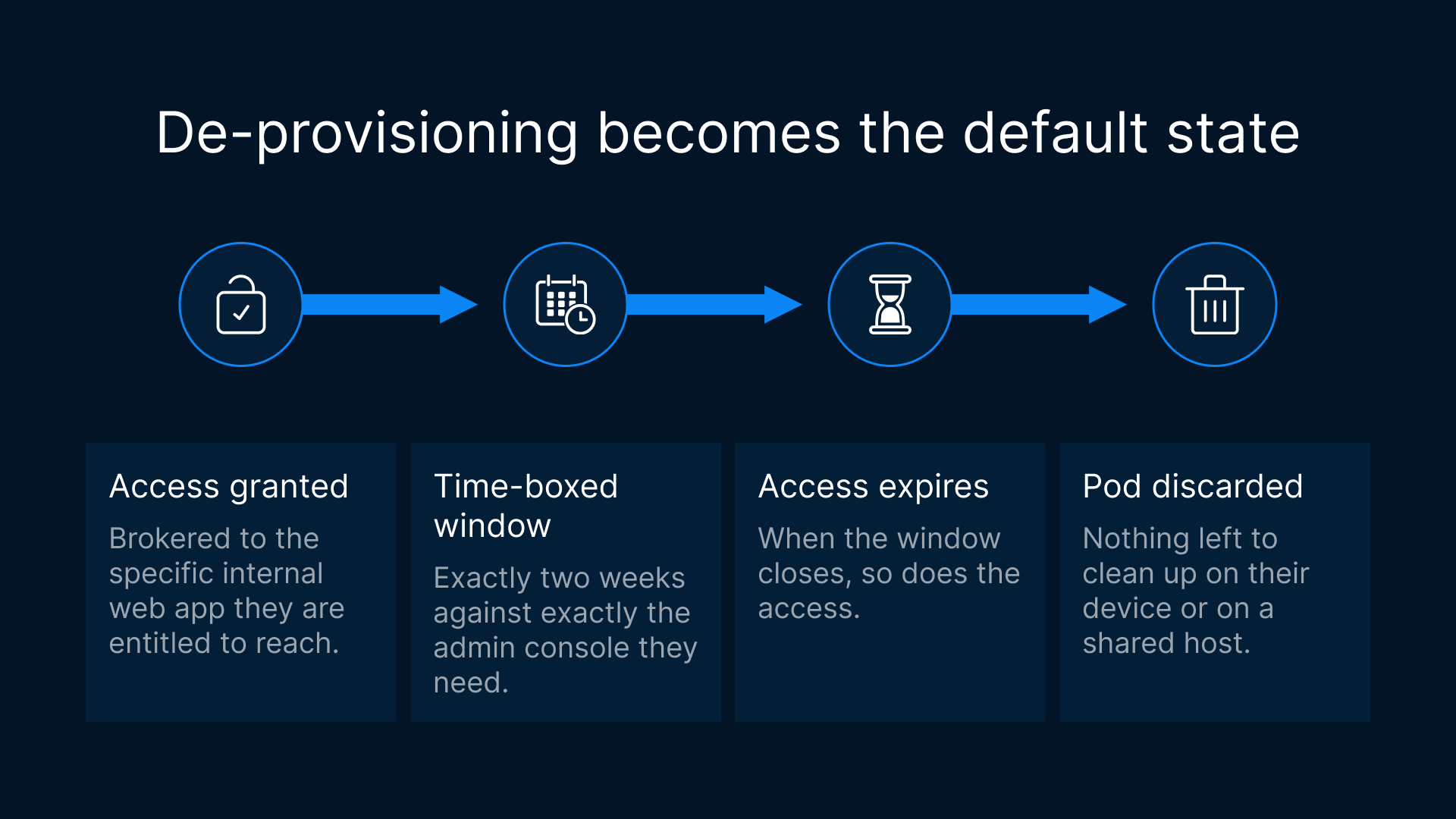
Remote browser isolation handles the isolation. Universal ZTNA and Just-in-Time (JIT) Access handle who gets in, to what, and for how long. Together they turn a broad network grant into a narrow, auditable application grant. With Universal ZTNA, the contractor is brokered to the specific internal web application they are entitled to reach, not to a network segment. Access is scoped to the resource. The external user authenticates at the Gateway, and the Broker applies role-based policy to connect them only to the app or apps approved for them. There is no tunnel onto the LAN, no route they can scan, and no adjacent systems they can discover. The reverse connection model means the protected network opens no inbound ports; everything rides the single outbound TCP 443 path. JIT Access adds the time dimension. Instead of standing access that someone has to remember to revoke, a contractor receives access that is granted for a defined window and expires on its own. A vendor brought in for a two-week migration gets exactly two weeks against exactly the admin console they need. When the window closes, so does the access, and because the session ran in an ephemeral pod, there is nothing left to clean up on their device or on a shared host. De-provisioning stops being a manual chore and becomes the default state. The combination is what makes BYOD and unmanaged-device access defensible. The contractor’s own laptop or tablet is never placed on the network and never receives the application. It renders an isolated session over TCP 443 and nothing more. You get identity-anchored, least-privilege, time-boxed access to internal web apps from any device, without distributing VPN clients or shipping hardware.
Zero trust assumes there is no implicit trust granted to assets or user accounts based solely on their physical or network location (i.e., local area networks versus the internet) or based on asset ownership (enterprise or personally owned).
Why run it on OKE and OCI specifically?
The workload shape and the platform fit each other. Contractor and third-party access is spiky: an onboarding wave, a quarter-end audit, a short vendor engagement, then quiet. Provisioning a fixed fleet for that pattern wastes capacity most of the time and runs short at the peak. OKE answers that with pod-level elasticity. Browser pods scale up as concurrent contractors connect and scale back down when they disconnect, so capacity tracks real usage rather than a worst-case guess. Ephemeral pods are created per session and discarded at logout, which is both the security property and the cost property: no idle sessions lingering, no state carried forward. Running on OCI keeps the isolated browser close to the internal applications it serves, which helps latency and keeps traffic on OCI-native private networking. Sensitive rendering stays in-region, and only the interactive session reaches the contractor. The zero-inbound-ports posture, with hosts and pods dialing outbound to the Thinfinity Gateway on TCP 443, means you are not punching holes in the perimeter to onboard an outside party. For teams already standardizing on OCI, delivering contractor access as containers on OKE folds into the same cluster, identity, and networking model they already operate. Standalone browser-isolation services such as Menlo Security, Zscaler Browser Isolation, and Cloudflare Browser Isolation run the remote browser in the vendor’s cloud, and enterprise browsers such as Island install a managed browser on the contractor’s device. Thinfinity RBI keeps the isolated browser inside your own OCI environment, next to the internal apps it serves, with nothing to install on the endpoint. If your question is mainly economic (full virtual desktops as an expensive way to deliver what is really just a browser), see our companion post on replacing web-centric VDI with browser-isolation pods on OKE. If a contractor needs a full desktop or a thick-client app instead, the native OCI VDI path on the same platform covers that.
VPN or managed laptop for contractors vs. RBI on OCI
| Dimension | VPN / managed laptop for contractors | RBI on OCI |
|---|---|---|
| Device trust required | Must trust (and often supply) a managed device | None; any HTML5 browser on a BYOD or unmanaged device |
| Network exposure | Device placed on the network; routes and neighbors reachable | Brokered to one app only; zero inbound ports; no LAN access |
| Data on endpoint | App data, downloads, and credentials can land locally | Nothing from the app reaches the device; transfers policy-controlled |
| Provisioning time | Ship hardware or configure VPN client and access | Send a link; broker an isolated session on demand |
| De-provisioning | Manual revocation; access often outlives the engagement | JIT window self-expires; ephemeral pod discarded at logout |
| Scope of access | Network segment, as well as the segmentation allows | Least-privilege to the specific internal web app via Universal ZTNA |
What are the limits?
Remote browser isolation is a strong fit for browser-delivered internal applications, and it is not a universal answer. A few boundaries are worth stating plainly. First, RBI covers web apps, the things a browser renders: portals, dashboards, admin consoles, intranets, ticketing systems, and similar. Thick-client applications that a contractor must run as installed software belong on VDI or published applications (VDA), not in an isolated browser. The same Thinfinity Workspace platform can deliver those when they are genuinely required, so this is a right-tool choice, not a gap. Second, RBI protects your internal applications and network from an unmanaged device. It is not a substitute for endpoint security on the contractor’s own machine for everything else that device does. Isolation governs the session you broker; it does not harden the laptop. Third, sizing and latency depend on region and pod capacity. A heavy single-page application streams differently from a light internal portal, and placing pods in-region close to users and apps matters. Measure your own target applications rather than assuming a single figure. Finally, this architecture enables strong controls, it does not by itself determine regulatory compliance. In-region rendering, least-privilege scoping, and session controls support data-residency and access requirements, but whether a given deployment satisfies a specific framework is a question for your compliance and legal teams. Consult counsel.